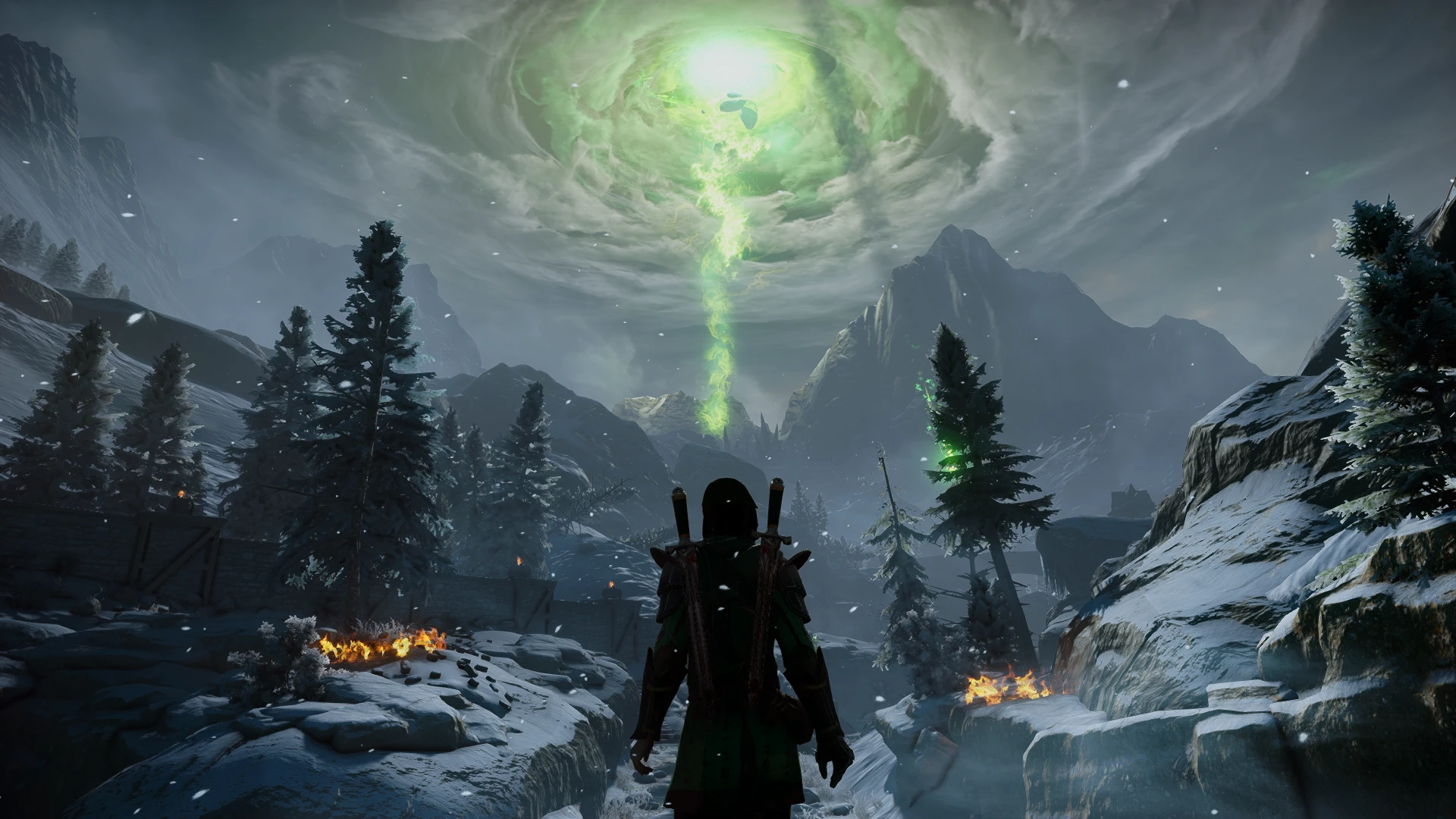
Cinematic color correction Dragon Age Inquisition
⚪ Last updated 2024Preview
🔍 Analysis
- 👍 4.2% endorsement rate — high engagement, a strong quality signal
- 🏆 #43 of 75 Visuals and Graphics mods in this game by downloads
📋 About This Mod
This Reshade presset improves the color scheme in the game, balances the contrast, color brightness.
"Cinematic color correction Dragon Age Inquisition"
This Reshade presset improves the color scheme in the game,
balances the contrast, color brightness.
Installation:
1. Download and install Resade (with all effects):Home (reshade.me)
2. Download my presset
3. Put all files from the arhive to game folder.
4. In the game, press home to open the reshade and select my reshade preset.
5. Thats all enjoy).
My patreon: patreon.com/RTX277
My Youtube channel https://youtube.com/@jensen_dxmd?si=6lq1QyKtUym4kB_T
You can support the author here - https://donatello.to/AdamJensen
📊 Mod Details
- Game
- Dragon Age Mods
- Author
- AdamJensen2029
- Version
- 1.0
- Downloads
- 1,316
- Endorsements
- 55
- Category
- Visuals and Graphics
- Created
- 1/6/2024
- Updated
- 1/6/2024
🔧 How to Install Dragon Age Mods
Download from Nexus.
📖 Full step-by-step install guide for Dragon Age →
Visit the official mod page for specific installation instructions for this mod.
🎮 Need cheat codes or console commands? Check ur gaming wiki for Dragon Age commands, item IDs, and more.
Keep browsing — more Dragon Age mods await