Restored Graphics Effects - ReShade With Ray Tracing Option - And Speed Up Weapon Wheel Transition
⚪ Last updated 2021Preview
🔍 Analysis
- 👍 2.6% endorsement rate — high engagement, a strong quality signal
- 🏆 #5 of 229 Visuals and Graphics mods in this game by downloads
📋 About This Mod
Restored Graphical Effects/ReShade With RT/Speed Up Weapon Wheel Transition
I am spin1490 btw (lol)
Check Out The Doom Eternal/2016 Modding Discord For More Mods And To Help Development!
https://discord.gg/W9t4nZa
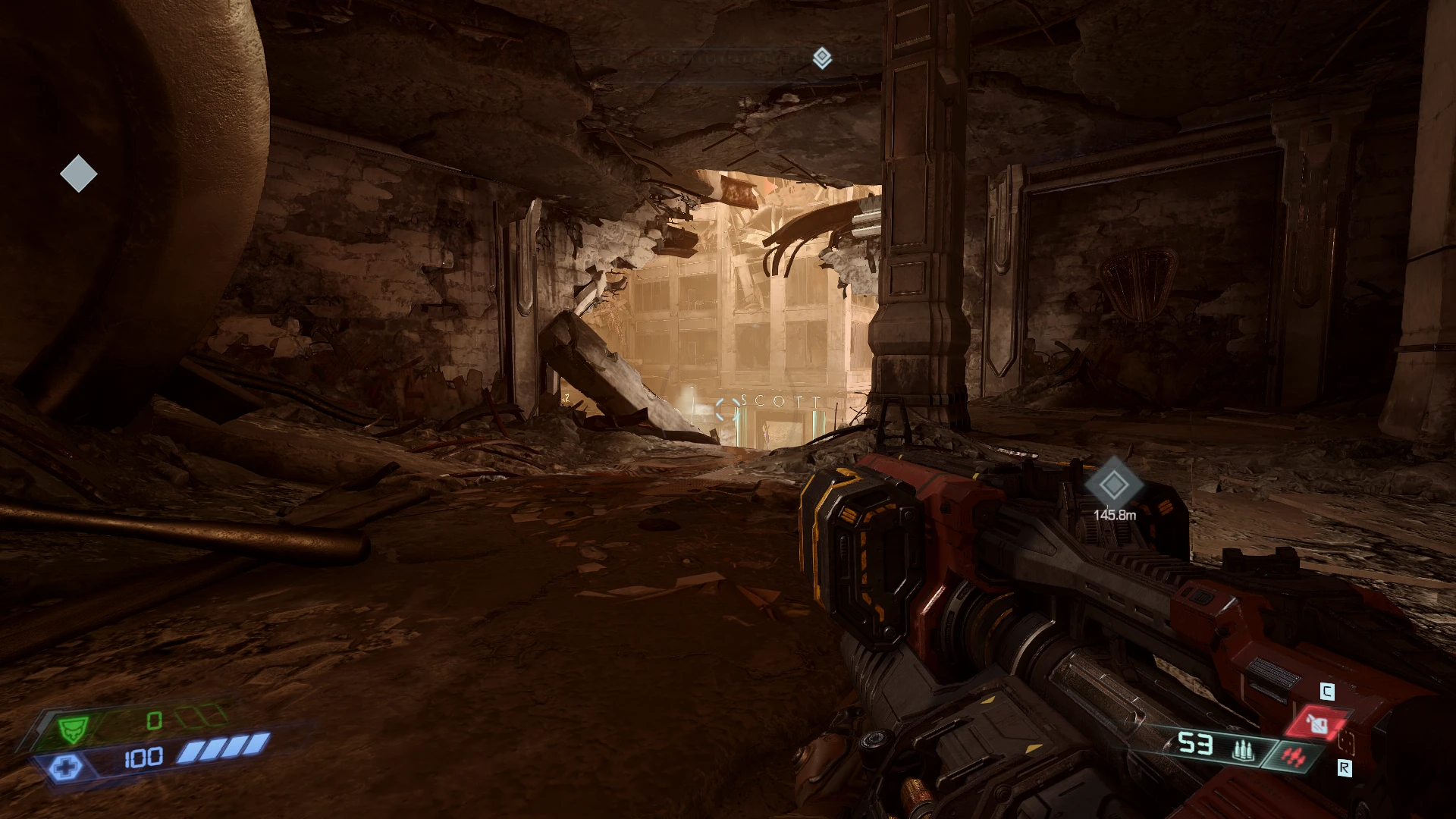
What This Mod Does: Restores several removed graphical effects from the game using the command console (such as Moving Helmet HUD, Player Shadow, Lens Flares, etc), along with a ReShade to improve the anti-aliasing and image color/clarity overall. Also enables the weapon wheel to pop and slow down time right when pressing the key, rather than a few seconds after.
1/30/2021 - There is an issue with the Moving HUD in the newest update where the player's hands and weapons are displayed over the HUD. It appears to be due to a change in the way the HUD and/or player is hardcoded into the game with respect to the camera and DOES NOT APPEAR TO BE ABLE TO BE FIXED. Similarly, the lense flares appear to have been completely removed from the game. I will keep them on here for posterity.
1/9/2021 - Updated the install method and added a new version of the Moving HUD Fix Low Warning Signs files to tweak the placement. Looking into fixing the 3D hud command showing behind the player weapon and lense flares not working.
5/27/2020 - Added a file to fix the placement of the LOW HEALTH and LOW AMMO warning signs when enabling the Moving HUD with hud_drawPerspective 1. If you prefer how they look at the bottom of the screen (without this fix) then do not download it.
Graphical Effects (Some Examples): Shows it Off first (Game Default) and then On
Enable Moving HUD That Is Lined Up With Helmet:
There is an issue with this in the newest update where the player's hands and weapons are displayed over the HUD. It appears to be due to a change in the way the HUD and/or player is hardcoded into the game with respect to the camera and DOES NOT APPEAR TO BE ABLE TO BE FIXED. I will keep this on here for posterity.
FNeLaI0WR6Y
Enable Anamorphic Lens Flares On Bright Objects (Bullets, Demon Energy Attacks, Demon Eyes, etc):
This appears to have been comple
Restores removed graphical effects like Moving Helmet HUD, Player Shadow, and Lens Flares via console commands, plus a ReShade preset for improved anti-aliasing and color clarity. Also includes an option to speed up weapon wheel transitions. For players wanting enhanced visuals without heavy mods.
✨ Key Features
📊 Pros & Cons
✅ Pros
- Brings back cut effects that many players miss, like the Moving Helmet HUD and Player Shadow.
- ReShade preset gives a visual boost without needing a full ENB overhaul.
- Weapon wheel speed-up is a nice QoL touch for combat flow.
⚠️ Cons
- Last updated in January 2021 — may not be compatible with the latest game patches.
- Requires manual console commands and ReShade installation, which can be fiddly for some users.
- No screenshots or videos provided, so you're flying blind on the visual changes.
For players who want to restore cut graphical effects and improve image quality without heavy performance hits. Also for those who find the weapon wheel transition too slow. Skip if you prefer vanilla visuals or want a fully automated mod.
💡 Beginner Tips
- Make sure to disable EAC if the game uses it, as console commands and ReShade may be blocked.
- Test the ReShade preset in a dark area and a bright area to adjust the color clarity to your liking.
- The weapon wheel speed-up may affect game balance in multiplayer — use with caution.
📊 Mod Details
- Game
- Doometernal Mods
- Author
- NikkMann
- Version
- 1.5
- Downloads
- 7,839
- Endorsements
- 202
- Category
- Visuals and Graphics
- Created
- 4/21/2020
- Updated
- 1/10/2021
🔧 How to Install DOOM Eternal Mods
Download from Nexus Mods.
📖 Full step-by-step install guide for DOOM Eternal →
Visit the official mod page for specific installation instructions for this mod.
🎮 Need cheat codes or console commands? Check ur gaming wiki for DOOM Eternal commands, item IDs, and more.
Keep browsing — more DOOM Eternal mods await