Nicer Loot Drops FX
⚪ Last updated 2020Preview
🔍 Analysis
- 👍 4.4% endorsement rate — high engagement, a strong quality signal
- 🏆 #6 of 229 Visuals and Graphics mods in this game by downloads
📋 About This Mod
Nicer Loot Drops FX modification for DOOM Eternal.
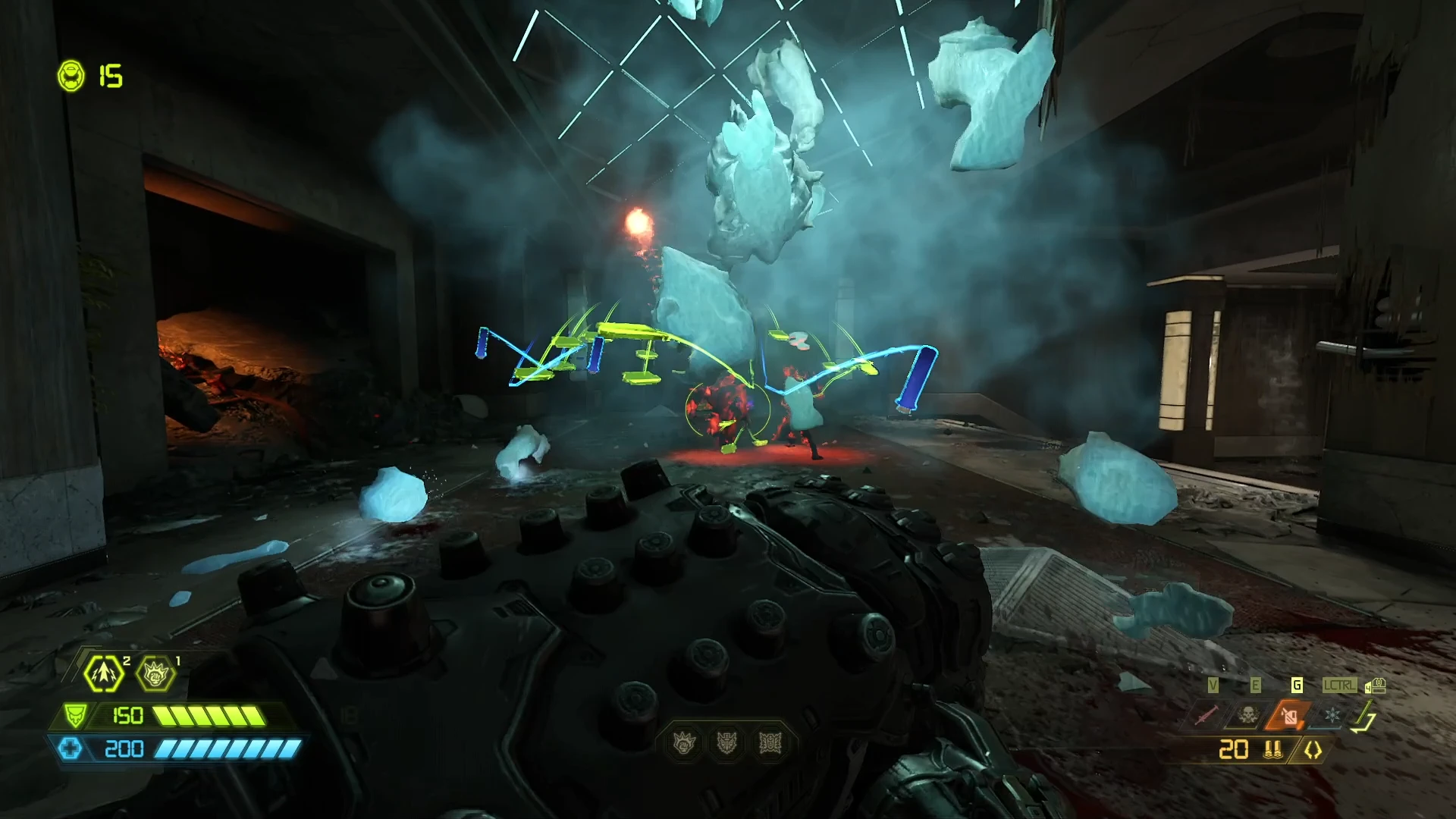
This mod makes ammo loot drops all brown/yellow (2016/quakecon 2018 style - no more confetti ammo!), removes the bracket and icon around all loot drops (ammo, health, armor) and reduces the tracer effects when you pick them up, resulting in much nicer visuals overall and less clutter on the screen.
Showcase:
_bxIF-Sb89c
Alternate versions included in the files section of this mod. Make sure to check them out if you prefer one of those instead of the main version.
Install instructions:
This mod was packed to be installed using modloader. For instructions on how to install modloader, check the #eternal-faq channel on the DOOM Eternal official modding Discord server.
Once modloader is set-up, simply copy and paste the compressed (.zip) mod file into your "Mods" folder of your DOOM Eternal directory.
Nicer Loot Drops FX is a visual overhaul for Doom (2016) that changes ammo pickups to a brown/yellow color scheme, removes the bracket and icon around all loot drops, and reduces tracer effects. It's a simple cosmetic mod for players who prefer a cleaner, more classic look.
✨ Key Features
📊 Pros & Cons
✅ Pros
- Clean, classic aesthetic that removes visual clutter from loot drops.
- Simple and lightweight—no dependencies or complex setup required.
- Community-approved with 338 endorsements and over 7,600 downloads.
⚠️ Cons
- Last updated in May 2020—may not be compatible with the latest game patches.
- Purely cosmetic; no gameplay changes or new features.
- No screenshots or detailed install instructions provided by the author.
For Doom (2016) players who want a more grounded, less flashy loot pickup experience. If you're tired of the default confetti-colored ammo and prefer the classic brown/yellow style, this is for you. Skip if you're looking for gameplay tweaks—this is purely visual.
💡 Beginner Tips
- Make sure to place the mod files in the correct game directory (usually the base game folder) to ensure they load properly.
- Since the mod is from 2020, test it after a fresh install to confirm it works with your current game version.
- If you use other visual mods, check for conflicts—this mod alters loot drop visuals, so it may clash with other UI overhauls.
📊 Mod Details
- Game
- Doometernal Mods
- Author
- proteh
- Version
- 4
- Downloads
- 7,632
- Endorsements
- 338
- Category
- Visuals and Graphics
- Created
- 5/1/2020
- Updated
- 5/26/2020
🔧 How to Install DOOM Eternal Mods
Download from Nexus Mods.
📖 Full step-by-step install guide for DOOM Eternal →
Visit the official mod page for specific installation instructions for this mod.
🎮 Need cheat codes or console commands? Check ur gaming wiki for DOOM Eternal commands, item IDs, and more.
Keep browsing — more DOOM Eternal mods await