Carmack's Eternal ReShade
⚪ Last updated 2020⚠️ Install Order · 1 step
Install in this order, then this mod last — most mods fail to load without their framework and dependencies in place.
Preview
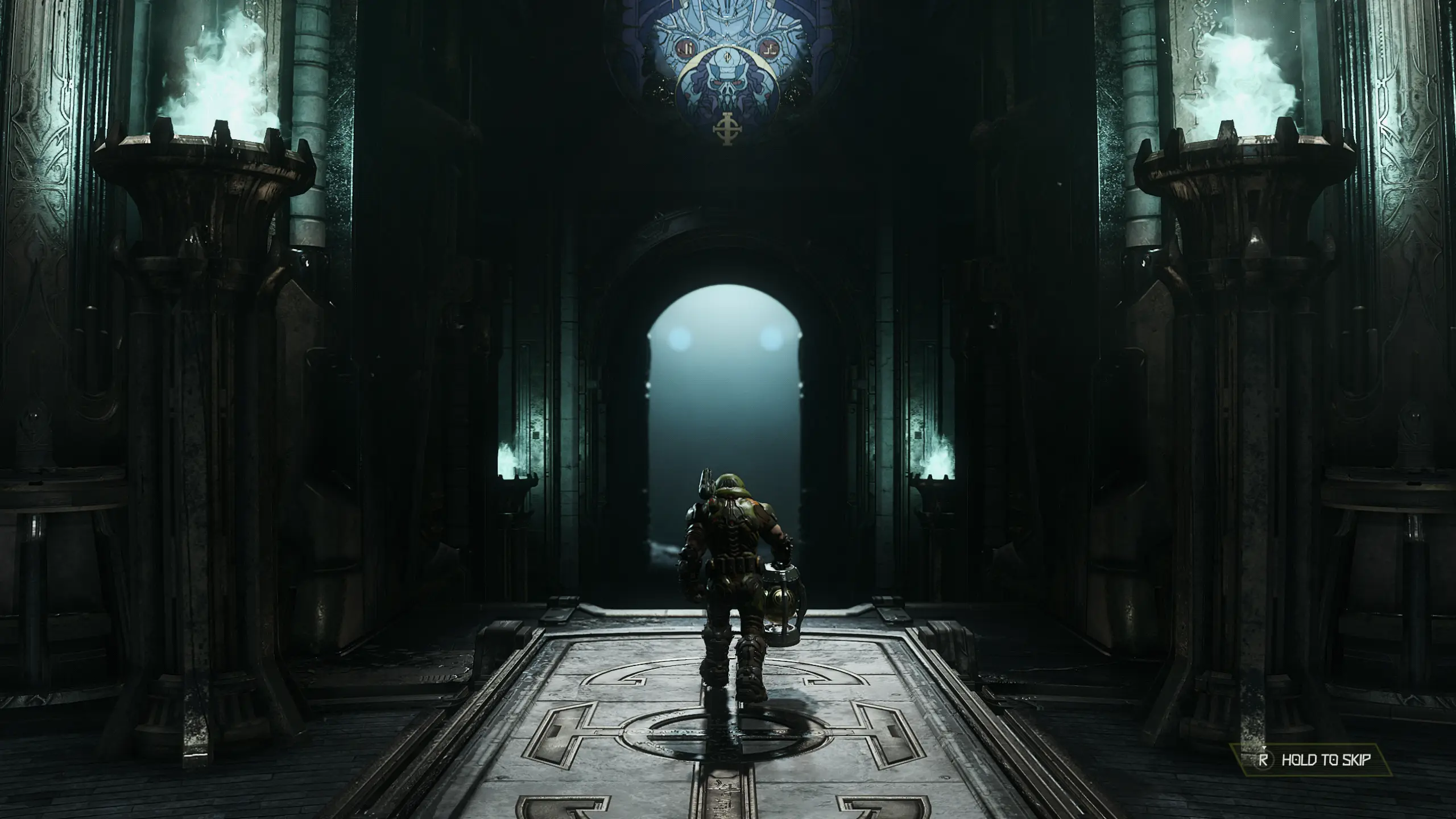
🔍 Analysis
- 👍 4.0% endorsement rate — high engagement, a strong quality signal
- 🏆 #1 of 229 Visuals and Graphics mods in this game by downloads
📋 About This Mod
Carmack is back, and this time he was holding out on us! I managed to snag this ReShade from his thumb drive when he wasn't looking. It will add a new level of depth, color, and visual effects to an already Great looking game. I don't think Mr. Carmack will be upset as long as you click the Endorse button. Enjoy!
If you like this mod, please consider clicking the Endorse button, it only takes a second.
Thank You!
L9-T9c44zxs
INSTALLATION
1.) Launch the ReShade_Setup_4. 5. 4.exe application and click the "Enable/disable ReShade in Vulkan globally" option.
(As shown in picture 1)
2.) On the next menu make sure the box "Enable ReShade in Vulkan globally" is checked, then close the ReShade installer.
(As shown in picture 2)
3.) In the Windows Folder Options, make sure the "Show hidden files, folders and drives" option is enabled.
(As shown in picture 3)
4.) Copy everything from my "Main files" folder into your "C:\ProgramData\ReShade" folder (it should be unhidden now).
5.) Launch your game and thank Mr. Carmack. :-)
IN-GAME ADVANCED SETTINGS
Set the "Sharpening Amount" to 100. (optional but recommended)
I like to set the "Film Grain" to no more than 25 (or choose what you prefer).
RESHADE CONTROLS
End key to toggle main effects
Home key to open GUI
TROUBLESHOOTING
Always remove ReShade files from a previous install before installing.
Disable the Steam overlay if you have issues.
Disable third-party programs, and seek help in the forums if all else.
Radiosity ReShade (for Contr
Carmack's Eternal ReShade is a ReShade preset for DOOM (2016) that enhances depth, color, and visual effects. With 673 endorsements and over 16,000 downloads, it's a popular choice for players seeking a visual upgrade. Last updated in 2020, it remains a community favorite.
✨ Key Features
📊 Pros & Cons
✅ Pros
- Community-approved with 673 endorsements and 16k downloads.
- Enhances depth and color for a more immersive DOOM experience.
- Simple to install if you already use ReShade.
⚠️ Cons
- Last updated in 2020 — may not be compatible with the latest ReShade versions.
- Requires ReShade, which adds an extra setup step.
For DOOM (2016) players who want to spice up the visuals with a ReShade preset. If you're already using ReShade, this is a quick add. Skip if you prefer vanilla graphics or don't want to fiddle with ReShade setup.
💡 Beginner Tips
- Make sure you have ReShade installed and set up for DOOM (2016) before adding this preset.
- After installing, tweak the preset's settings in-game using the ReShade overlay to match your monitor's brightness and contrast.
- Check the mod's comments section for any user-reported compatibility issues with newer ReShade versions.
📊 Mod Details
- Game
- Doometernal Mods
- Author
- Vanguard1776
- Version
- SE
- Downloads
- 16,668
- Endorsements
- 673
- Category
- Visuals and Graphics
- Created
- 4/1/2020
- Updated
- 4/6/2020
🔧 How to Install DOOM Eternal Mods
Download from Nexus Mods.
📖 Full step-by-step install guide for DOOM Eternal →
Visit the official mod page for specific installation instructions for this mod.
🎮 Need cheat codes or console commands? Check ur gaming wiki for DOOM Eternal commands, item IDs, and more.
Keep browsing — more DOOM Eternal mods await