HUD Low health De-Crapifier
⚪ Last updated 2021Preview
🔍 Analysis
- 👍 4.5% endorsement rate — high engagement, a strong quality signal
- 🏆 #2 of 28 User Interface mods in this game by downloads
📋 About This Mod
HUD Low Health De-Crapifier
I am spin1490 btw, lol
Check Out The Doom Eternal/2016 Modding Discord For More Mods And To Help Development!
https://discord.gg/W9t4nZa
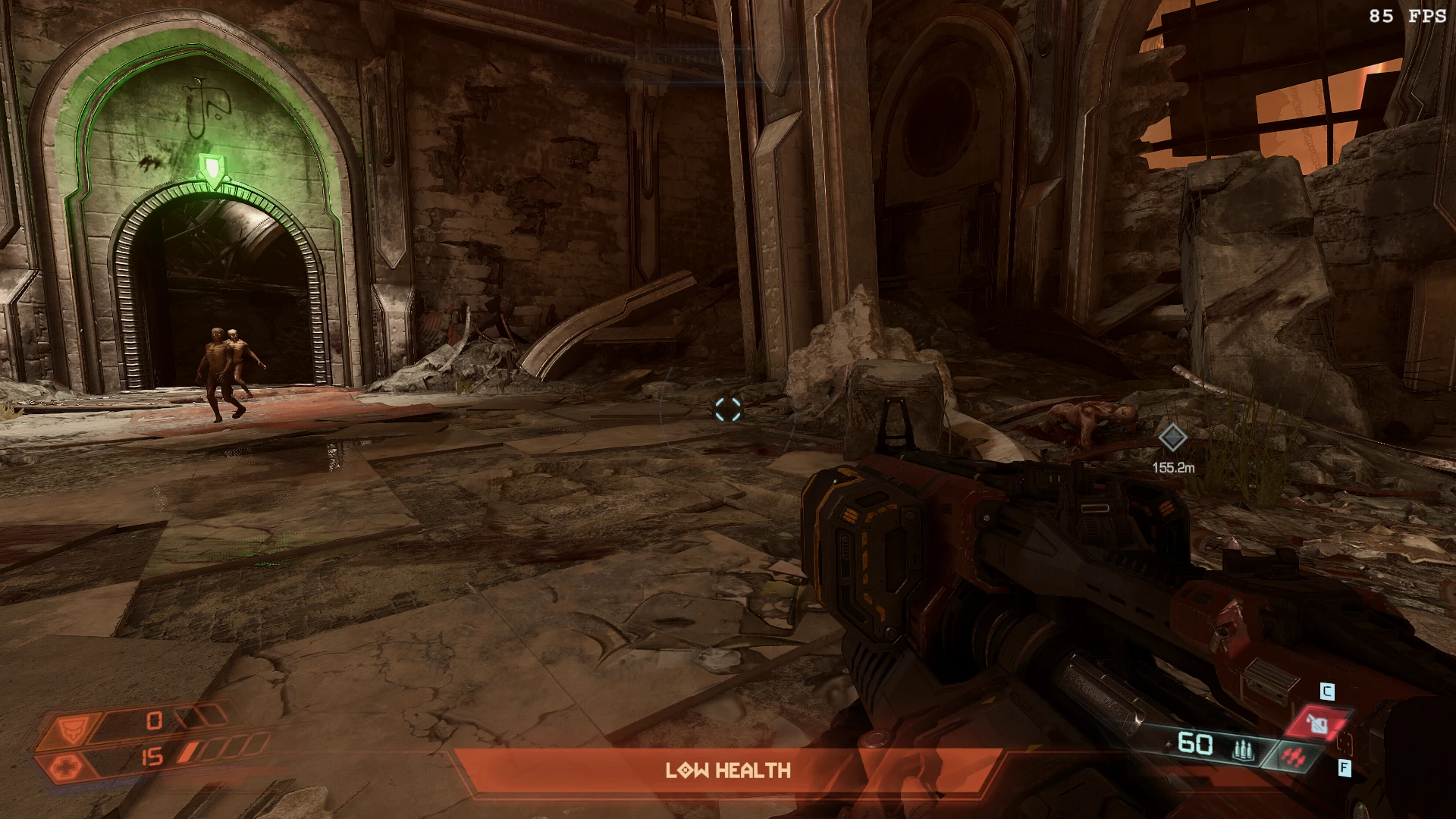
What This Mod Does: Provides options to remove the overbearing red tint the screen gets when at low health along with the LOW HEALTH text
Why:
You can't see anything when at low health lol
1/9/2021 - Updated to work with newest update. "Completely Remove Red" version updated by Knightmare077.
5/9/2020 - Added an option to remove the LOW HEALTH text. Can be used along with the remove red screen options.
- - Note: This will also remove the LOW AMMO sign as they are tied together
5/4/2020 - Added an option that does not completely remove the red
Go Here For Updated Install Instructions: https://www.nexusmods.com/doometernal/mods/19
Check out my other mods:
DeLighter - Makes enemy and weapon lighting much more realistic:
https://www.nexusmods.com/doometernal/mods/5
KEEP THE DEAD - Keeps all enemy corpses, blood pools, and guts for much longer. Made in collaboration with Knightmare077:
https://www.nexusmods.com/doometernal/mods/1
Restored Graphics Effects - ReShade With Ray Tracing Option - Speed Up Weapon Wheel Transition: https://www.nexusmods.com/doometernal/mods/6?tab=description
PARTICLES 9000 - Adds and bolsters particle effects on player weapons and explosions: https://www.nexusmods.com/doometernal/mods/12
Change Multiplayer Hit/Damage Sound - Battlemode hit sounds don't use the sound selected in the audio menu. This fixes that:
https://www.nexusmods.com/doometernal/mods/20
Rip And Tear
Removes the red screen tint and 'LOW HEALTH' text at low HP in Fallout 4. A simple UI tweak with 220 endorsements, last updated in 2021. For players who find the default low-health effects distracting.
✨ Key Features
📊 Pros & Cons
✅ Pros
- Simple and effective—does exactly what it says, no bloat
- Community-approved with 220 endorsements and nearly 5k downloads
- Lightweight UI fix that doesn't touch other gameplay elements
⚠️ Cons
- Last updated in 2021—may not be compatible with the latest game patches
- No options or customization—you either get the full removal or nothing
- Only addresses the visual and text warnings, not the audio heartbeat or other low-health cues
For Fallout 4 players who find the red tint and 'LOW HEALTH' text annoying or immersion-breaking. Also great for streamers who want a cleaner screen. Skip if you rely on those visual cues or want more granular control over UI elements.
💡 Beginner Tips
- Install with a mod manager like Vortex or NMM to keep track of updates and uninstalls.
- If you're on PC, make sure to enable mods in your Fallout 4 ini files (bEnableFileSelection=1).
- Test at low health in a safe area to see the effect immediately—no need to start a new game.
📊 Mod Details
- Game
- Doometernal Mods
- Author
- NikkMann
- Version
- 1.1
- Downloads
- 4,874
- Endorsements
- 220
- Category
- User Interface
- Created
- 5/3/2020
- Updated
- 1/21/2021
🔧 How to Install DOOM Eternal Mods
Download from Nexus Mods.
📖 Full step-by-step install guide for DOOM Eternal →
Visit the official mod page for specific installation instructions for this mod.
🎮 Need cheat codes or console commands? Check ur gaming wiki for DOOM Eternal commands, item IDs, and more.
Keep browsing — more DOOM Eternal mods await