PURE AMBIANCE ReShade preset
⚪ Last updated 2016⚠️ Install Order · 1 step
Install in this order, then this mod last — most mods fail to load without their framework and dependencies in place.
Preview
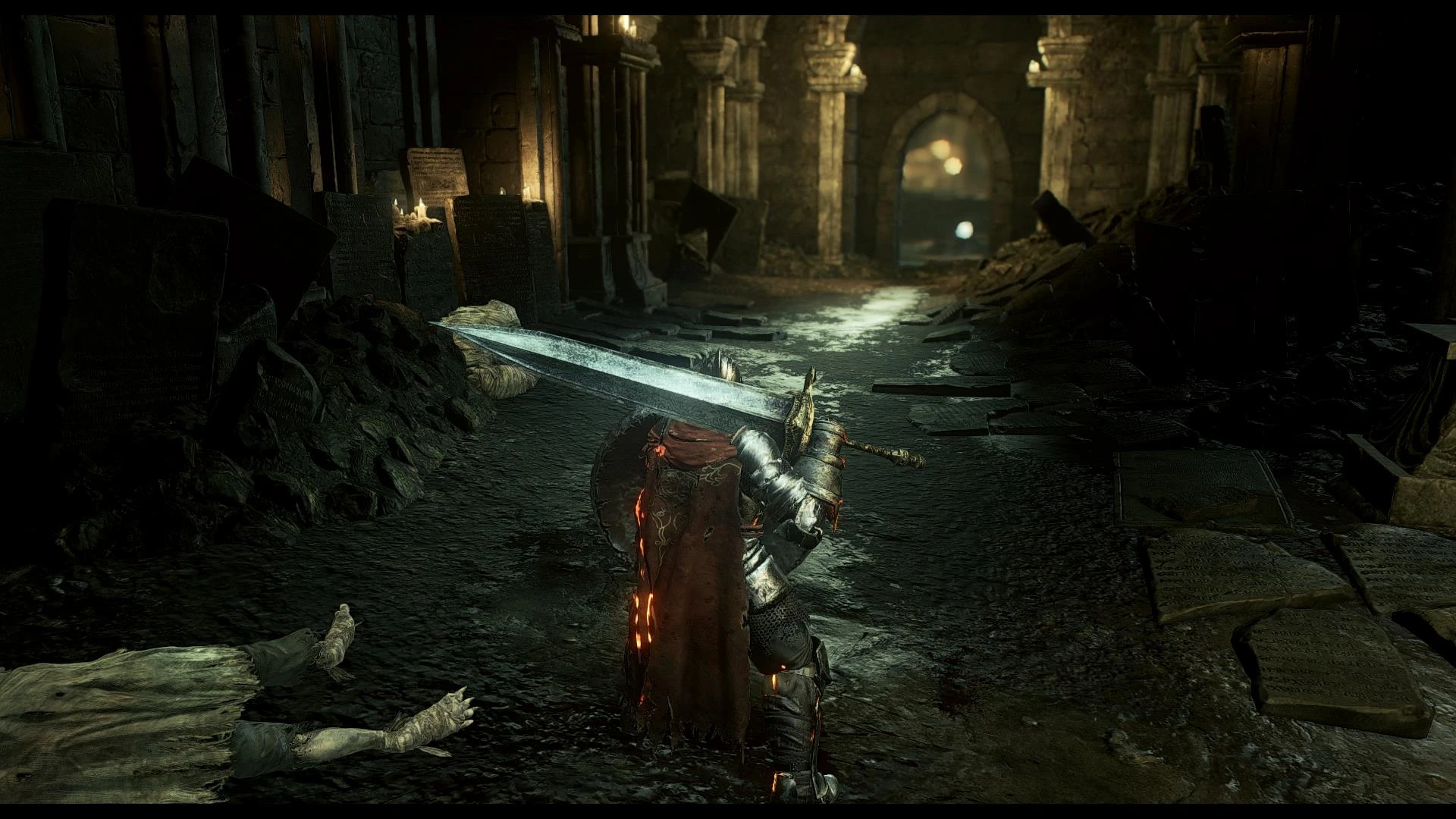
🔍 Analysis
- 👍 3.6% endorsement rate — high engagement, a strong quality signal
- 🏆 #11 of 195 Visuals and Graphics mods in this game by downloads
📋 About This Mod
INSTALLATION:
Extract the ReShade folder and the files ReShade.fx and dxgi.dll in Dark Souls 3 / game.
For the dynamic DOF and lens flare work:
You must play 1080P or may be in the resolution of your screen if you have a 4K monitor or other than 1080P. The DSR Nvidia problem with these two options.
I you put optional files. If you want to install one of these optional features, copy the corresponding file (GemFX.cfg or CustomFX.cfg or McFX.cfg) in ReShade folder. Use copy / paste to replace my basic preset file.
Basic, my preset contains: - Dynamic DOF - Lens Flare - Camera movement (improve the play of light and give a nice effect) - No fake DOF
SHORTCUTS to enable / disable certain effects:
- NumPad 1 to enable / disable ReShade (colorimetry, sharpen, etc ..)
- NumPad 2 for ambient light
- NumPad 3 for bloom
- NumPad 4 fake DOF
- NumPad 5 for camera movement
- NumPad 6 DOF dynamic
- Printed screen to take a screen
If you want to focus the fireballs and other lighting effects to the detriment of the skies (but nothing abused, it remains in the desired spirit). Open the GemFX.cfg file with notepad. This file is located in the ReShade folder. Look for these lines in BLOOM:
#define fBloomAmount 0. 8 #define fBloomSaturation 0. 8
and put this instead:
#define fBloomAmount 2. 0 #define fBloomSaturation 1. 0
In game, the brightness should be at 5. By the end of the game, the sky turns orange with the eclipse. At that time, put in brightness in game 7. Adjust according to your screen.
PURE AMBIANCE is a ReShade preset for Skyrim that enhances visuals with GemFX, Dynamic DOF, and SweetFX, plus camera movement. It includes optional files to toggle effects. With 621 endorsements and 17,072 downloads, it's a popular choice for players seeking a cinematic look.
✨ Key Features
📊 Pros & Cons
✅ Pros
- Community favorite with 621 endorsements and 17k downloads
- All-in-one preset with multiple effects for a cinematic feel
- Optional files give you control over which effects to use
⚠️ Cons
- Last updated in 2016 — may not work with current Skyrim versions or ReShade updates
- Requires external tools (GemFX, SweetFX) which may need separate setup
For Skyrim players who want a quick visual overhaul with depth of field and color grading without tweaking ENB. If you're into photography mode or cinematic screenshots, the camera movement is a bonus. Skip if you prefer performance-friendly presets or need modern ReShade compatibility.
💡 Beginner Tips
- Make sure you have ReShade installed first, then drop the preset files into your Skyrim directory.
- Use the optional files to disable DOF if you experience performance drops.
- Test the preset in different weather conditions to see if the color grading suits your taste.
📊 Mod Details
- Game
- Dark Souls 3 Mods
- Author
- seb-le-dingue
- Version
- 1.0
- Downloads
- 17,072
- Endorsements
- 621
- Category
- Visuals and Graphics
- Created
- 4/29/2016
- Updated
- 4/29/2016
🔧 How to Install Dark Souls 3 Mods
Download from Nexus.
📖 Full step-by-step install guide for Dark Souls 3 →
Visit the official mod page for specific installation instructions for this mod.
🎮 Need cheat codes or console commands? Check ur gaming wiki for Dark Souls 3 commands, item IDs, and more.
Keep browsing — more Dark Souls 3 mods await