Giorma's Ultra Realistic Reshade 1.0
⚪ Last updated 2023⚠️ Install Order · 1 step
Install in this order, then this mod last — most mods fail to load without their framework and dependencies in place.
Preview
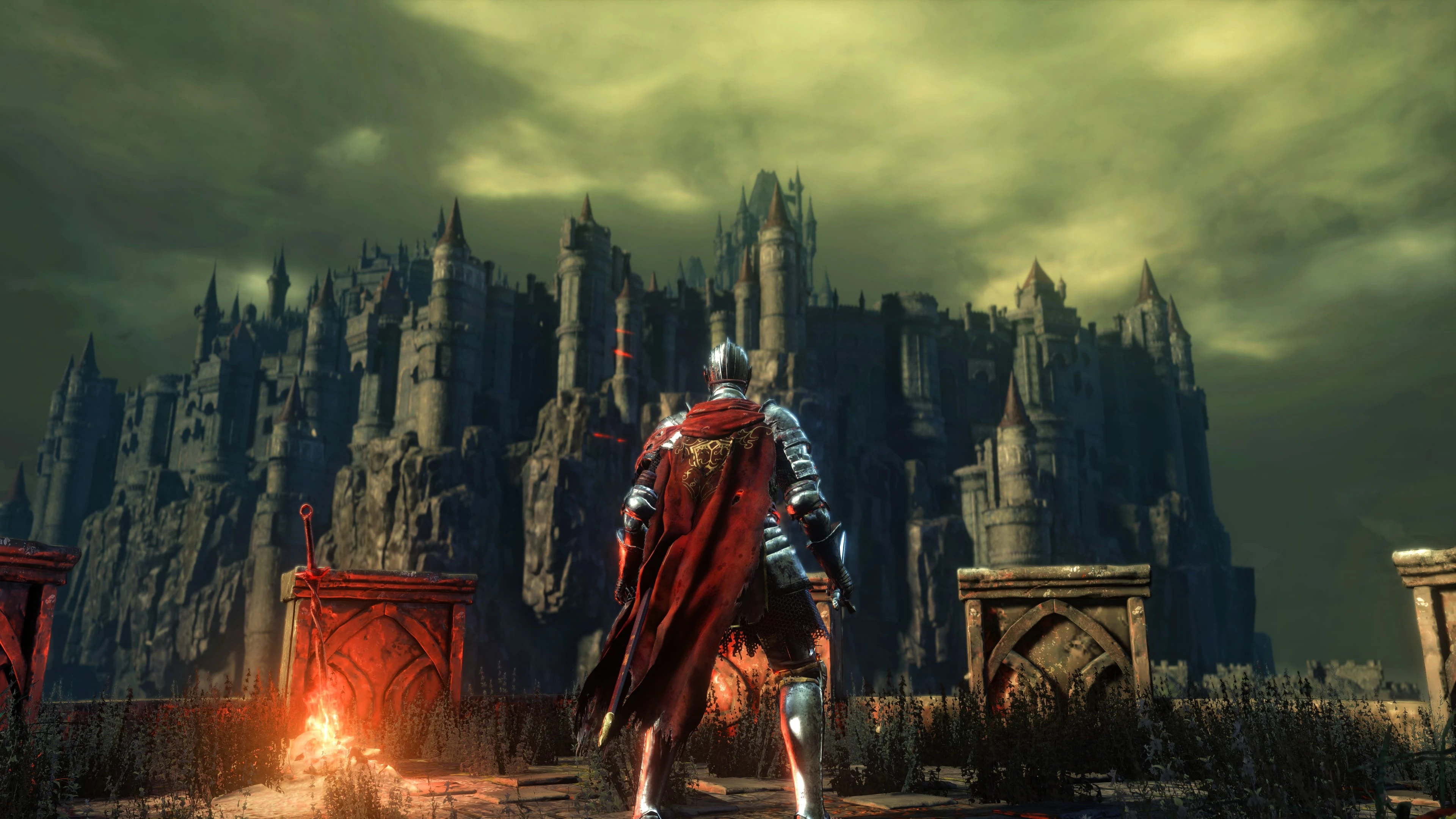
🔍 Analysis
- 👍 1.9% endorsement rate — high engagement, a strong quality signal
- 🏆 #39 of 195 Visuals and Graphics mods in this game by downloads
📋 About This Mod
Giorma's Ultra Realistic Reshade
https://www.nexusmods.com/darksouls3/mods/1809
1. Download the latest Reshade Download
2. Download and extract Giorma's Ultra Realistic ReShade 1. 0 and place the config file (Giorma's Reshade.ini) in your"DARK SOULS III" game folder(where DarkSoulsIII.exe lives)normallylocated at: ...\SteamLibrary\steamapps\common\DARK SOULS III.
3: Install open Reshade_Setup.exe click browse and find Dark souls 3.exe and select it, click next select DX10/11/12, click next and click browse and find Giorma's Reshade.ini and select it, click next, next and finish.
4. Start the game and press the "Shift + F2 or Home" button to open Reshade overlay, go through the ReShade tutorial. From the preset dropdown, select Giorma's ReShade and you're good to go!
Giorma's Ultra Realistic Reshade 1.0 is a Reshade preset for enhancing game visuals with a realistic look. It has 80 endorsements and 4,263 downloads, last updated in December 2023. Suitable for players seeking a simple visual upgrade without complex configuration.
✨ Key Features
📊 Pros & Cons
✅ Pros
- Decent community traction with 80 endorsements and over 4,000 downloads
- Lightweight preset that doesn't require heavy performance hits
- Easy drop-in installation for Reshade users
⚠️ Cons
- No screenshots or detailed description provided, so you're flying blind on the look
- No compatibility notes for specific games or Reshade versions
- Last updated in December 2023 — may not work with the latest Reshade releases
For gamers who want a quick, no-fuss Reshade preset to boost realism without tweaking settings themselves. Skip if you need detailed previews or game-specific compatibility info.
💡 Beginner Tips
- Make sure you have Reshade installed and set up for your game before adding this preset.
- After applying, tweak the preset's intensity sliders in-game to match your monitor's brightness.
- If the preset looks too dark or washed out, adjust the ambient light and contrast settings within Reshade.
📊 Mod Details
- Game
- Dark Souls 3 Mods
- Author
- Giorma
- Version
- 1.0
- Downloads
- 4,263
- Endorsements
- 80
- Category
- Visuals and Graphics
- Created
- 12/26/2023
- Updated
- 12/28/2023
🔧 How to Install Dark Souls 3 Mods
Download from Nexus.
📖 Full step-by-step install guide for Dark Souls 3 →
Visit the official mod page for specific installation instructions for this mod.
🎮 Need cheat codes or console commands? Check ur gaming wiki for Dark Souls 3 commands, item IDs, and more.
Keep browsing — more Dark Souls 3 mods await