Color Clarity
⚪ Last updated 2018⚠️ Install Order · 2 steps
Install in this order, then this mod last — most mods fail to load without their framework and dependencies in place.
Preview
🔍 Analysis
- 👍 4.4% endorsement rate — high engagement, a strong quality signal
- 🏆 #15 of 195 Visuals and Graphics mods in this game by downloads
📋 About This Mod
COLOR CLARITY
RESHADE
Showcase Video:5J1kWvBee3c
Important notes:
- Please make sure to install all the shaders included in the download instead of only the preset itself, otherwise the preset will be incomplete since it uses one .fx file that is not available in the official Reshade bundle.
- Updated to the latest Reshade version, should now be compatible with iGP11 and Souls Unsqueezed. Please let me know if there are any issues.
Description:
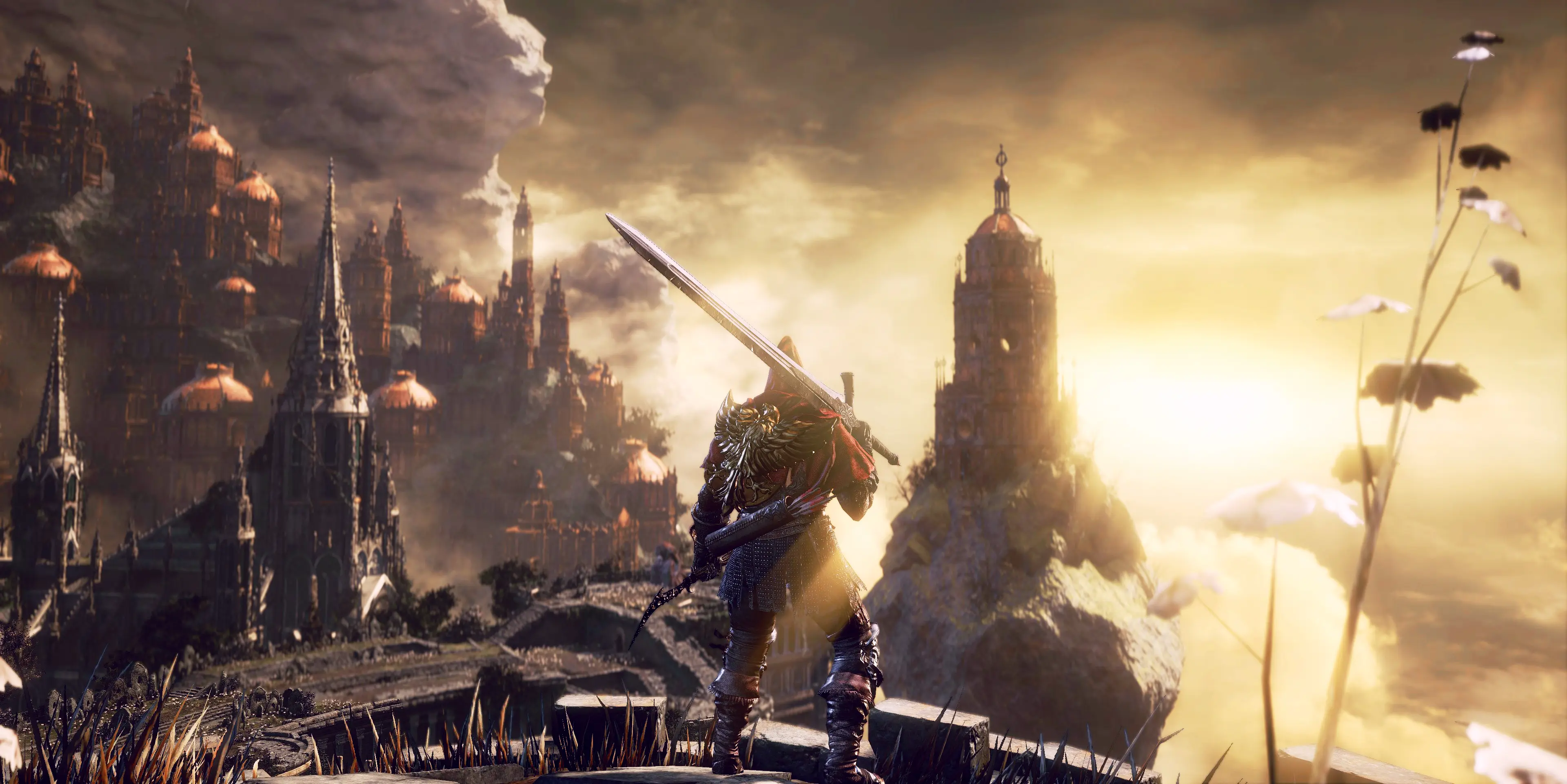
This Reshade mod aims to add color vibrance and better contrast in Dark Souls 3 without losing any details in the highlights or shadows. I've used color grading to create a warmer image overall by bringing out more reds (especially seen in blood stains and orange messages on the floor) and by slightly lowering the greens and blues. Contrast is added using 'Curves' and 'Levels' without crushing the shadows or blowing out the highlights. Overall saturation is increased and a few other minor effects are applied (like luma sharpening) to bring out more definition in the details.
This mod will not change the image brightness unlike a lot of other Reshade mods. It will keep everything as visible as vanilla to avoid altering the overall game experience. My goal was to make the game look better without changing how it works, i.e. you won't need to use a torch in dark areas, same as before.
Installation:
1. Extract the contents of 'Color Clarity Reshade V3' folder into your Dark Souls III "Game" folder.
2. Open dxgi.ini and change each path line to the corresponding Dark Souls 3 installation location. You DON'T need to change any of this if your game is installed in the default location.
-- Use 'Scroll Lock' key to open the Reshade settings window and the 'Delete' key to enable/disable effects on the fly. --
You will see text in the top left corner of the game's screen for a few seconds each time you launch it (or when you alt/tab), along with a framerate dip while the effects are loaded, this is normal.
Installation for old version:
1. Extract the contents of 'DS3 - Color Clarity Reshade' folder into the Dark Souls III "Game" folder.
2. Launch game.
-- Use 'Scroll Lock' key to enable/disable on the
Color Clarity is a ReShade preset for Dark Souls 3 that boosts color vibrance and contrast while preserving highlight and shadow details. With 556 endorsements and over 12,000 downloads, it's a popular choice for players seeking a visual upgrade without losing fidelity.
✨ Key Features
📊 Pros & Cons
✅ Pros
- Community favorite with 556 endorsements and 12k+ downloads
- Enhances visuals without crushing blacks or blowing out highlights
- Simple ReShade preset—easy to install and tweak
⚠️ Cons
- Last updated in 2018—may not be compatible with the latest ReShade versions
- Requires ReShade, which can impact performance on lower-end systems
- No screenshots or detailed instructions provided in the description
For Dark Souls 3 players who want richer colors and better contrast without losing visual detail. Ideal for those who enjoy using ReShade presets and want a quick visual upgrade. Skip if you prefer the game's original look or don't want to deal with ReShade.
💡 Beginner Tips
- Make sure you have ReShade installed and set up for Dark Souls 3 before adding this preset.
- After installing, use the ReShade in-game menu to adjust the intensity to your liking.
- If you're new to ReShade, check the ReShade website for installation guides.
📊 Mod Details
- Game
- Dark Souls 3 Mods
- Author
- LevCoult
- Version
- 3.0
- Downloads
- 12,534
- Endorsements
- 556
- Category
- Visuals and Graphics
- Created
- 1/8/2018
- Updated
- 1/13/2018
🔧 How to Install Dark Souls 3 Mods
Download from Nexus.
📖 Full step-by-step install guide for Dark Souls 3 →
Visit the official mod page for specific installation instructions for this mod.
🎮 Need cheat codes or console commands? Check ur gaming wiki for Dark Souls 3 commands, item IDs, and more.
Keep browsing — more Dark Souls 3 mods await