Blue Sky
⚪ Last updated 2023⚠️ Install Order · 1 step
Install in this order, then this mod last — most mods fail to load without their framework and dependencies in place.
Preview
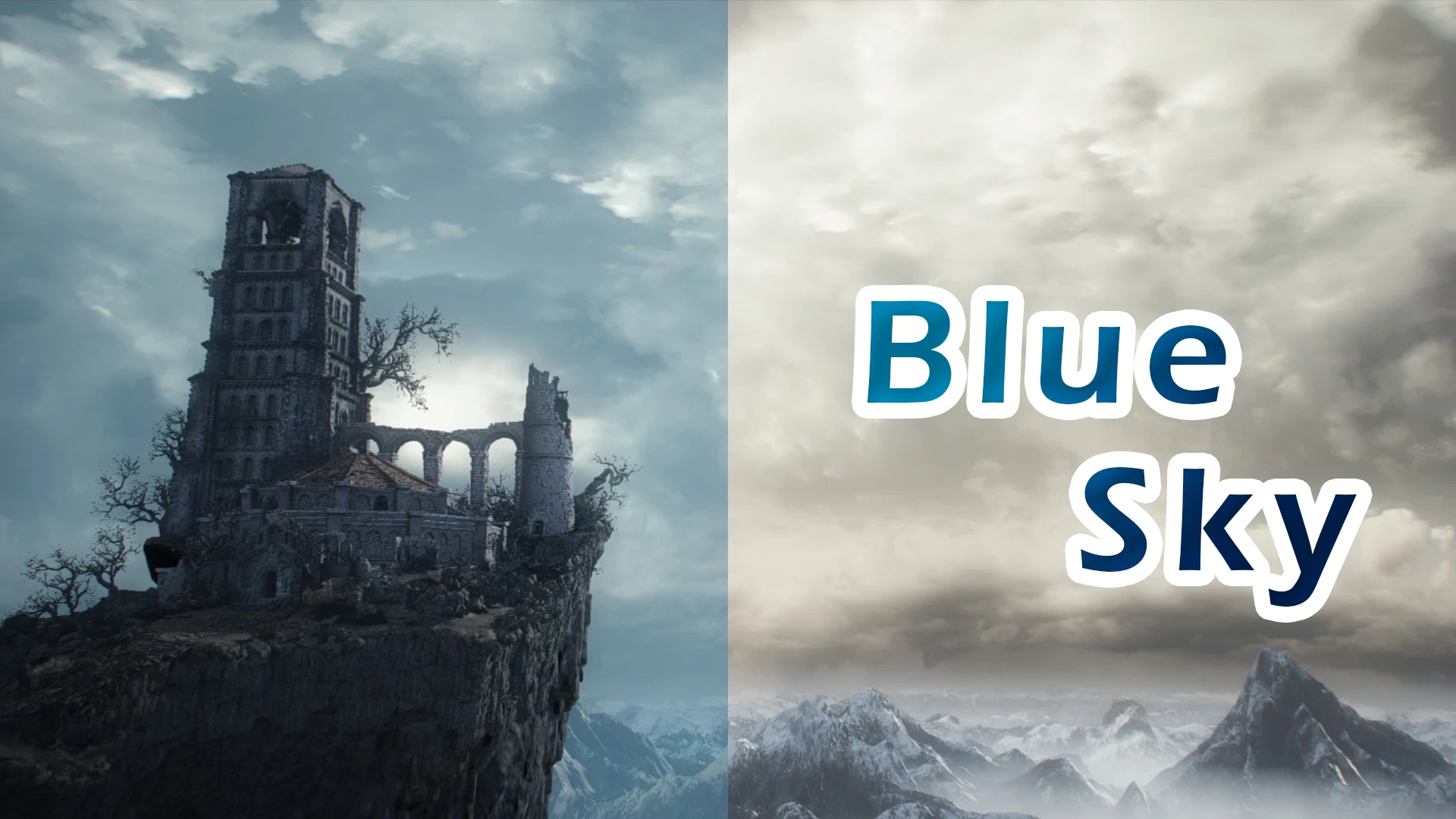
🔍 Analysis
- 👍 3.2% endorsement rate — high engagement, a strong quality signal
- 🏆 #57 of 195 Visuals and Graphics mods in this game by downloads
📋 About This Mod
About
- Change the color of atmosphere fog.
- Cemetary √
- High Wall of Lothric √
- Undead Settlement (blue sky and sunset versions) √
- Road of sacrifices √
- Archdragon Peak √
Installation
1. Download UXM
2. Unpack with UXM
3. Download my main file, upzip and drag "param" folder into the Dark Souls 3 "param" folder: (.\Steam\steamapps\common\DARK SOULS III\param)
4. Patch with UXM
5. Install reshade and download optional file reshade preset, which is based on phrozac's REVENANT ReShade
6. Upzip and drag into "game" folder.
- If you want to support me for this work, I made a donation link you can find here : Buy me a coffee.
- Drag the Vanilla(the original sky)\param folder into the Dark Souls 3 "param" folder: (.\Steam\steamapps\common\DARK SOULS III\param)
- Patch with UXM
Version 1. 00. 3: add Undead Settlement - Sunset Version after you defeat Cinder boss.
adjust High Wall of Lothric 's sky color. Slightly reduce the proportion of blue tones. Make it closer to the original art style
Fix the bug of the fog of the mountain in Irithyll.
Version 1. 00. 2: add Undead Settlement - Sunset Version; add Road of sacrifices;
Version 1. 00. 1: fix the sky of Undead Settlement
Blue Sky is a lightweight visual mod that replaces the default yellow atmospheric fog with a blue tint, removing the depressing yellow weather. With 73 endorsements and 2,261 downloads, it's a simple, no-frills fix for players who want a brighter, more pleasant sky. Last updated in April 2023.
✨ Key Features
📊 Pros & Cons
✅ Pros
- Simple and effective: one change, no bloat.
- Community-tested with 73 endorsements and over 2,200 downloads.
- Fixes the 'depressing yellow' weather for a more pleasant atmosphere.
⚠️ Cons
- Only changes fog color—no other visual improvements.
- Last updated in April 2023—may not be compatible with the latest game version.
For players who find the default yellow fog ugly and want a quick, no-nonsense fix. If you're after a complete visual overhaul, this isn't it—it's a single-purpose tweak.
💡 Beginner Tips
- Since it's a simple file replacement, just drop the mod files into your game's data folder—no mod manager needed.
- If you're using other visual mods, test this one last to ensure it doesn't conflict with fog settings.
- Check the mod's comments section for any user-reported compatibility notes before installing.
📊 Mod Details
- Game
- Dark Souls 3 Mods
- Author
- moiianxiv
- Version
- 1.00.3
- Downloads
- 2,261
- Endorsements
- 73
- Category
- Visuals and Graphics
- Created
- 3/27/2023
- Updated
- 4/11/2023
🔧 How to Install Dark Souls 3 Mods
Download from Nexus.
📖 Full step-by-step install guide for Dark Souls 3 →
Visit the official mod page for specific installation instructions for this mod.
🎮 Need cheat codes or console commands? Check ur gaming wiki for Dark Souls 3 commands, item IDs, and more.
Keep browsing — more Dark Souls 3 mods await