Atmosphere ReShade
⚪ Last updated 2016⚠️ Install Order · 1 step
Install in this order, then this mod last — most mods fail to load without their framework and dependencies in place.
Preview
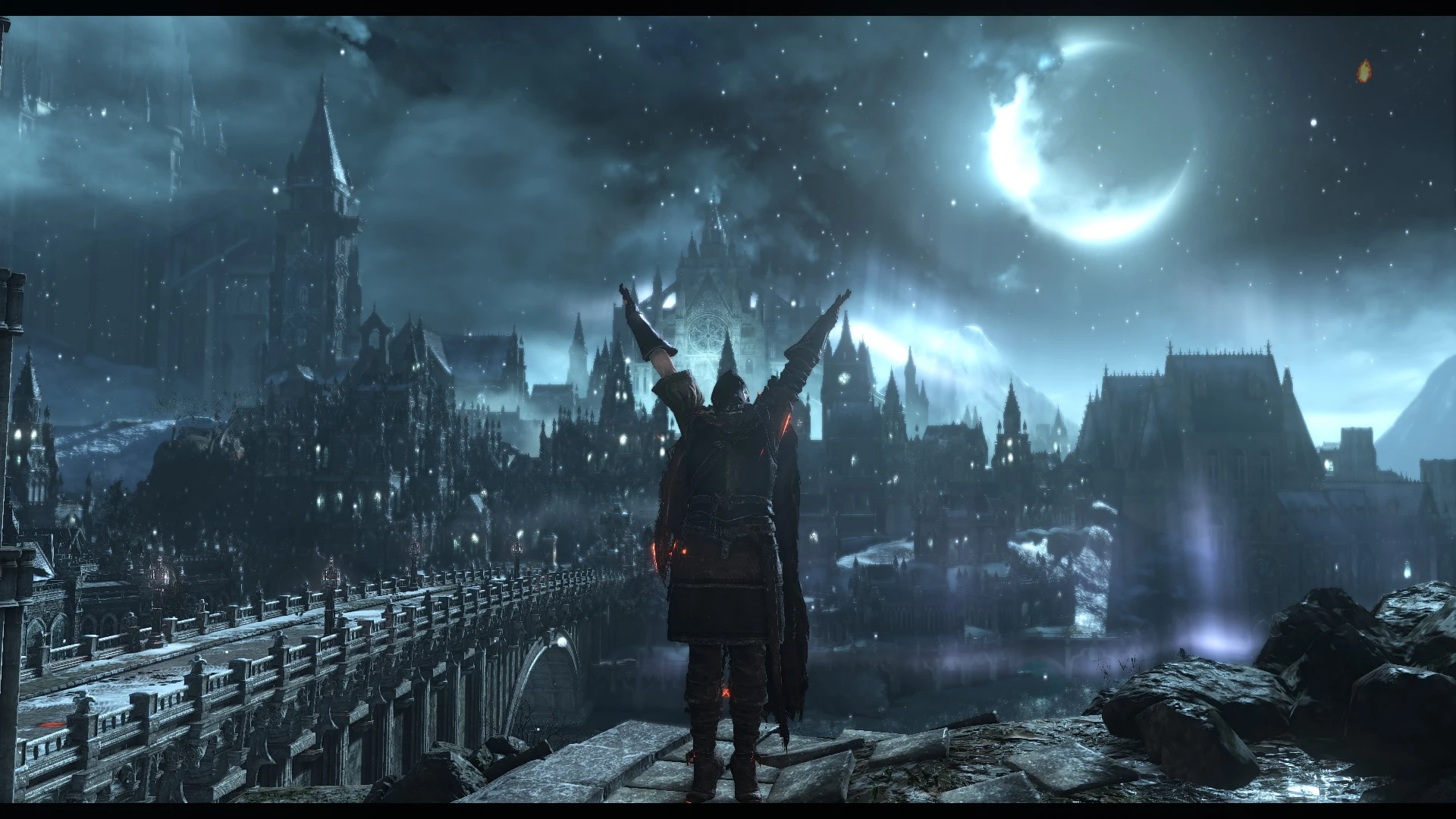
🔍 Analysis
- 👍 4.7% endorsement rate — high engagement, a strong quality signal
- 🏆 #97 of 195 Visuals and Graphics mods in this game by downloads
📋 About This Mod
OVERVIEW:
This ReShade preset uses several different techniques to help improve/diversify the look of the Dark Souls III, such as dramatic sky lighting, lens effects, and a subtle rebalancing of colors. This preset is not meant for everyone, and is mostly intended for someone who wants to mix the game up quite a bit, or take some stunning screenshots. All effects can be enabled/disabled (more on that below.)
INSTALLATION:
1. Download and run the ReShade.exe. Follow the steps one by one. 2. Download and extract Atmosphere.ini into your Dark Souls III directory folder. 3. When in game, select SHIFT + F2 to bring up in-game ui menu. From there follow the instructions. 4. Enjoy.
PERFORMANCE:
It very much depends on your system. I maintain a constant 60 fps on ultra, but i'm running a very powerful system. If you find that the performance drop is too much, bring up the in-game ReShade menu, and disable "ambient light." Any other effects should have minimal to no performance impact.
Any question? Drop a comment and I will try to respond as soon as possible.
Atmosphere ReShade is a high fantasy ReShade preset for Dark Souls that revamps the game's lighting while preserving its gritty vanilla feel. With 49 endorsements and 1,034 downloads, it offers a fresh visual experience for players seeking a new atmosphere.
✨ Key Features
📊 Pros & Cons
✅ Pros
- Gives Dark Souls a fresh high fantasy look without losing the original vibe
- Decent community traction with 49 endorsements and over 1,000 downloads
- Simple ReShade preset—just drop it in and tweak to your liking
⚠️ Cons
- Last updated in 2016—might not play nice with current game versions or ReShade updates
- No screenshots or install instructions in the description, so you're flying blind until you try it
- Only 49 endorsements—not a huge community behind it if you run into issues
For Dark Souls players who want a visual overhaul that feels fresh but still true to the original atmosphere. Skip if you're looking for gameplay changes—this is purely cosmetic.
💡 Beginner Tips
- Make sure you have ReShade installed and set up for Dark Souls before adding this preset.
- If the preset looks too intense or too subtle, tweak the settings in-game with the ReShade overlay.
- Since it's from 2016, test it on a clean save to avoid any weird visual glitches with newer patches.
📊 Mod Details
- Game
- Dark Souls 3 Mods
- Author
- User_28626785
- Version
- 2.0
- Downloads
- 1,034
- Endorsements
- 49
- Category
- Visuals and Graphics
- Created
- 11/7/2016
- Updated
- 12/26/2016
🔧 How to Install Dark Souls 3 Mods
Download from Nexus.
📖 Full step-by-step install guide for Dark Souls 3 →
Visit the official mod page for specific installation instructions for this mod.
🎮 Need cheat codes or console commands? Check ur gaming wiki for Dark Souls 3 commands, item IDs, and more.
Keep browsing — more Dark Souls 3 mods await