Archetype ReShade FX - DS3
⚪ Last updated 2018⚠️ Install Order · 1 step
Install in this order, then this mod last — most mods fail to load without their framework and dependencies in place.
Preview
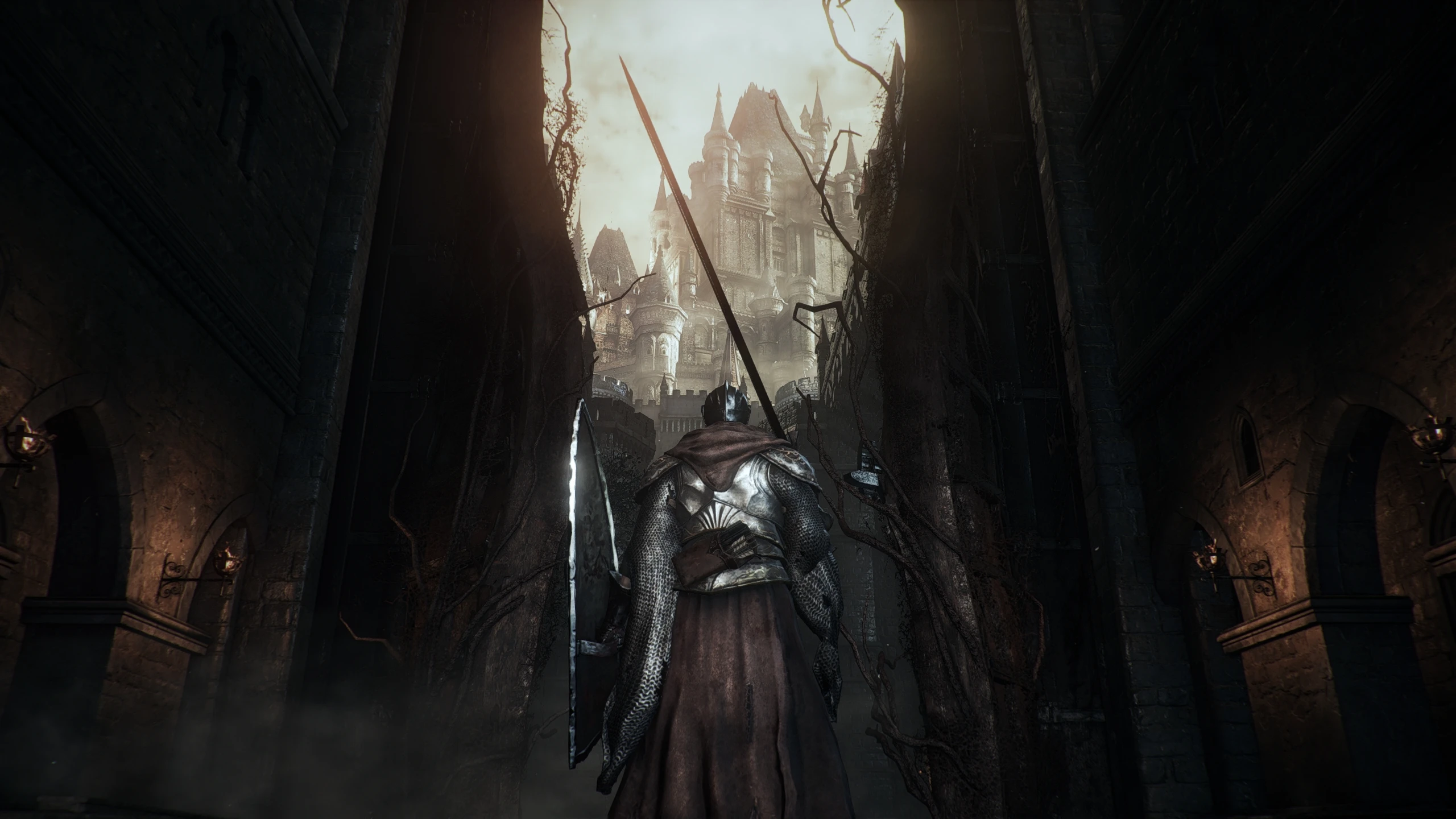
🔍 Analysis
- 👍 4.3% endorsement rate — high engagement, a strong quality signal
- 🏆 #34 of 195 Visuals and Graphics mods in this game by downloads
📋 About This Mod
High Precision Graphics and Performance that will not disappoint. This preset hits pretty hard, just like my Greatsword. And That's The Bottom Line! Simple to install.
Thanks To Everyone Who Downloaded, Commented, And Endorsed!
/////////////////////////////////////////////////////////////////////////////
Archetype ReShade FX v1. 1a for Dark Souls 3 - by Bronze316 (2018)
/////////////////////////////////////////////////////////////////////////////
Summary of Effects:
---------------------------------
- Adaptive Sharpen
- Ambient Light w/ Adaptation
- Ambient Occlusion w/ Indirect Lighting
- Depth of Field (DOF)
- DPX Cineon Color Correction
- Film Grain
- FilmicPass
- Fish Eye Lens Zoom Distortion
- LiftGammaGain
- Lumasharpen
- LUT Palette
- Reinhard Linear Tonemapping
- Subpixel Morphological Antialiasing (SMAA)
(Note: With the Full Graphics Mode option there will be roughly a 50% FPS hit.)
You have been warned! :)
Installation:
-------------------
Copy the contents of the "Main files" folder to the "Game" folder
of the game installation directory. (where DarkSoulsIII.exe is located)
(Optional, but recommended)
In-game Settings:
----------------------------
If possible, set all graphics options to the highest setting.
Leave the in-game brightness set to default (in the middle).
Please use "Full-screen" resolution to ensure proper image display.
RESHADE HOTKEYS (CONTROLS):
------------------------------------------------------
- F10 to toggle main effects
- Insert to toggle Depth Of Field
- Delete to toggle Ambient Light
- Numpad5 to toggle Ambient Occlusion/Indirect Lighting
TroubleShooting:
---------------------------
Please be sure to remove ReShade files from a previous install before
installing this preset.
Rename "d3d11.dll" to "dxgi.dll" if the game won't launch.
Disable any third-party programs, game boosters, FRAPS, etc.
These files worked flawlessly on my game and I hope the same for you.
Please seek the forum if you need help. Enjoy! :)
ReShade v1. 1 Credits:
A ReShade preset for Dark Souls 3 that aims to deliver high precision graphics and performance. Simple to install, it has 235 endorsements and over 5,500 downloads, though it hasn't been updated since 2018.
✨ Key Features
📊 Pros & Cons
✅ Pros
- Community-tested with 235 endorsements and 5,504 downloads
- Aimed at both visual quality and performance, a good balance for most rigs
- Easy to install, no complex setup required
⚠️ Cons
- Last updated in 2018, may not be compatible with the latest game patches or ReShade versions
- Performance claims are unverified—you'll need to test on your own hardware
For Dark Souls 3 players who want a quick visual upgrade without fiddling with complex settings. If you're a ReShade veteran looking for a modern, feature-rich preset, this might feel dated. Skip if you need compatibility with the latest game version.
💡 Beginner Tips
- Make sure you have ReShade installed and set to the DX11 version for Dark Souls 3.
- After installing, use the in-game ReShade menu to toggle effects and see the performance impact.
- If the game crashes, try running it in borderless windowed mode instead of fullscreen.
📊 Mod Details
- Game
- Dark Souls 3 Mods
- Author
- Bronze316
- Version
- v1.1a
- Downloads
- 5,504
- Endorsements
- 235
- Category
- Visuals and Graphics
- Created
- 5/29/2018
- Updated
- 7/14/2018
🔧 How to Install Dark Souls 3 Mods
Download from Nexus.
📖 Full step-by-step install guide for Dark Souls 3 →
Visit the official mod page for specific installation instructions for this mod.
🎮 Need cheat codes or console commands? Check ur gaming wiki for Dark Souls 3 commands, item IDs, and more.
Keep browsing — more Dark Souls 3 mods await