Nano Drone
⚪ Last updated 2024⚠️ Install Order · 6 steps
Install in this order, then this mod last — most mods fail to load without their framework and dependencies in place.
Preview
🔍 Analysis
- 👍 0.5% endorsement rate
- 🏆 #193 of 457 Gameplay mods in this game by downloads
📋 About This Mod
MCWSdMCaLeY
Installation:
-
[]Download and install CET, Input Loader, Native Settings UI and Codeware
[
]Download this mod[]Extract this mod's folder into your Cyberpunk Game folder (The one containing /bin and /r6)
[]Folder structure should be "PATHTOCYBERPUNK\Cyberpunk2077\bin\x64\plugins\cyber_engine_tweaks\mods\nanoDrone\init.lua"
How to buy / upgrade:
-
[]To buy the drone, visit any ripperdoc in the game world and open their shop window as usual. Hit the "NanoDrone" button above the player's head to open the buy window. (Purchases are stored with the save file)
[
]After buying the Tier 1 version, you can repeat the above process to upgrade your drone up to Tier 4[]Images of all the 4 Tiers stats can be found on this mod page's image section
How to deploy / use:
-
[]Bind the activation key using the mods settings menu (Pause menu -> Mods -> NanoDrone -> Keyboard/Controller Hotkey)
[]Use your previously set activation keys to activate the drone
[]Use the scanning mode (Tab key, just like usual kiroshi eye scanner) to tag and hack objects / NPCs
[]Tier 3 of the drone unlocks the ability to open doors (Base cost of 8% battery for normal doors, 30% for locked ones)
[]Each hacking action with the drone (Quickhacks and door interaction) costs the base cost (RAM for Quickhacks) multiplied with the Quickhack cost multiplier (Higher drone tier: Lower cost)
[]When going beyond the drone's range (Higher drone tier: Higher Range) it will automatically be recalled after 5 seconds
Known Issues:
-
[]The collision detection works, but can be buggy at times, it also is dependent on the surfaces normals, which aren't always correct. Just try to not fly into things when possible :D
Special thanks to psiberx for the awesome
GameUI.lua, inkinspector, Cron.lua, aswell as the development and updates for CET and also for the general help. Also thanks to Gorefiend, Erok (Also thx for the help with the UI) and Mitschud for testing.
-
[]The collision detection works, but can be buggy at times, it also is dependent on the surfaces normals, which aren't always correct. Just try to not fly into things when possible :D
-
[]Bind the activation key using the mods settings menu (Pause menu -> Mods -> NanoDrone -> Keyboard/Controller Hotkey)
-
[]To buy the drone, visit any ripperdoc in the game world and open their shop window as usual. Hit the "NanoDrone" button above the player's head to open the buy window. (Purchases are stored with the save file)
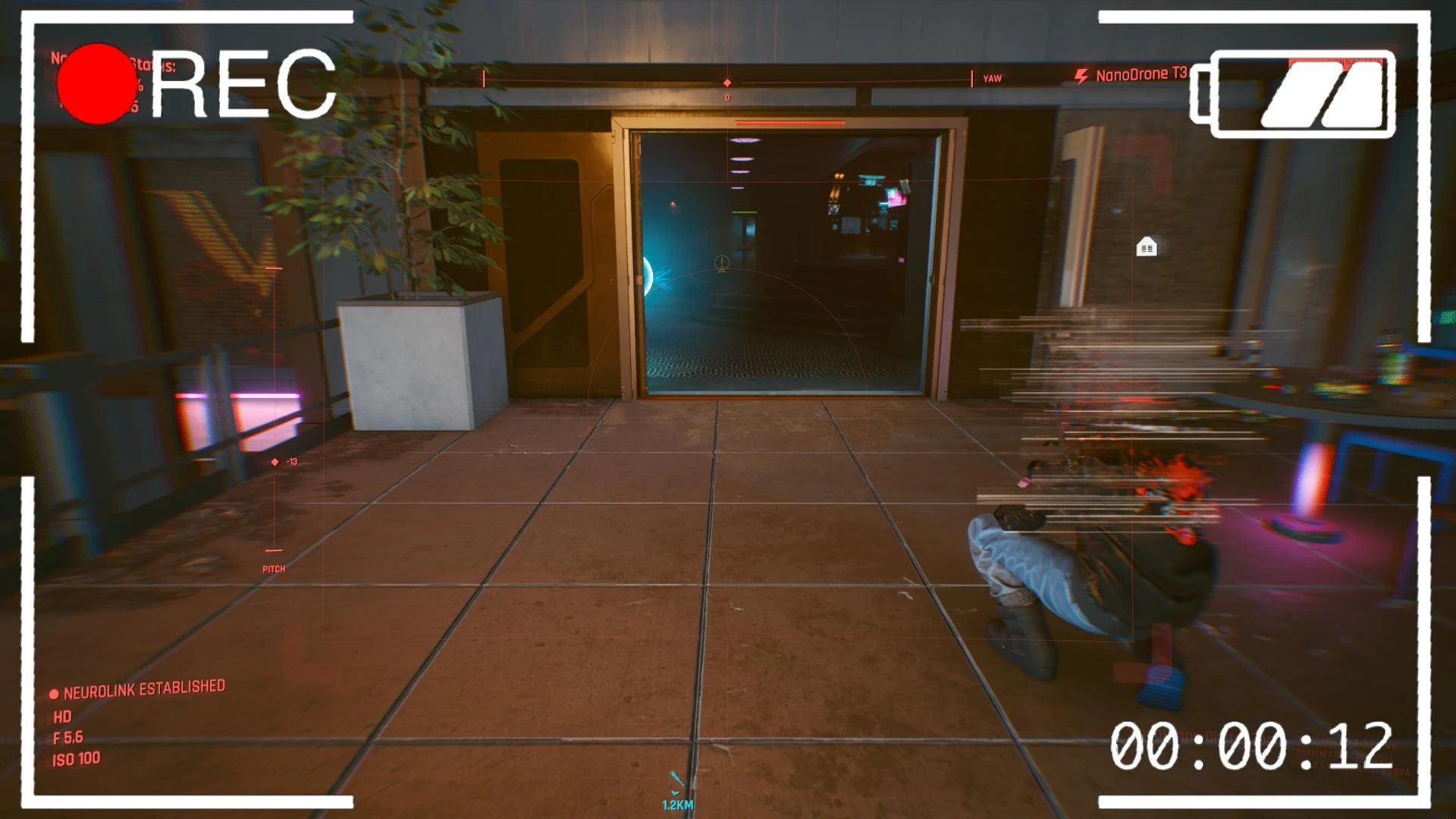
Adds a purchasable, upgradeable Nano Drone for scouting and offensive use. Popular with 2,842 endorsements and over 517k downloads, last updated March 2024. For players wanting a tactical recon tool.
✨ Key Features
📊 Pros & Cons
✅ Pros
- Huge community trust (2,842 endorsements, 517k downloads).
- Adds a versatile tool for both recon and combat.
- Upgrade system gives long-term progression.
⚠️ Cons
- Last updated March 2024 — may need checking for current game version.
- No details on how the drone is controlled or balanced.
For tactical players who want a recon tool that can also fight. Great for stealth or planning approaches. Skip if you prefer pure combat mods without utility gadgets.
💡 Beginner Tips
- Check if the mod requires a script extender or other dependencies before installing.
- Test the drone in a safe area to learn its controls and upgrade paths.
- Use the drone's scouting to mark enemies before engaging.
📊 Mod Details
- Game
- Cyberpunk 2077 Mods
- Author
- keanuWheeze
- Version
- 1.6
- Downloads
- 517,517
- Endorsements
- 2,842
- Category
- Gameplay
- Created
- 11/11/2021
- Updated
- 3/10/2024
🔧 How to Install Cyberpunk 2077 Mods
Download from Nexus.
📖 Full step-by-step install guide for Cyberpunk 2077 →
Visit the official mod page for specific installation instructions for this mod.
🎮 Need cheat codes or console commands? Check ur gaming wiki for Cyberpunk 2077 commands, item IDs, and more.
Keep browsing — more Cyberpunk 2077 mods await