Make All Shards Read
🟡 Updated this year⚠️ Install Order · 6 steps
Install in this order, then this mod last — most mods fail to load without their framework and dependencies in place.
Preview
🔍 Analysis
- 👍 1.7% endorsement rate — high engagement, a strong quality signal
- 🏆 #36 of 64 User Interface mods in this game by downloads
📋 About This Mod
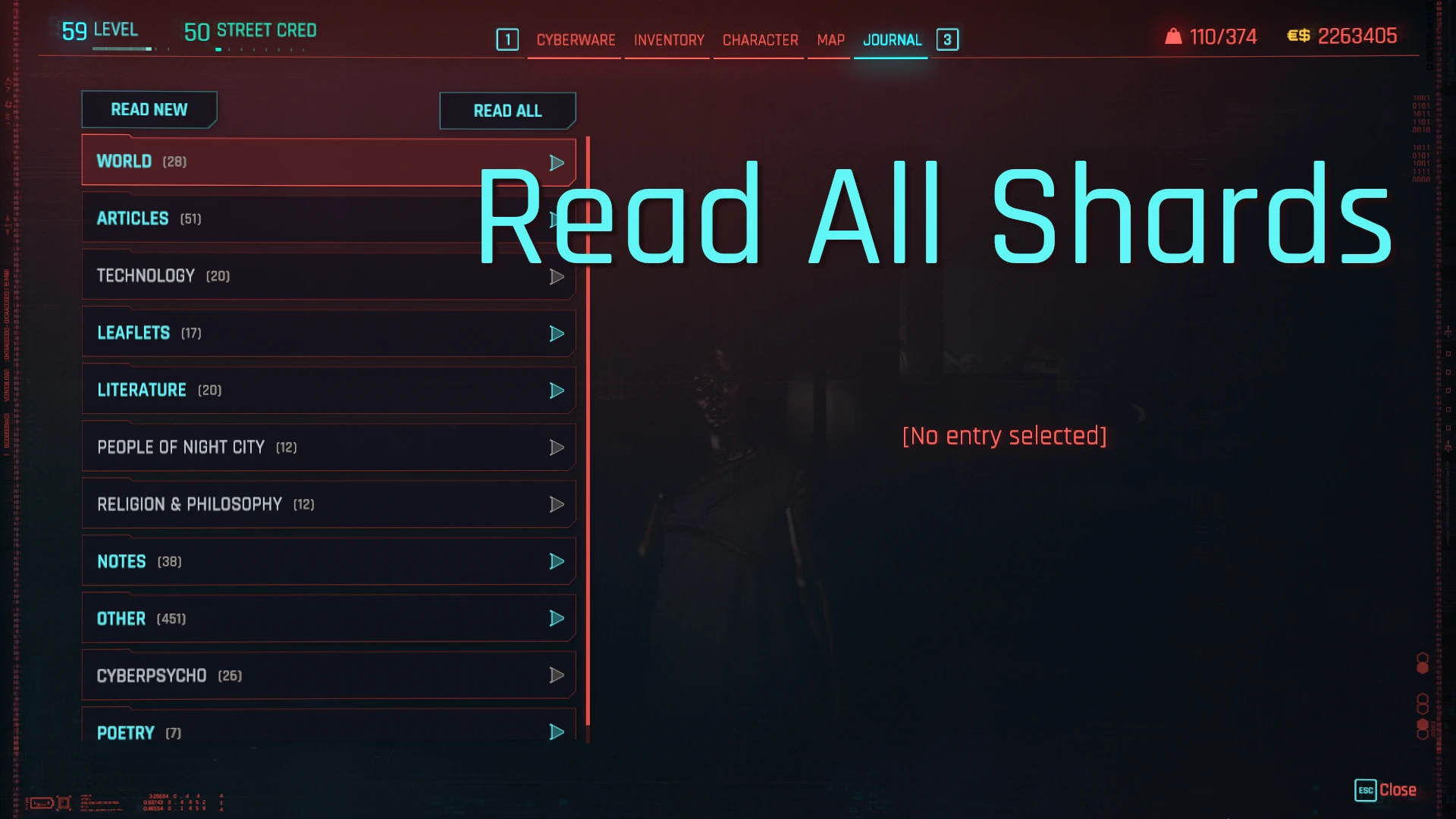
Make all shards read with a single button click.
What it does:
This mod allows you to automatically make all shards read in the Shards menu by clicking on one of two new buttons:
- Read New - to make all unread shards read (flagged as New),
- Read All - to all shards read regardless of state.
Quest related shards update the quests on the automatic read (e.g. update quest objectives as if read manually).
However, if this is one of your first playthroughs, I would recommend really reading such shards to keep up with the story flow.
When should I use "Read New" or "Read All" if both seem to do the same?
Take "Read New" if you don't use other mods that react to shard reads (usual cases).
Take "Read All" if you use mods that expect some shards to be read even if you had already read them manually earlier (special mods cases).
Speaking technically: 'Read New' executes faster and generates less CPU overhead than 'Read All' because it only updates the game on the unread shards.
What it does not do:
- it does not read encrypted shards. These shards are skipped and if they were marked as "New" they stay in this state so you can easily identify them,
- it does not read custom shards that are not registered in the native game quest database (e.g. shards added by other mods by scripting alone).
If you're using the Missing Persons or Pacifica Typhoon mod, you might also be interested in my mods that make it easier to read job-requested shards:
Missing Persons Read Shard Add-On
Pacifica Typhoon Read Shard Add-On
Game versions prior to v2 special use cases:
1) If combined with the Missing Persons mod, it switches the shard read method from an instant update behind the scenes to on-screen scrolling.
This is necessary to support the way the other mod handles shard reads.
However this method has some side effects:
- It takes longer to read the shards as it has to scroll through the whole list on the screen.
- It's a bit noisy as it's accompanied by the game UI sounds which are beyond this mod control.
- Some shard group headers may not remove "New" flags, despite all shards in a group already being read.
This is actually how the game works when doing it manually - they will be fully updated on the next Shards menu visit.
I would recommend disabling shards sorting in the Missing Persons and Pacifica Typhoon mod settings as it significantly slows down the shards menu updates, while it's not really needed when performing all shards read.
2) If you combine this mod with the Missing Persons mod and the Find-EX mod, and then use the Find-EX search box to filter the shards list, this mod may not be able to read shards outside the displayed list.
For the best results please use it on
📊 Mod Details
- Game
- Cyberpunk 2077 Mods
- Author
- anygoodname
- Version
- 1.5.9
- Downloads
- 48,616
- Endorsements
- 806
- Category
- User Interface
- Created
- 8/15/2023
- Updated
- 9/30/2025
🧩 Commonly Used Together
Users add these mods to the same collections — a real compatibility signal, not an AI guess.
🔧 How to Install Cyberpunk 2077 Mods
Download from Nexus.
📖 Full step-by-step install guide for Cyberpunk 2077 →
Visit the official mod page for specific installation instructions for this mod.
🎮 Need cheat codes or console commands? Check ur gaming wiki for Cyberpunk 2077 commands, item IDs, and more.
Keep browsing — more Cyberpunk 2077 mods await