E3 Smart Windows
🟡 Updated this year⚠️ Install Order · 6 steps
Install in this order, then this mod last — most mods fail to load without their framework and dependencies in place.
Preview
🔍 Analysis
- 👍 0.3% endorsement rate
- 🏆 #34 of 457 Gameplay mods in this game by downloads
📋 About This Mod
What it does:
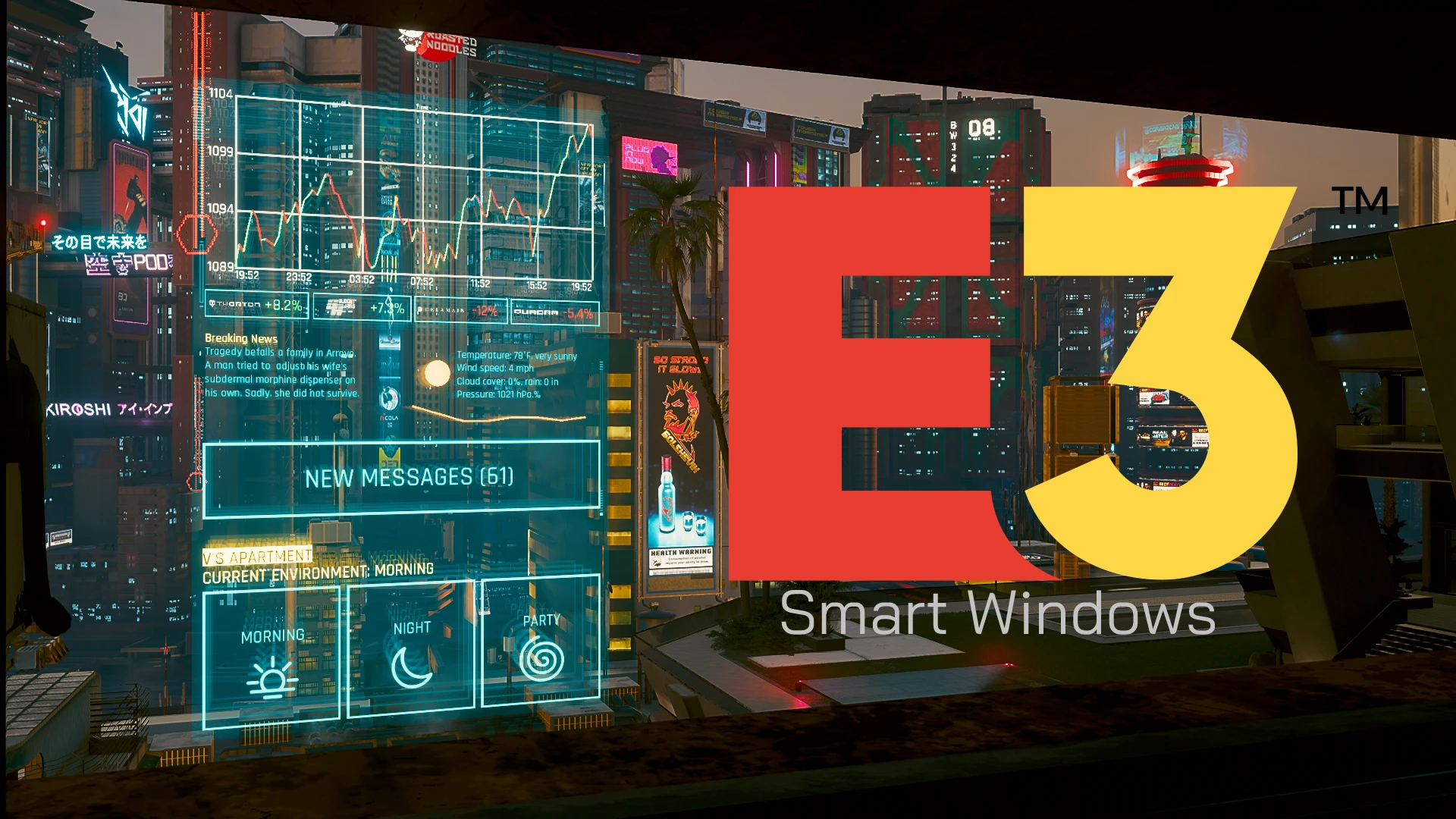
- Adds a functional smart window panel, which displays information and can be used to control the window shutters (If available)
- Integrated with the Stock Market and News System mod
- Adds the smart window to Vs Main Apartment, the DLC Apartments and some other homes (Shutter controls only available at some places)
Installation:
- Download and install CET (Latest version)
- Download and install the Stock Market and News System mod (Optional but highly recommended)
- Download the mod and extract it into your game folder (The one containing /bin, /r6 etc...)
How to use:
- Use the Morning / Night buttons to open / close the shutters (Only available at Vs base apartment and the Japantown apartment)
- Use the Party button to close the shutters and turn on the radio
- The stock info displays real-time information of the NC Stock Exchange
- Stay up to date with the Breaking News and Weather information
- The "New Messages" button tells you how many unread messages you have
Thanks to psiberx for GameUI.lua and Cron.lua, and scornthegreat for helping with the thumbnail
E3 Smart Windows brings the interactive smart window from the 2018 E3 Demo into the game, complete with stock market integration. With 4,327 endorsements and 1.4 million downloads, it's a popular gameplay mod for players who want a functional, futuristic window interface.
✨ Key Features
📊 Pros & Cons
✅ Pros
- Huge community trust (4,327 endorsements and 1.4M downloads)
- Brings a highly requested E3 feature into the game
- Stock market integration adds a unique gameplay layer
⚠️ Cons
- Last updated January 2026 — may not be compatible with future game patches
- Requires understanding of stock market mechanics to fully utilize
For players who want to recreate the E3 demo experience and enjoy interactive, market-driven gameplay. Perfect for those who like immersive, futuristic UI elements. Skip if you prefer traditional window designs or don't care about stock market simulation.
💡 Beginner Tips
- Check if the mod requires a script extender or other dependencies before installing.
- If you're new to stock market mechanics, start with a small investment to learn the system.
- Make sure your game is up to date to avoid compatibility issues with the mod.
📊 Mod Details
- Game
- Cyberpunk 2077 Mods
- Author
- keanuWheeze
- Version
- 1.2
- Downloads
- 1,398,679
- Endorsements
- 4,327
- Category
- Gameplay
- Created
- 1/9/2023
- Updated
- 1/13/2026
🧩 Commonly Used Together
Users add these mods to the same collections — a real compatibility signal, not an AI guess.
🔧 How to Install Cyberpunk 2077 Mods
Download from Nexus.
📖 Full step-by-step install guide for Cyberpunk 2077 →
Visit the official mod page for specific installation instructions for this mod.
🎮 Need cheat codes or console commands? Check ur gaming wiki for Cyberpunk 2077 commands, item IDs, and more.
Keep browsing — more Cyberpunk 2077 mods await