Autocamera and autopilot and auto-pause
🟡 Updated this yearPreview
🔍 Analysis
- 👍 2.0% endorsement rate — high engagement, a strong quality signal
- ✅ Updated 67 days after the latest game patch — actively maintained
- 🏆 #5 of 90 Visuals and Graphics mods in this game by downloads
📋 About This Mod
Autocamera, autopilot, and auto-pause
https://www.nexusmods.com/x4foundations/mods/734
v9. 0. 0. 12, 17 Aug 2026:
- New feature: A cutscene from outside the cockpit of S and M ships looking in. Cockpits of L and XL ships are actually "virtual" and do not actually exist in the game's 3D world.
- New feature: Rebuilt the Target Monitor cutscene system and added these events to trigger the Target Monitor cutscenes: attacker of your ship, docking events on your ship, while spacewalking. Read more in the Target Monitor Cutscenes section.
- Tweak: Rebuilt all the other cutscenes. E.g. increased the variety of views of the subject, better point-of-view cutscenes where the subject is in the foreground, etc.
- Bug-fix: Autopilot: re-enabled "stop auto-pilot" earlier feature. It was disabled by mistake in the last few releases. E.g. autopilot into minefields during ship rescue missions should now stop the autopilot well before the minefield. I.e. without this feature, the vanilla autopilot will send your ship into the minefield as the ship needing rescue is the autopilot's target.
Mod effects
===========
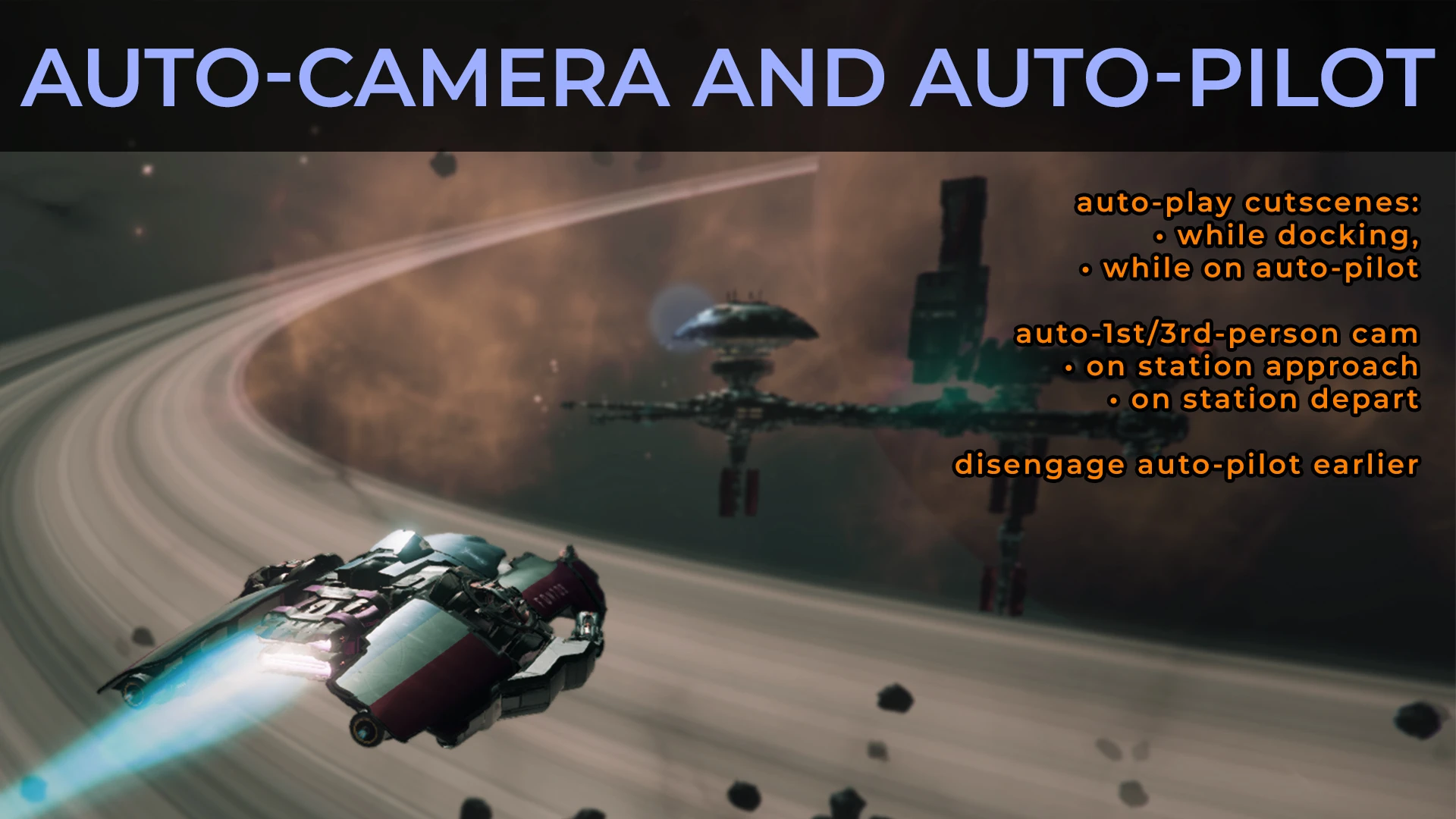
Automatically sets these camera views on these events: (1) Docking: cutscene, (2) Auto-pilot: cutscene, (3) Player as a passenger: cutscene. QOLs: (1) Autopilot tweaks. (2) Auto-pause on load, save, entry to enemy sector.
(This adds to my history of modding the camera of games: Skirmish autocam in Freedom Force (http://ffx.freedomforceforever.com/manual/modmaking/skXCamera2_doc.htm), then Auto-1st-3rd-person view in Oblivion (https://www.nexusmods.com/oblivion/mods/21834), then the same in Skyrim (https://www.nexusmods.com/skyrim/mods/27452).)
Requirements
============
SirNukes Mod Support APIs mod (https://www.nexusmods.com/x4foundations/mods/503)
Kuertee's UI Extensions mod (https://www.nexusmods.com/x4foundations/mods/552)
ChemODun's Native Hotkey API mod (https://www.nexusmods.com/x4foundations/mods/2181): required for custom hotkeys.
The cutscenes can be stopped by pressing the ESC key, as usual. If the autopilot is still active after 10 seconds or 10 seconds after you close a menu, a new cutscene will play. You can disable this looping behaviour so that no new cutscenes will play after you stop it with the ESC key in the Extensions Options.
Note that your ship is invisible during the cutscenes if you have the cockpit's visibility disabled. (I didn't find a way to toggle the cockpit's visibility automatically so you'll need to enable the cockpit view manually if you disabled it.)
Target Monitor Cutscenes
========================
The events listed below, in order of priority, play a cutscene on the Target Monitor. The cutscenes play at the interval set in the "Wait between cuts
Autocamera and autopilot and auto-pause is a QoL mod for X4: Foundations that automatically triggers cinematic camera views during docking, autopilot, and passenger events, plus autopilot tweaks and auto-pause on load/save/enemy sector entry. It requires SirNukes Mod Support APIs and Kuertee's UI Extensions. With 524 endorsements and recent updates, it's a well-maintained utility for players wanting more immersive camera work and smoother autopilot behavior.
✨ Key Features
📊 Pros & Cons
✅ Pros
- Community-approved with 524 endorsements and over 25k downloads.
- Actively maintained, last updated August 2026 with new features and bug fixes.
- Adds cinematic flair to routine actions like docking and autopilot, making the game feel more alive.
⚠️ Cons
- Requires two other mods (SirNukes Mod Support APIs and Kuertee's UI Extensions) to function, adding setup complexity.
- Autopilot tweaks may alter vanilla behavior, which could surprise players expecting stock autopilot.
- Cutscene system changes might conflict with other camera or UI mods, so compatibility testing is advised.
For X4 players who want more cinematic camera angles during docking and autopilot, and who appreciate QoL tweaks like auto-pause. If you're a vanilla purist or don't want to manage multiple mod dependencies, this might not be for you.
💡 Beginner Tips
- Install the required mods first, then this mod, and make sure they're all enabled in the extension order.
- Test the autopilot behavior in a safe sector before relying on it in combat or rescue missions.
- If you use other camera mods, check for conflicts by enabling this mod last and testing cutscenes.
📊 Mod Details
- Game
- X4foundations Mods
- Author
- kuertee
- Version
- 9.0.0.12
- Downloads
- 25,735
- Endorsements
- 526
- Category
- Visuals and Graphics
- Created
- 7/3/2021
- Updated
- 8/16/2026
🧩 Commonly Used Together
Users add these mods to the same collections — a real compatibility signal, not an AI guess.
🔧 How to Install X4: Foundations Mods
Download from Nexus Mods.
📖 Full step-by-step install guide for X4: Foundations →
Visit the official mod page for specific installation instructions for this mod.
🎮 Need cheat codes or console commands? Check ur gaming wiki for X4: Foundations commands, item IDs, and more.
Keep browsing — more X4: Foundations mods await