Tabs Collapsed or Expanded by Default
⚪ Last updated 2015Preview
🔍 Analysis
- 👍 5.9% endorsement rate — high engagement, a strong quality signal
- 🏆 #84 of 155 User Interface mods in this game by downloads
📋 About This Mod
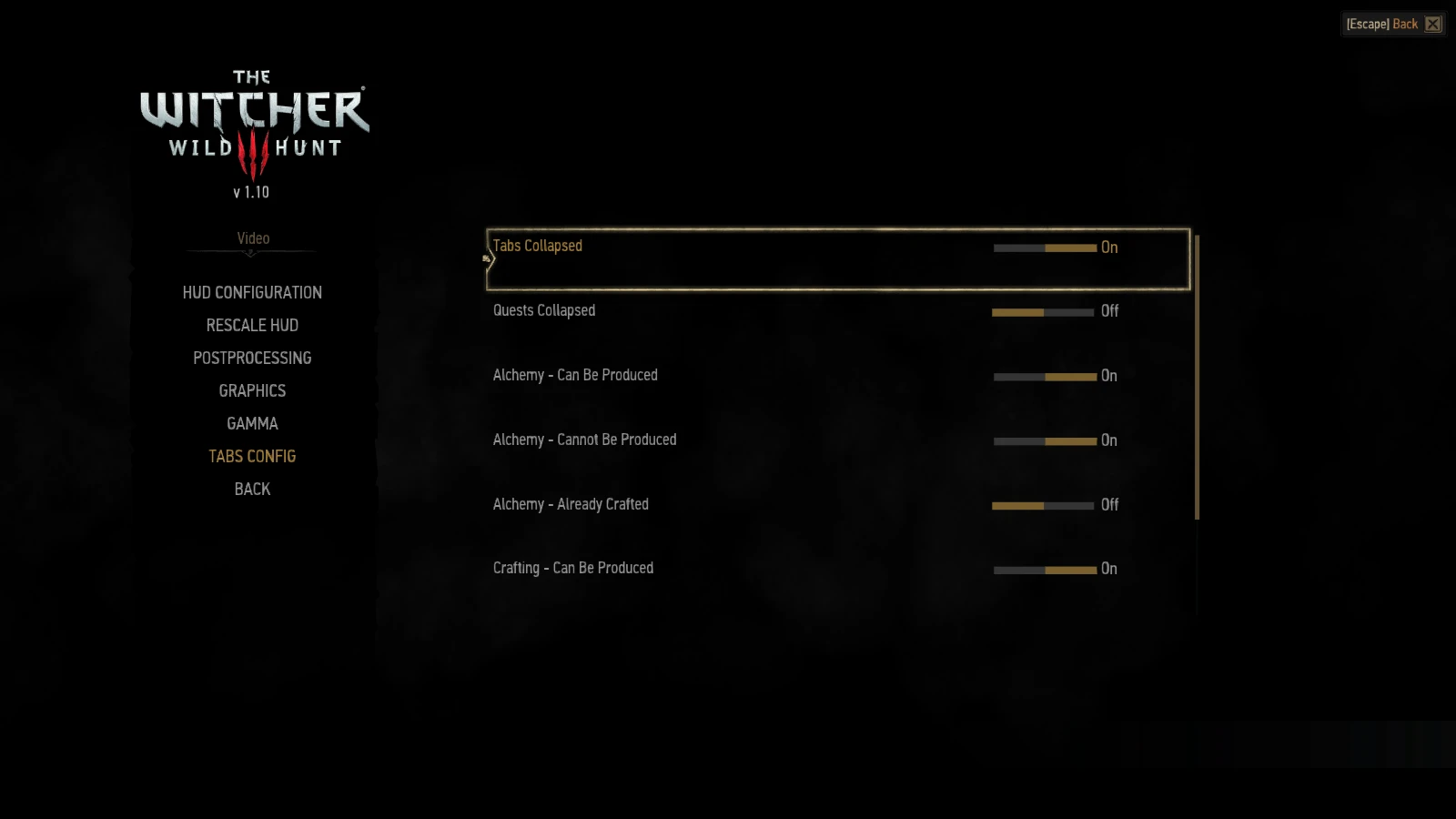
Tabs in the Alchemy/Crafting/Quest menu are now collapsed/expanded by default. This and filters are now configurable through an in-game menu.
This mod is now obsolete and will not be updated anymore.
See Extended HUD Config.
A tweak to the Alchemy/Crafting/Quest menus that makes the tabs collapsed or expanded by default. These options and default filters are now configurable through an in-game menu. Crafting alchemy recipes is now allowed even when on horseback or in a boat. The options are under Video.
Installation:
1. Unpack the downloaded folder. 2. Copy the folder modTabs to <gamedir>\mods. For example: - C:\GOG Games\The Witcher 3 Wild Hunt\mods 3. Copy the folder bin to your game directory. For example: - C:\GOG Games\The Witcher 3 Wild Hunt If you are asked to overwrite a file click yes.
1. Delete modTabs from your mods folder 2. Go to <gamedir>\bin\config\r4game\user_config_matrix\pc. For example: - C:\GOG Games\The Witcher 3 Wild Hunt\bin\config\r4game\user_config_matrix\pc 3. Delete tabsconfig.xml
📊 Mod Details
- Game
- Witcher3 Mods
- Author
- TheLastWitcher
- Version
- 2.1
- Downloads
- 16,969
- Endorsements
- 1,003
- Category
- User Interface
- Created
- 8/17/2015
- Updated
- 10/21/2015
🔧 How to Install The Witcher 3 Mods
Download from Nexus Mods.
📖 Full step-by-step install guide for The Witcher 3 →
Visit the official mod page for specific installation instructions for this mod.
🎮 Need cheat codes or console commands? Check ur gaming wiki for The Witcher 3 commands, item IDs, and more.
Keep browsing — more The Witcher 3 mods await