Quicksave Menu
⚪ Last updated 2022Preview
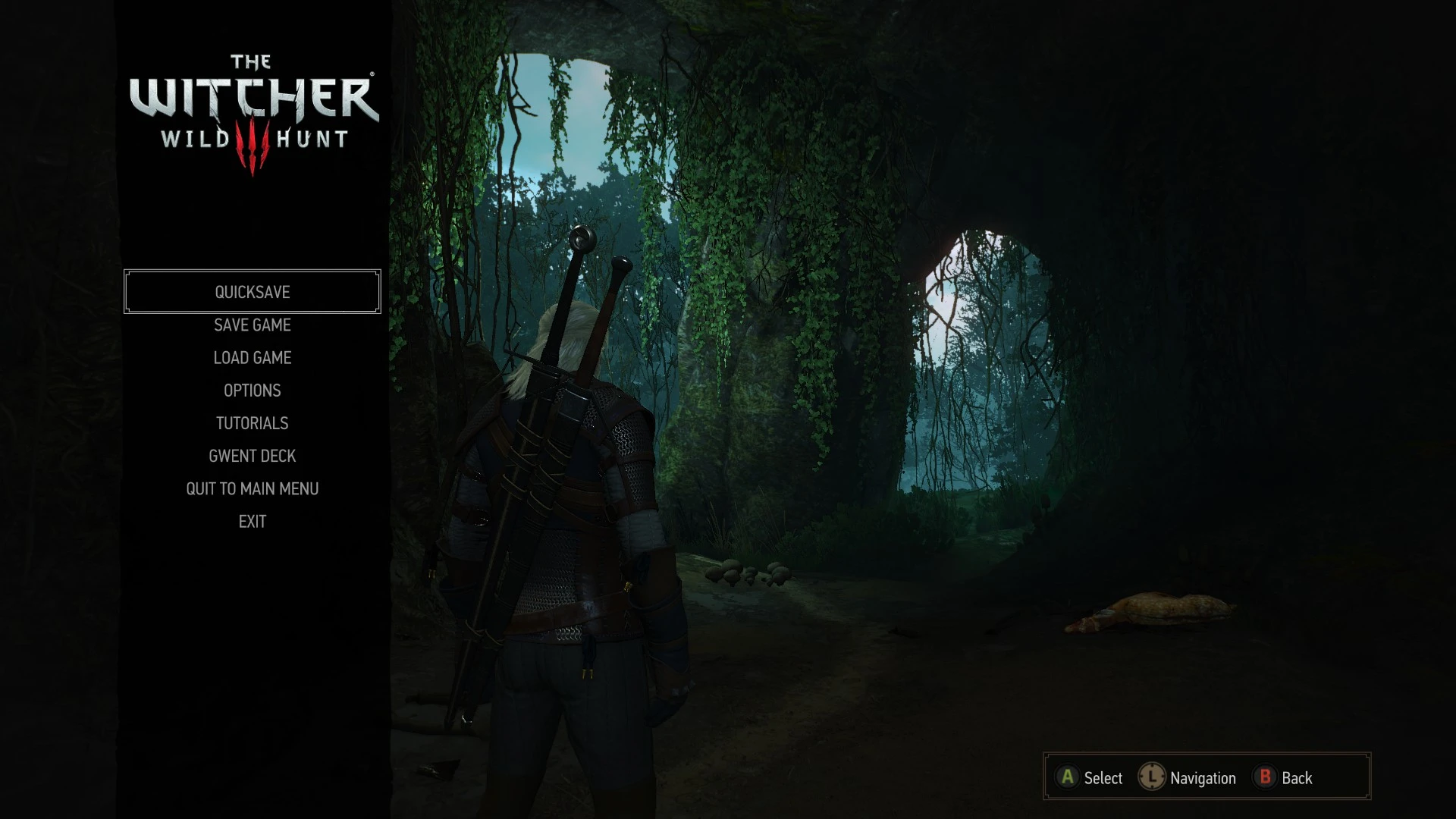
🔍 Analysis
- 👍 4.6% endorsement rate — high engagement, a strong quality signal
- 🏆 #115 of 155 User Interface mods in this game by downloads
📋 About This Mod
Adds a Quicksave option to the pause menu.
Quicksaving is extremely useful but usually out of reach for those playing with gamepads and not willing to mess around with macro utilities. Fallout 4 was an exception to this, and if you've played that game you'll likely recognize the solution offered here. It simply makes the first menu entry a quicksave button, so that it is always just 2 presses away.
It also removes the redundant Resume option. Almost every other menu in the game is closed exclusively by pressing the back button, now this is also true for the main menu.
INSTALLATION
Use Vortex or manually extract the file into your mods folder;
Run Script Merger to identify and solve potential conflicts with other mods.
KNOWN ISSUES
Not localized for all languages (check changes section for a list of translations added so far). You can help improve this by telling me what "Quicksave" translates to in your language. (use the comments section)
FEEDBACK
If you think you've found a bug please report it by leaving a comment.
📊 Mod Details
- Game
- Witcher3 Mods
- Author
- woodbyte
- Version
- 1.40.6
- Downloads
- 8,548
- Endorsements
- 389
- Category
- User Interface
- Created
- 6/25/2016
- Updated
- 12/19/2022
🔧 How to Install The Witcher 3 Mods
Download from Nexus Mods.
📖 Full step-by-step install guide for The Witcher 3 →
Visit the official mod page for specific installation instructions for this mod.
🎮 Need cheat codes or console commands? Check ur gaming wiki for The Witcher 3 commands, item IDs, and more.
Keep browsing — more The Witcher 3 mods await