Action Log
⚪ Last updated 2023Preview
🔍 Analysis
- 👍 5.3% endorsement rate — high engagement, a strong quality signal
- 🏆 #79 of 155 User Interface mods in this game by downloads
📋 About This Mod
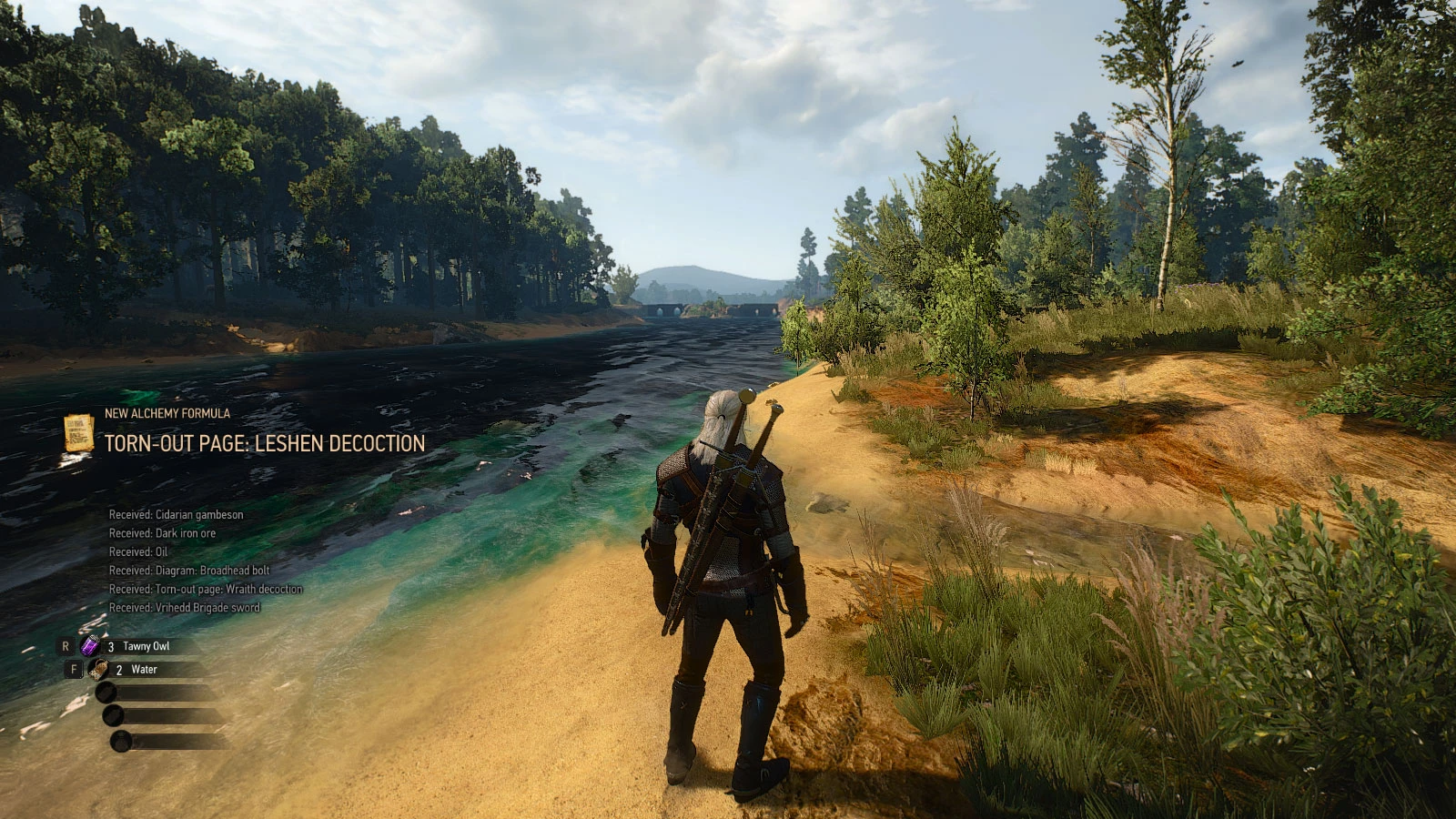
Increases the display time of console log / action log messages from 750 milliseconds (the default value) to 5 seconds and increases the number of simultaneous visible messages from 3 to 6. Also can show the last 500 messages in a popup
Increases the display time for action log (combat log, console log) messages to 5 seconds. By default the game displays these messages for less than one second and is impossible to read them. Also increases the number of simultaneous visible messages from 3 to 6 (Small HUD) or 4 (Large HUD). Optionally can show the last 500 messages in a popup window.
OPTIONS MENU
To enable the settings menu, copy the bin\config\r4game\user_config_matrix\pc\modActionLog.xml file from mod's installation dir to WITCHER3_INSTALL_DIR\bin\config\r4game\user_config_matrix\pc folder. The destination folder should contain few XML files, like input.xml, audio.xml, gameplay.xml, hud.xml etc...
Next-Gen version only: edit the dx11filelist.txt and dx12filelist.txt files from the same folder to add the name of the new XML file. If you have multiple mods that include a settings menu then you may use TW3 Menu Filelist Updater tool.
Then start the game and go to OPTIONS => MODS => ACTION LOG.
POPUP WINDOW
To enable the popup window you must copy the content of input.settings.patch.txt file from downloaded archive and paste it at the beginning of Documents\The Witcher 3\input.settings file. Use a text editor for this, like Notepad or Notepad++. Or you can use Input. Settings Patcher.
By default the ~ key will be used for opening the popup. If you want a different key then edit the patch file first and replace IK_Tilde with something else. For example IK_F3 means F3 key. See the keys.txt file included in downloaded archive for a list with valid keys.
COMPATIBILITY (Classic version only)
The mod won't be able to increase messages display time if you use another one that changes the hud.redswf file, with following exceptions:
-
[]For No Herbs and Enemy Dots on Minimap by DJ_Kovrik - you must install the compatible file instead of the main one.
[
]The More Quick Slots mod is fully compatible with this one.Note that in both cases this mod must have a lower priority than the compatible one. This is by default, except if you manually assign priorities for installed mods using mod.settings file (something you should never do for mods with scripts, like this one).
OTHER MODS
You may also like All Quest Objectives on Map and More Quick Slots mods.
📊 Mod Details
- Game
- Witcher3 Mods
- Author
- Wolfmark
- Version
- 4.00.11
- Downloads
- 17,844
- Endorsements
- 940
- Category
- User Interface
- Created
- 10/30/2015
- Updated
- 1/16/2023
🔧 How to Install The Witcher 3 Mods
Download from Nexus Mods.
📖 Full step-by-step install guide for The Witcher 3 →
Visit the official mod page for specific installation instructions for this mod.
🎮 Need cheat codes or console commands? Check ur gaming wiki for The Witcher 3 commands, item IDs, and more.
Keep browsing — more The Witcher 3 mods await