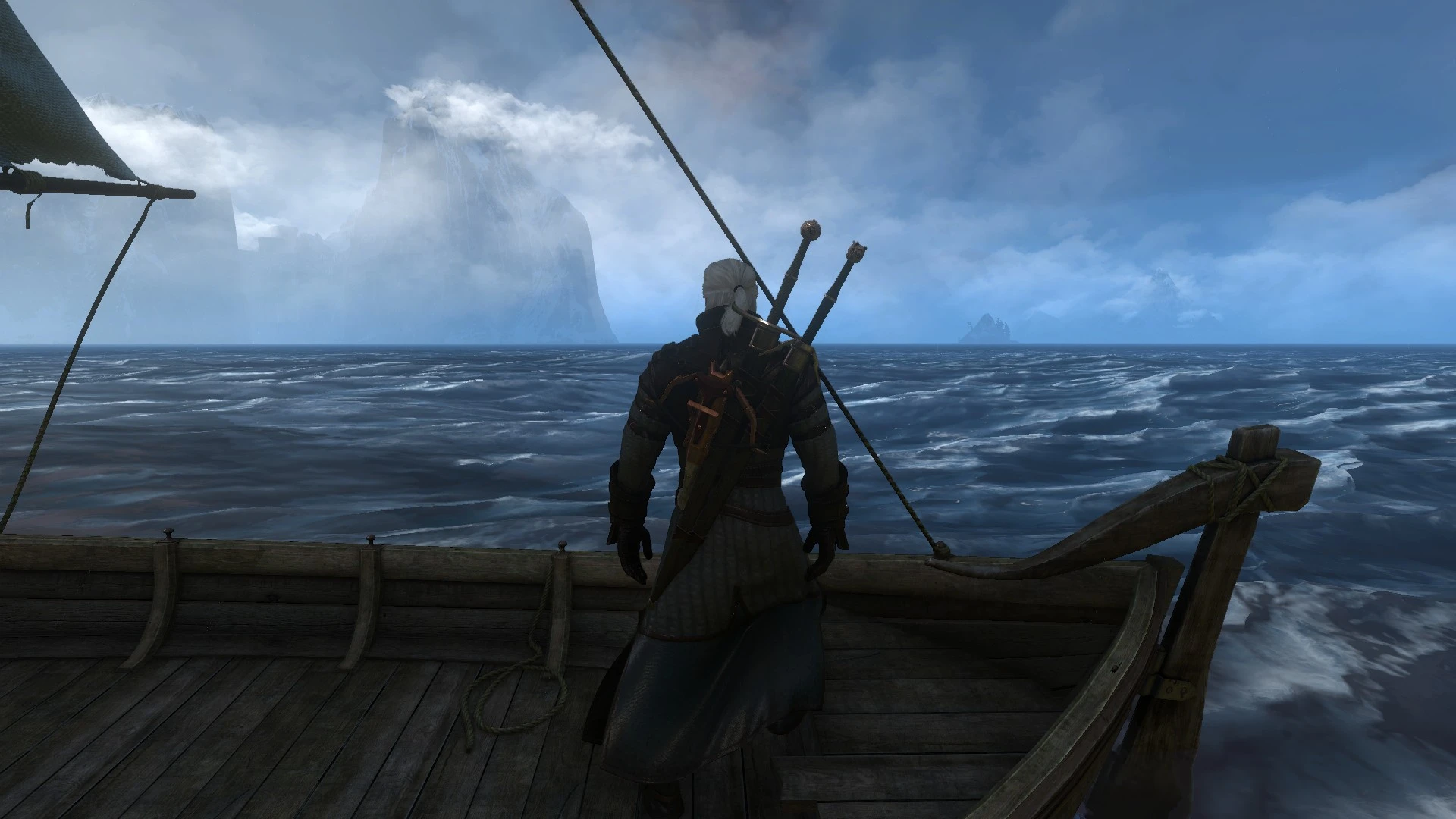
Volumetric clouds over Skellige
⚪ Last updated 2017⚠️ Install Order · 2 steps
Install in this order, then this mod last — most mods fail to load without their framework and dependencies in place.
Preview
🔍 Analysis
- 👍 3.3% endorsement rate — high engagement, a strong quality signal
- 🏆 #51 of 264 Visuals and Graphics mods in this game by downloads
📋 About This Mod
12. 03. 2017: Mod now compatible with Bootstrap! Hey everyone, happy to announce that my mod is now compatible with Bootstrap (many thanks to rmemr and erxv!)
Boostrap in a nutshell:
- []Boostrap is a great utility by fellow member rmemr, providing a standard way to start/loadup simple script mods like mine without modifying vanilla scripts!
-
[]less incompatibilities, as my mod no longer modifies any vanilla scripts -> compatible with any mod now!
[]Bootstrap (at the date of writing this) modifies one single vanilla script (player.ws), but it's easier to merge than my own mod was in the past!
[
]my mod itself works for any game version now! (you only need to get the correct version of Bootstrap for your game version)
Step 1: If you have not done so already, install Bootstrap (Details, copied from Bootstrap description): 1. Pick the script-hook package (as of today the other packages has issues) and merge the script (player.ws) if required.
2. Unzip package into your witcher game directory (so dlc folder content from package goes into witcher 3/dlc folder and mod folder content from package goes into witcher 3/mod folder)
3. Add content from "mods/modBootstrap/modBootstrap.input.settings" from the downloaded package into the input.settings file in your "MyDocuments/The Witcher 3/input.settings" to the end of the file (it will be reordered after startup anyway)
Step 2: Install my mod:
- []Unzip package into your witcher game directory (so "DLC" folder content from package goes into witcher 3/DLC folder and "mods" folder content from package goes into witcher 3/mods folder) []Add the following line to the file "mods/modBootstrap/content/scripts/local/mods_registry.ws" from your W3 game directory:
It should look like this:
17. 09. 2016: Update for new patch 1. 31 ;)
Added an updated mod file fully compatible with the most current game version 1. 31. Be sure to closely read this description and the sticky post in the comment sections. And, as always, thank you for your interest in my mod and your support!
Description
s-7VfupXAVU
This mod replaces Skellige's standard sky with the volumetric clouds from Kaer Morhen, enhancing the region's atmosphere. With over 4,000 endorsements and 121,000 downloads, it's a popular visual upgrade for The Witcher 3 players seeking more dramatic skies. Last updated in 2017, it remains a stable choice for the base game.
✨ Key Features
📊 Pros & Cons
✅ Pros
- Huge community trust (4,039 endorsements) — this is a proven visual upgrade
- Massive download count (121,379) shows it's a go-to for sky improvements
- Lightweight and focused — does one thing and does it well
⚠️ Cons
- Last updated in 2017 — may not be compatible with the next-gen update or mods that alter weather
- Only affects Skellige — if you want volumetric clouds everywhere, this isn't it
For Witcher 3 players who love Skellige's rugged beauty but want more dramatic, dynamic skies. Perfect for screenshot enthusiasts and those who want a quick visual boost without overhauling the whole game. Skip if you're looking for gameplay changes or want clouds in all regions.
💡 Beginner Tips
- If you're using the next-gen update, test this mod early — old mods can conflict with new lighting changes.
- Use a mod manager like Vortex to easily enable/disable this mod if you run other weather or sky mods.
- This mod only affects Skellige, so don't expect changes in Velen or Novigrad — that's normal.
📊 Mod Details
- Game
- Witcher 3 Mods
- Author
- GMSBSGhost
- Version
- N/A
- Downloads
- 121,379
- Endorsements
- 4,039
- Category
- Visuals and Graphics
- Created
- 2/21/2016
- Updated
- 3/25/2017
🔧 How to Install Witcher 3 Mods
Download from Nexus.
📖 Full step-by-step install guide for Witcher 3 →
Visit the official mod page for specific installation instructions for this mod.
🎮 Need cheat codes or console commands? Check ur gaming wiki for Witcher 3 commands, item IDs, and more.
Keep browsing — more Witcher 3 mods await