Visual Enhanced Project Evolved
⚪ Last updated 2016⚠️ Install Order · 3 steps
Install in this order, then this mod last — most mods fail to load without their framework and dependencies in place.
Preview
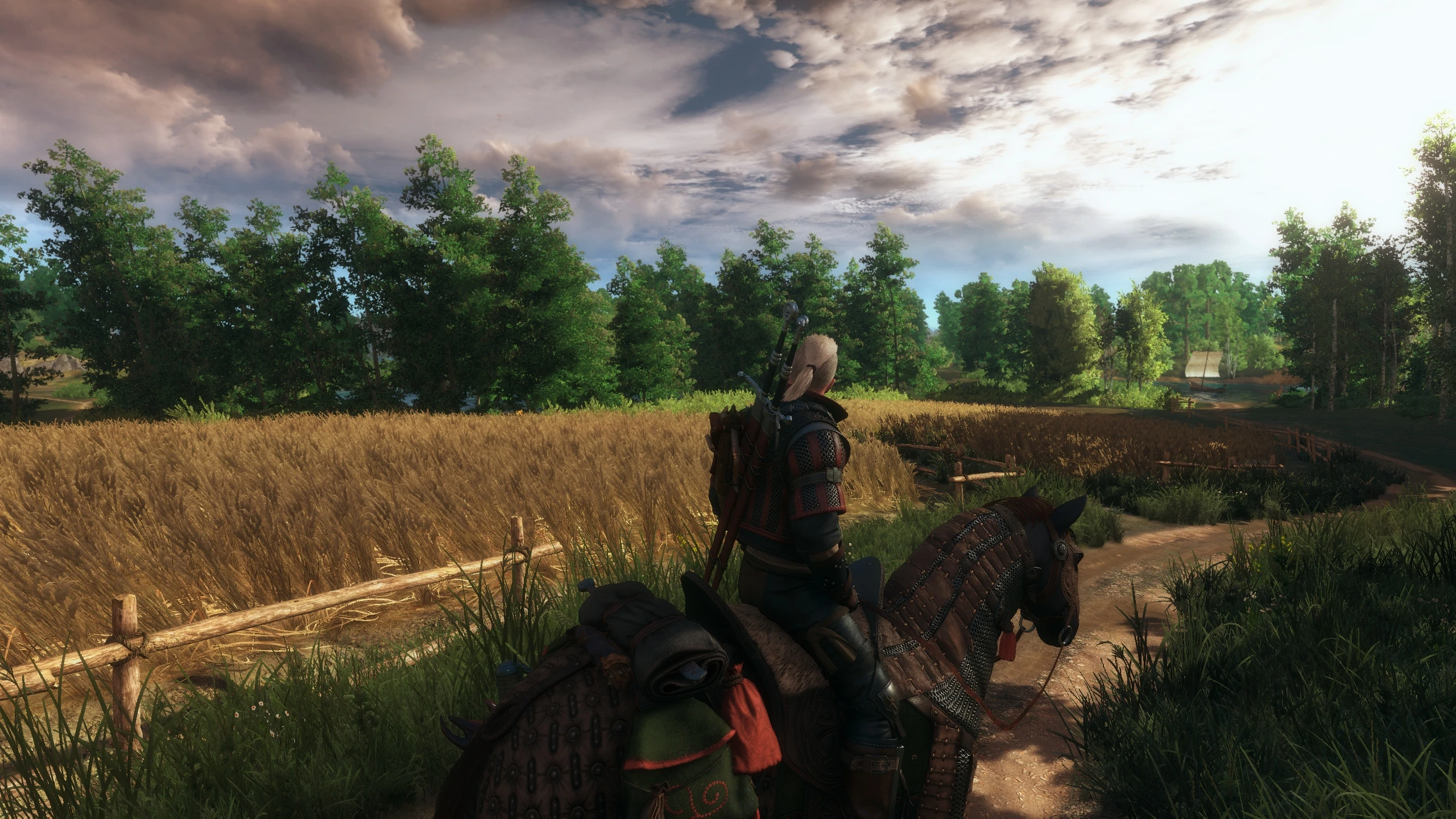
🔍 Analysis
- 👍 4.3% endorsement rate — high engagement, a strong quality signal
- 🏆 #37 of 74 ReShade Preset mods in this game by downloads
📋 About This Mod
How to change Presets via Ingame Overlay on the Base Game Locations and BAW DK7q1p7kNh8 Video Showcase CINE EVOLVED by Gundamzeppelin thanks and credits going to him iLrinAsU73o
About a current video showcase from the new Version i would be happy
Required Mods/Tools- Install ReShade Framework 3. 0
- Install STLM 2. 2. 1 with Toussaint Version
Calibrate Color settings and calibrate
- []For HDMI Users set this values / after change the bpc calibrate your monitor with nvdia [] []Use this settings for calibrate / (dont use my settings ^^ ) [] []examples for calibrate []You should just barely see #5 and up on this page. If you can't, your brightness/gamma is too low. []http://www.lagom.nl/lcd-test/black.php []You should just barely see boxes 244-250 on this page. If you can't, your contrast is too high. []http://www.lagom.nl/lcd-test/white.php []Check your ingame Options []use ingame Fullscreen / Important for corretly colors []set the gamma to 1 (ingame base ) []Start the Nvdia Settings after each start so that calibrate is activated
- []3D Settings [] [] [] []Check your ingame Options []set vsync to zero []framerate to infinity
- Adaptiv vsync by nvdia is much better
CREDITS: Reshade by CrosireGEMFX and ReShade Frameworks by LuciferHawk MasterEffects by Marty Mcfly SweetFX by Ceejay.dk Super Turbo Lightning Mod 2. 0 by essenthy thanks for this wonderful Lightning Mod firemanaf - for the indirekt lighting settings Nvidia - for this amazing Ini Tweaks cdprojektred - for this amazing Ini Tweaks Thanks to steamin661 for this new DOF what i have modi
Visual Enhanced Project Evolved is a ReShade preset for Skyrim that offers four distinct presets, switchable in-game via the ReShade 3.0 overlay. The latest update (2.3) integrates all presets into one package, including an updated Cine Evolved preset with a base game option. With 368 endorsements and over 8,600 downloads, it's a community-tested visual enhancement for players seeking cinematic graphics.
✨ Key Features
📊 Pros & Cons
✅ Pros
- Community-approved with 368 endorsements and 8,607 downloads
- All-in-one design means you get multiple looks without juggling files
- In-game preset switching via ReShade overlay is super convenient for comparing styles
⚠️ Cons
- Last updated in 2016 — may not work with current Skyrim versions or newer ReShade releases
- Requires ReShade 3.0 specifically, which is outdated and might conflict with modern setups
For Skyrim players who want a cinematic, enhanced look without diving into complex ENB configs. If you're comfortable with ReShade and want multiple preset options in one package, this is a solid choice. Skip if you're on the latest Skyrim version or prefer actively maintained mods.
💡 Beginner Tips
- Make sure you have ReShade 3.0 installed and configured for Skyrim before adding this preset.
- Use the in-game overlay (default Shift+F2) to cycle through the four presets and see which one fits your taste.
- If you're using a mod manager, place the preset files in the ReShade folder, not the Data folder.
📊 Mod Details
- Game
- Witcher 3 Mods
- Author
- BlackRaven90
- Version
- 2.3
- Downloads
- 8,607
- Endorsements
- 368
- Category
- ReShade Preset
- Created
- 1/30/2016
- Updated
- 11/3/2016
🔧 How to Install Witcher 3 Mods
Download from Nexus.
📖 Full step-by-step install guide for Witcher 3 →
Visit the official mod page for specific installation instructions for this mod.
🎮 Need cheat codes or console commands? Check ur gaming wiki for Witcher 3 commands, item IDs, and more.
Keep browsing — more Witcher 3 mods await