Unseen Monsters
⚪ Last updated 2016⚠️ Install Order · 2 steps
Install in this order, then this mod last — most mods fail to load without their framework and dependencies in place.
Preview
🔍 Analysis
- 👍 5.1% endorsement rate — high engagement, a strong quality signal
- 🏆 #165 of 264 Visuals and Graphics mods in this game by downloads
📋 About This Mod
Unseen Monsters
--------------------------
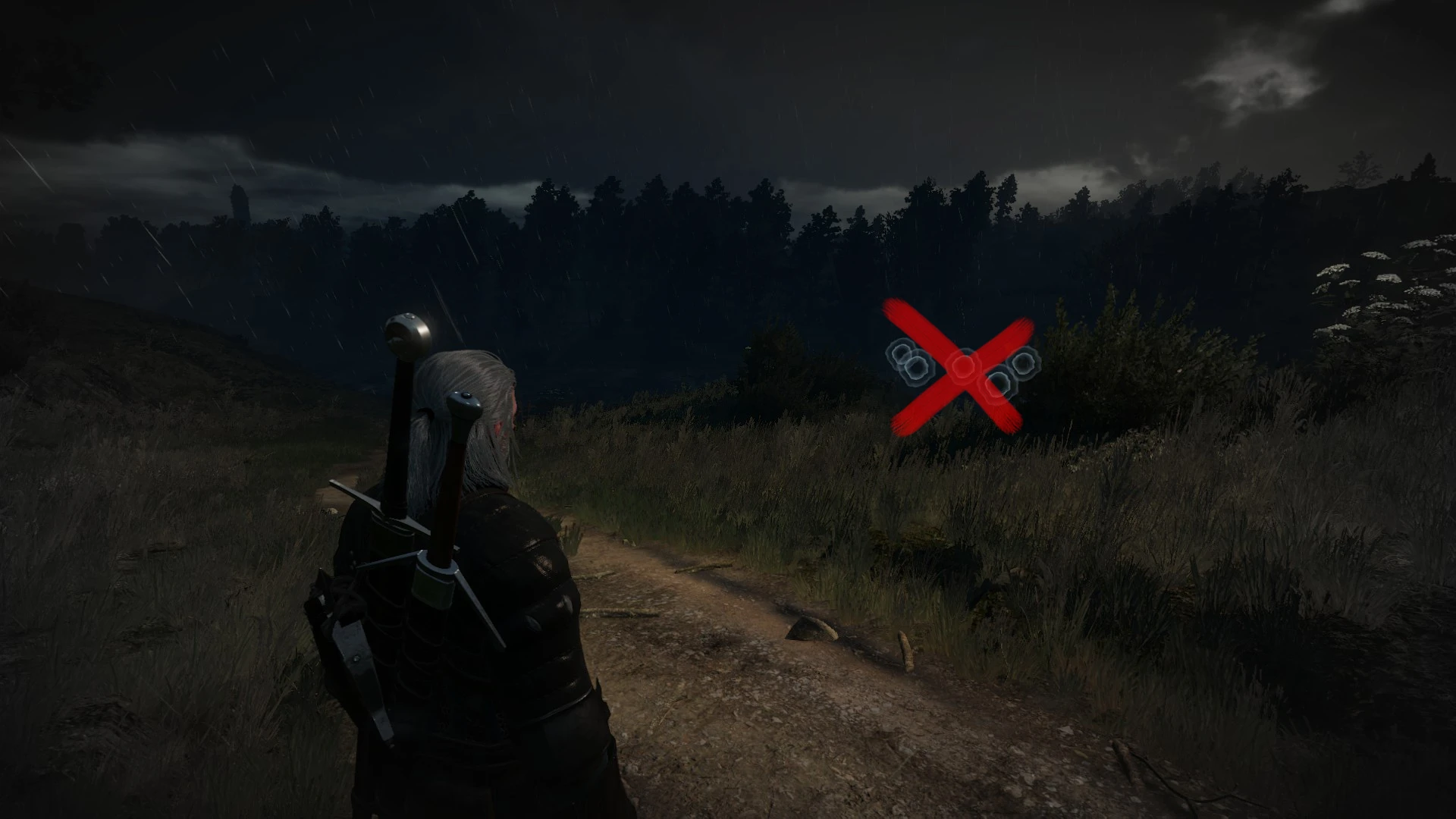
Removes highlighted circles from monsters while using witcher sense, so Geralt can hear them, but can't see them.
Made by request.
Compatible with the latest v1. 30 patch.
Installation
----------------
Download and extract archive into "...\The Witcher 3\Mods\" folder (if you do not have Mods folder - create it manually).
After installation the folder structure should look like this: "...\The Witcher 3\Mods\modUnseenMonsters\content\..."
Supports installation with NMM.
arnold123456 (mod idea)
CDPR (for the great game)
My other mods
----------------------
Additional Stash Locations
Alternate Lightsources Interaction
Colored Map Markers
Enemy Healthbar On Top
Long Journey - Extended
Instant Tooltips
No Herbs and Enemy Dots on Minimap
Quen Alternate Colors
Sort Everything
Toxicity - Clean Face and Screen
Unseen Monsters removes the highlighted circles from monsters when using Witcher Sense, so Geralt can hear them but not see them. This is a small, focused visual mod for The Witcher 3 that increases immersion and challenge, with 720 endorsements and last updated in 2016.
✨ Key Features
📊 Pros & Cons
✅ Pros
- Community-approved with 720 endorsements and over 14k downloads.
- Adds a fresh challenge for players who want a more immersive Witcher experience.
- Lightweight and focused—does exactly what it says without extra bloat.
⚠️ Cons
- Last updated in 2016—may not be compatible with the latest game patches or DLCs.
- Removing highlights can make combat harder, especially for players who rely on visual cues.
For Witcher 3 veterans who want a more immersive and challenging experience by relying on audio cues. Skip if you prefer clear visual indicators or are playing on a newer game version where compatibility might be an issue.
💡 Beginner Tips
- Make sure to back up your original game files before installing, as the mod likely replaces a texture or script file.
- Test the mod in a low-stakes area to get used to the new audio-only monster detection.
- If you encounter issues, try verifying your game files or checking for compatibility patches.
📊 Mod Details
- Game
- Witcher 3 Mods
- Author
- DJ_Kovrik
- Version
- 1.30
- Downloads
- 14,139
- Endorsements
- 720
- Category
- Visuals and Graphics
- Created
- 9/9/2015
- Updated
- 5/30/2016
🔧 How to Install Witcher 3 Mods
Download from Nexus.
📖 Full step-by-step install guide for Witcher 3 →
Visit the official mod page for specific installation instructions for this mod.
🎮 Need cheat codes or console commands? Check ur gaming wiki for Witcher 3 commands, item IDs, and more.
Keep browsing — more Witcher 3 mods await