The Witcher 2 Input Configuration
⚪ Last updated 2015⚠️ Install Order · 2 steps
Install in this order, then this mod last — most mods fail to load without their framework and dependencies in place.
Preview
🔍 Analysis
- 👍 5.3% endorsement rate — high engagement, a strong quality signal
- 🏆 #2 of 41 Controller Button Layout mods in this game by downloads
📋 About This Mod
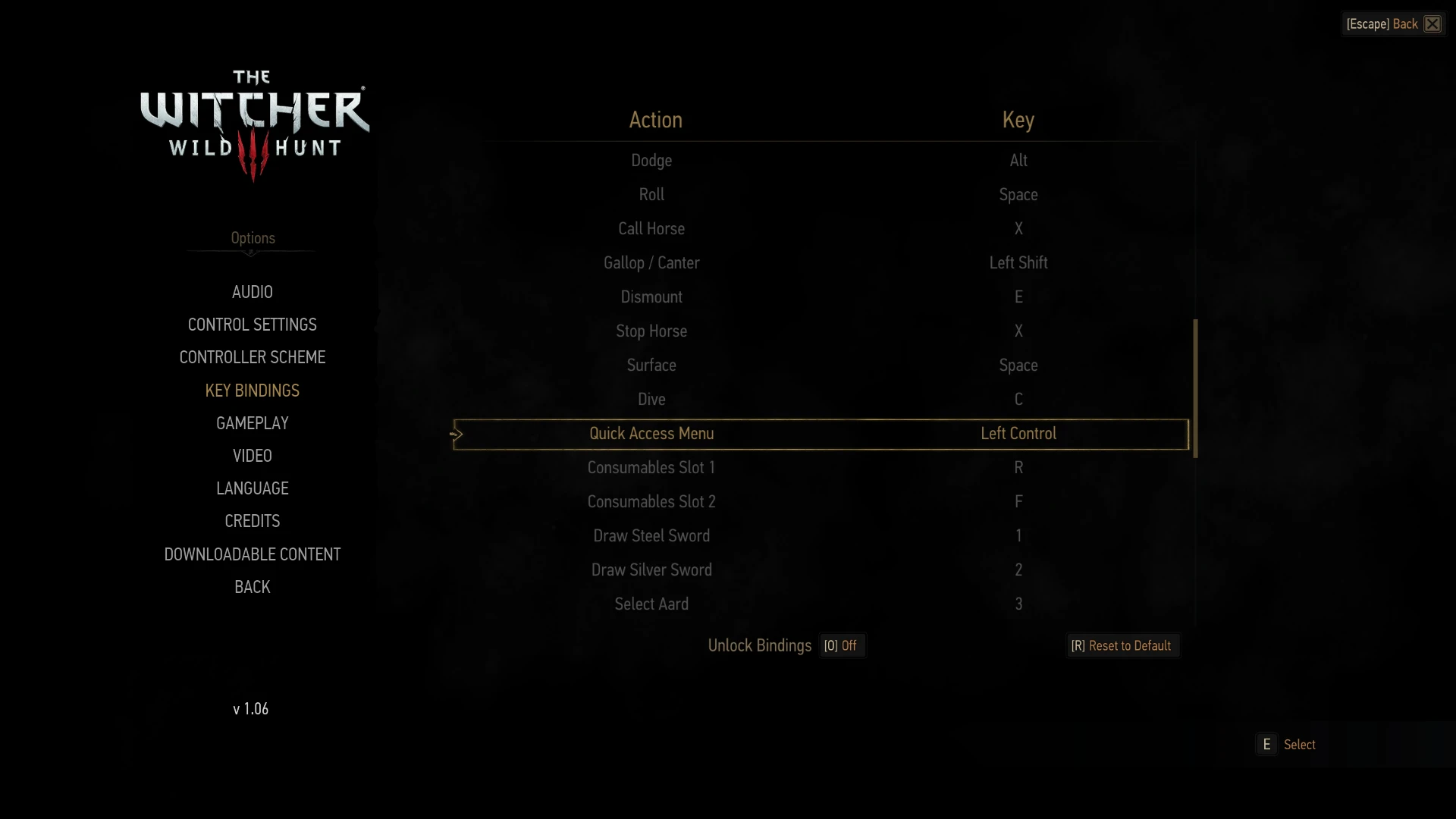
This is a tweaked key binding configuration made for those who prefer TW2's (superior in my opinion) keyboard+mouse controls.
You can change whatever key bindings here you'd like without issue as long as they don't conflict with any existing bindings (don't rebind anything to RMB or E as it will reset all keys that are already associated with it).
No other files needed, just replace your current input.settings file to use.
- []Caps Lock - Toggle Walk/Run []Control - Quick Access Menu []Right Mouse Button - Strong Attack (Holding shift key not necessary) []E - Parry/Counterattack
- V - Use Witcher Senses
📊 Mod Details
- Game
- Witcher 3 Mods
- Author
- fvqu
- Version
- 1.3
- Downloads
- 698
- Endorsements
- 37
- Category
- Controller Button Layout
- Created
- 6/17/2015
- Updated
- 11/5/2015
🔧 How to Install Witcher 3 Mods
Download from Nexus.
📖 Full step-by-step install guide for Witcher 3 →
Visit the official mod page for specific installation instructions for this mod.
🎮 Need cheat codes or console commands? Check ur gaming wiki for Witcher 3 commands, item IDs, and more.
Keep browsing — more Witcher 3 mods await