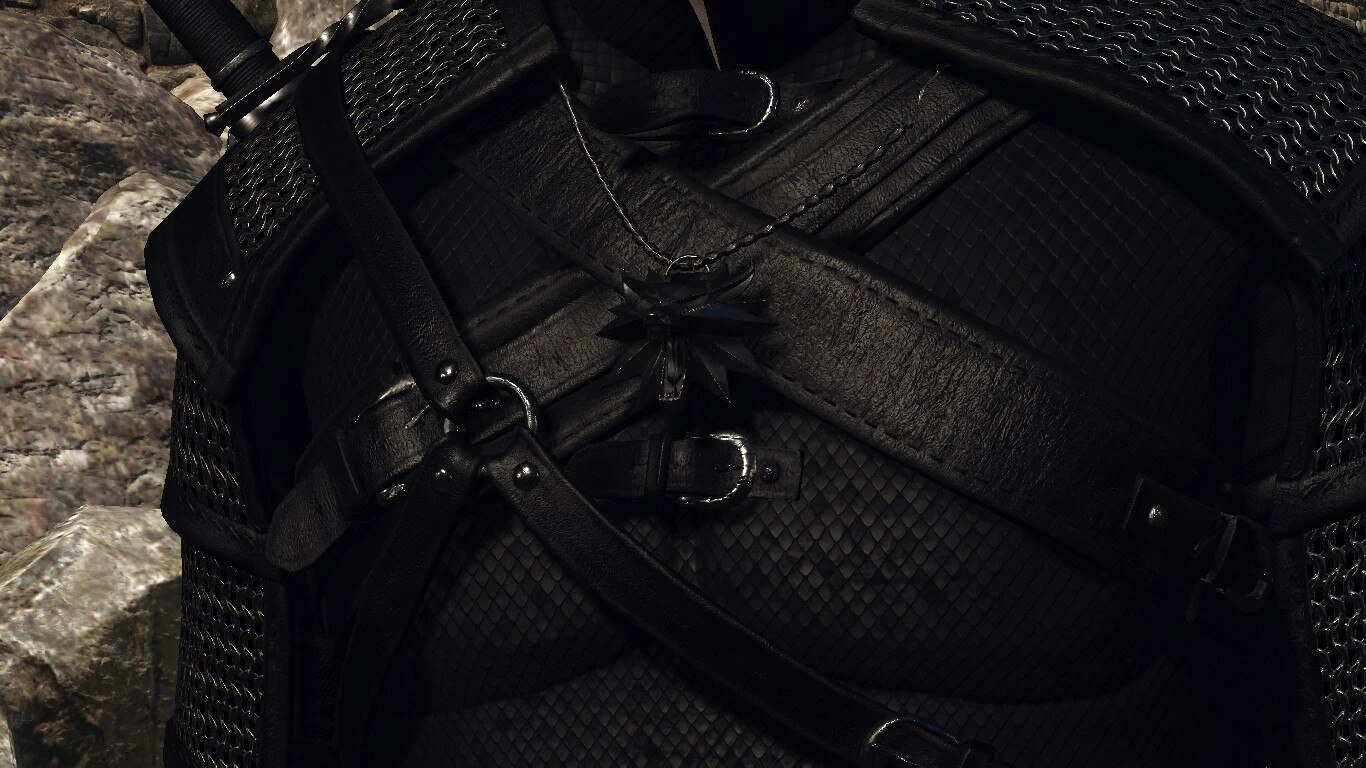
The Black Witcher
⚪ Last updated 2023⚠️ Install Order · 2 steps
Install in this order, then this mod last — most mods fail to load without their framework and dependencies in place.
Preview
🔍 Analysis
- 👍 1.8% endorsement rate — high engagement, a strong quality signal
- 🏆 #153 of 322 Models and Textures mods in this game by downloads
📋 About This Mod
Installation
1) Put the DLC_TBW in the DLC folder.
2) Put the modTBW_All-In-One in the Mods folder.
All-In-One
This includes:
- All files from the Optional folder
Casual Outfit/White
This includes:
- Nilfgaardian Casual Suit T1-3;
- Skellige Casual Suit T1-2;
- Ornate Robe T1-2 (Wedding Suit);
- Nilfgaardian Armor;
- Ofir Armor;
- Thief Armor;
- Temerian Armor.
Clothing and Accessories
This includes:
- bandit mask;
- wolf mask;
- underwear;
- knife and bolts; required E3 VGX bearbag
- knife, bear scarf and concept bear school belt without bag; required AMM
- KM cloak. required Killing Monsters Cloak (Toggle-able)
Viper Swords
This includes:
- Gesheft Crafted. Item code = ('Serpent Silver Sword 3');
- Belhaven blade. Item code = ('Serpent Steel Sword 3').
Demonic Horse
This includes:
- Caparison of Lament. Item code = ('Devil Saddle');
- Zerrikanian blinders. Item code = ('Horse Blinder 3');
- Beauclair saddlebags. Item code = ('Toussaint horsebag').
Black/Dark Steel and Silver Swords
This includes:
- All steel and silver swords that are in mod. Makes steel swords black/dark.
Fur for Armor/White
Adds fur for Bear and Undvik armor. Also replaces "ConceptFur" and "ConceptFurFull" in AMM. Give higher priority.
Bear T2-3 Remove Belt
Use with All-In-One or Bear T2-5. Give higher priority.
Viper Remove Hook
Use with All-In-One or Viper. Give higher priority.
GoR Crossbow Remove Rivia Emblem
Use with All-In-One or Geralt of Rivia Crossbow. Give higher priority.
Hair tie and Headband
For Headband required DLC2 Improved. Give higher priority.
Credits[/co
The Black Witcher is a compact cosmetic mod that replaces some equipment with black-colored variants. With 410 endorsements and nearly 23,000 downloads, it has a solid following. Last updated in June 2023, it offers a simple visual change for players who prefer darker gear aesthetics.
✨ Key Features
📊 Pros & Cons
✅ Pros
- Community-approved (410 endorsements) and a solid download count (22,974) show it's a popular choice
- Simple drop-in cosmetic change—no complex setup or dependencies
- Gives your character a sleek, dark look without overhauling the whole game
⚠️ Cons
- Only affects some equipment—don't expect a full armor overhaul
- No detailed description of which items are changed, so you'll have to test in-game
- Last updated in June 2023—may not be compatible with the latest game patches
For players who want a quick, no-fuss way to make their gear look darker and edgier. If you're a fan of black armor aesthetics and don't mind a limited scope, this is for you. Skip if you're looking for a comprehensive texture overhaul or gameplay changes.
💡 Beginner Tips
- Since it's a simple replacer, just drop the files into your mod manager or game directory—no extra steps needed.
- Check the mod's images (if any) to see which items are affected before installing, so you know what to expect.
- If you're using a mod manager, enable it and run a conflict check to ensure it doesn't clash with other texture mods.
📊 Mod Details
- Game
- Witcher 3 Mods
- Author
- Sssses52
- Version
- 2.9
- Downloads
- 22,974
- Endorsements
- 410
- Category
- Models and Textures
- Created
- 9/1/2018
- Updated
- 6/2/2023
🔧 How to Install Witcher 3 Mods
Download from Nexus.
📖 Full step-by-step install guide for Witcher 3 →
Visit the official mod page for specific installation instructions for this mod.
🎮 Need cheat codes or console commands? Check ur gaming wiki for Witcher 3 commands, item IDs, and more.
Keep browsing — more Witcher 3 mods await