Sword Effects Customizer - Runes and Oils
🟠 Updated over a year ago⚠️ Install Order · 2 steps
Install in this order, then this mod last — most mods fail to load without their framework and dependencies in place.
Preview
🔍 Analysis
- 👍 3.5% endorsement rate — high engagement, a strong quality signal
- 🏆 #93 of 264 Visuals and Graphics mods in this game by downloads
📋 About This Mod
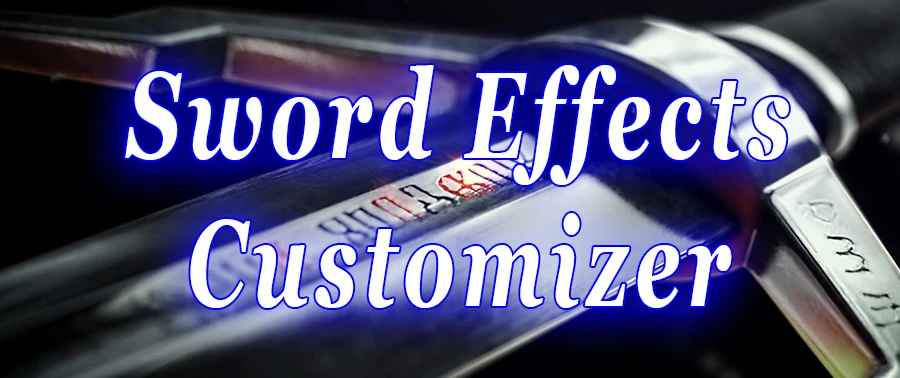
Sword Effects Customizer allows you to customize the special effects on your swords. Kinda obvious don't you think? You get an in-game menu where you can decide if runes glow permanently or not, what color they glow, how many runes appear on the sword, and if you want to see the oil effect or not. This mod is totally visual. This will not change what runes you have on your sword or how many. So if you're like me and the rune you want to put on your sword glows pink but you're too manly for that, this mod is the remedy. Don't worry, you can still choose pink for you ladies out there. Note: if you want something even more complex that will allow you to customize runewords, check out the mod Sword FX.
There are now 2 main files. One is for the old 1. 31/1. 32 versions of the game and the other is for the next-gen 4. 0 update. Download and install the appropriate one for whichever version of the game you are playing.
Extract the "modSEC" folder to the "Mods" folder in your Witcher 3 installation directory. Then copy the "bin" folder from inside the "modSEC" folder and paste it into your Witcher 3 installation directory.
If you are using the next-gen version of the game you need to open the "dx12filelist.txt" file (or "dx11filelist.txt" if playing in DirectX 11) in the "Witcher 3 Wild Hunt\bin\config\r4game\user_config_matrix\pc" folder and add "modSEC.xml;" to the end of the list. Do not forget the semicolon at the end. You can also use the mod Menu Filelist Updater to do this for you. If you don't do this step, you will not have a menu for this mod.
If you are using Nexus Mod Manager, you must still copy the "bin" folder from inside the "modSEC" folder or you will not have an in-game menu. Nexus doesn't install the mod menu for you. If you want to use a mod manager for installing mods, I suggest the Witcher 3 Mod Manager. It will completely install and uninstall everything for you.
Currently the mod is available in English, Polish, Russian, and Simplified Chinese. Partial translations are available in German, Korean, French, Italian, and Spanish. If you would like to translate it to another language or help finish a partial translation, check the "localization" folder in the download. Instructions and the files you need are inside that folder.
Most other mods should be compatible with this one, but you need to use Script Merger to merge them. Most of the time Script Merger should be able to automatically solve any conflicts that do occur.
Sword Effects Customizer - Runes and Oils adds an in-game menu to customize sword rune and oil appearances. Players can make runes glow permanently, choose a color, and toggle oil effects on or off. A popular visual customization mod with over 1,400 endorsements.
✨ Key Features
📊 Pros & Cons
✅ Pros
- Community favorite with 1,427 endorsements and 40k downloads.
- Simple in-game menu—no need to fiddle with files.
- Permanent glowing runes add a cool visual flair.
⚠️ Cons
- Only affects swords—no other weapons.
- No screenshots or videos in the description, so you can't preview the effects.
- Last updated in January 2025—might not be compatible with future game patches.
For players who want to personalize their sword visuals without messing with textures. Great for roleplayers and screenshot enthusiasts. Skip if you want gameplay changes—this is purely cosmetic.
💡 Beginner Tips
- Use a mod manager to install and uninstall easily.
- Check the in-game menu after loading your save to see the new options.
- If you're on a modded setup, load this mod after other visual overhauls to avoid conflicts.
📊 Mod Details
- Game
- Witcher 3 Mods
- Author
- acbatchelor
- Version
- 1.3.2
- Downloads
- 40,253
- Endorsements
- 1,427
- Category
- Visuals and Graphics
- Created
- 1/21/2017
- Updated
- 1/8/2025
🔧 How to Install Witcher 3 Mods
Download from Nexus.
📖 Full step-by-step install guide for Witcher 3 →
Visit the official mod page for specific installation instructions for this mod.
🎮 Need cheat codes or console commands? Check ur gaming wiki for Witcher 3 commands, item IDs, and more.
Keep browsing — more Witcher 3 mods await