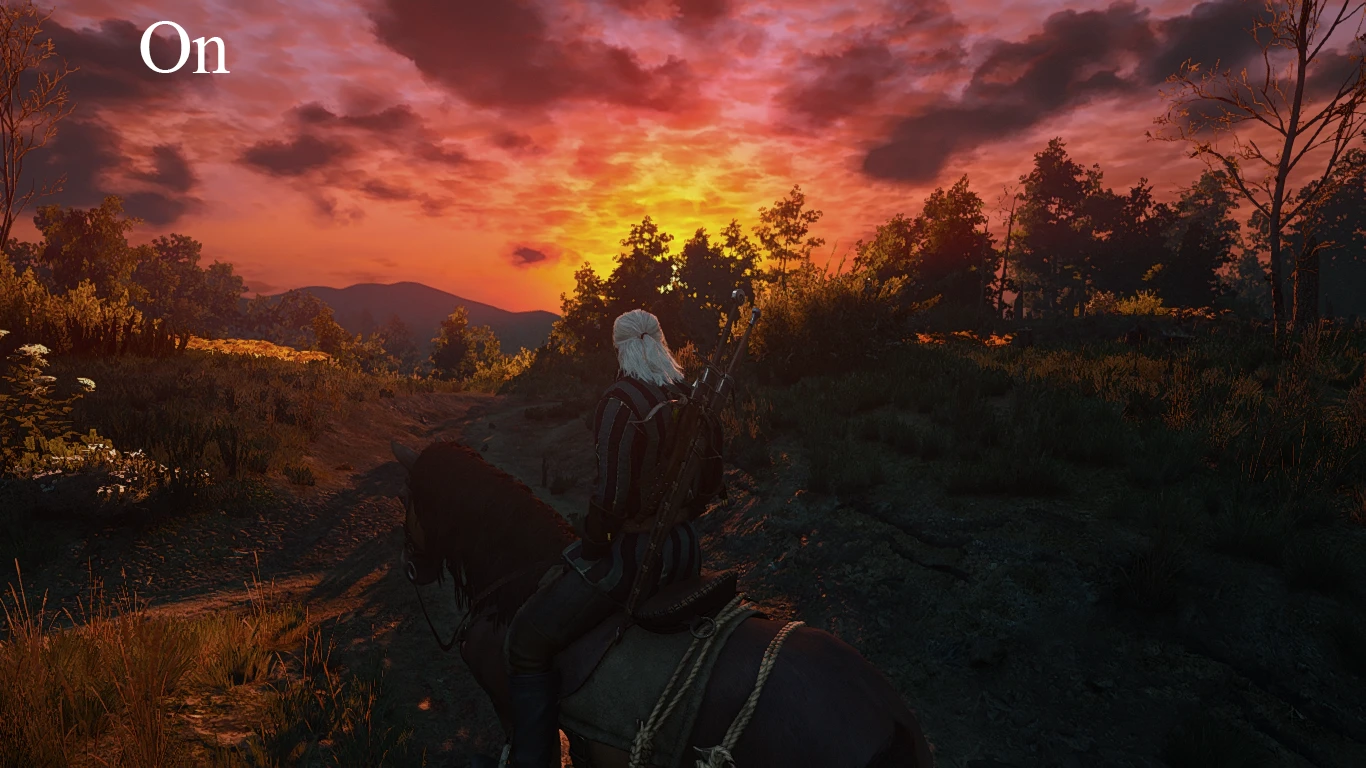
Sharp and gloomy Reshade preset
⚪ Last updated 2017⚠️ Install Order · 2 steps
Install in this order, then this mod last — most mods fail to load without their framework and dependencies in place.
Preview
🔍 Analysis
- 🏆 #61 of 133 ReShade Preset mods in this game by downloads
📋 About This Mod
Makes the game look a bit less colorful and more sharp
First off if you use this turn ingame sharpening to off.
Install reshade 3. 0. 5: https://reshade.me/https://reshade.me/
Run the exe and install it where the main exe is which is here: The Witcher 3\bin\x64
Now drop the ini file include in this archive and drop it here: The Witcher 3\bin\x64
Load them game hit f2 + shift and add the provided preset to it and you can turn the effects on or off with the insert key.
📊 Mod Details
- Game
- Witcher 3 Mods
- Author
- 420x420
- Version
- N/A
- Downloads
- 452
- Endorsements
- 13
- Category
- ReShade Preset
- Created
- 1/1/2017
- Updated
- 1/1/2017
🔧 How to Install Witcher 3 Mods
Download from Nexus.
📖 Full step-by-step install guide for Witcher 3 →
Visit the official mod page for specific installation instructions for this mod.
🎮 Need cheat codes or console commands? Check ur gaming wiki for Witcher 3 commands, item IDs, and more.
Keep browsing — more Witcher 3 mods await