Project Resonance - Immersive Lighting Reshade
⚪ Last updated 2019⚠️ Install Order · 3 steps
Install in this order, then this mod last — most mods fail to load without their framework and dependencies in place.
Preview
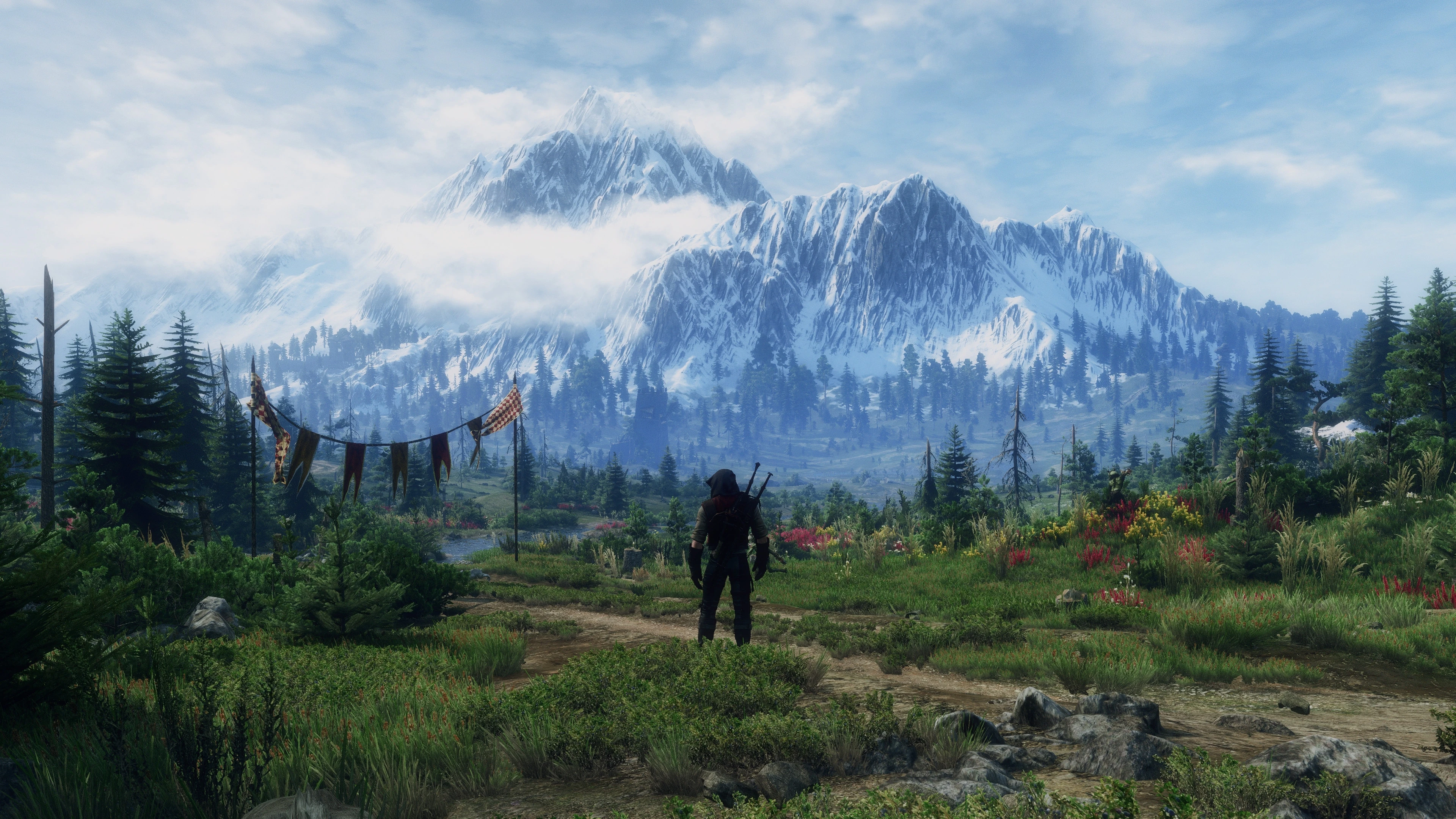
🔍 Analysis
- 👍 3.7% endorsement rate — high engagement, a strong quality signal
- 🏆 #24 of 74 ReShade Preset mods in this game by downloads
📋 About This Mod
It’s been a while. And in the ephemeral town of lighting mod creators, where most love children never reach adulthood (Soon™), a new sheriff
has helped himself to a nice, cool one, kicked his boots up the wall, and is
waiting for the word of his arrival to spread. And spread it will – like
Working on this preset has been an absolute pleasure, and my aim throughout has been to enhance rather than to change R0x’s labour of
love - the Immersive Lighting Mod. The careful blend of vibrance-enhancement, image-filling diffuse glow,
and realistic, lush flora have been selected to give you a consistent, natural
look throughout the game. As always, my reshade presets come with a range of
photographic effects, which allow to alter the feel of the game on the fly via
a few key-toggles, but, as per usual, they are not ‘necessary’ for the look you
can see on the images here. Reshade 3. 4. 1 download link is provided in the comment section.
Many thanks to R0x for his work, and to all the screenshooters, reshade-creators, and modders on GM Discord Server, who push
each other toward creating new and novel visions on a regular basis.
kb6fs1pC2lEemMtMZWInq0
Tips:
1. If you are gunning for more performance, turn off Bloom (F9), Clarity, and Gaussian Blur. That leaves you with bare minimum for this preset.
2. Play around with the shaders. My reshades are modular for a reason. For instance, hitting on technicolour (F7) gives the entire world a grimmer look. That in turn can be balanced out in the skies with Filmic Pass (F10). Sunsets are fantastic with that extra Vibrance added to the mix (F3) for reds or by enhancing IML's natural yellows by switching off technicolour2 (F8). Kaer Morhen benefits from extra vibrance and HDR (Pause).
In short, the possibilities are numerous!
3. I heavily recommend using the red version of Alternative Alnus trees, to get this autumny look. Also consider popping in New Fires and E3 flares or Candle Flares. For Geralt, I have used one of Brutal Face's earlier updates.
Consider endorsing if you like it.
Thank you!
DaftPope
Project Resonance is a ReShade preset designed to enhance the Immersive Lighting mod, offering a modular and natural visual upgrade. With 621 endorsements and over 16,000 downloads, it's a popular choice for players seeking improved lighting without overhauling the game's look. Last updated in 2019, it may require tweaks for current game versions.
✨ Key Features
📊 Pros & Cons
✅ Pros
- Community-approved with 621 endorsements and 16k+ downloads.
- Modular design lets you tweak the look to your taste.
- Enhances lighting without going overboard—keeps it natural.
⚠️ Cons
- Last updated in 2019—might not play nice with the latest game patches.
- Requires the Immersive Lighting mod to work, so you need that installed first.
For players who already use Immersive Lighting and want a subtle, natural visual boost. If you're into heavy fantasy or stylized presets, this isn't for you—it's all about realism. Skip if you don't want to fiddle with ReShade settings.
💡 Beginner Tips
- Make sure you have ReShade installed and set up before adding this preset.
- Use the ReShade in-game overlay to toggle effects and see what each one does in real time.
- If the preset looks off, try adjusting the ambient light and color balance sliders to match your monitor.
📊 Mod Details
- Game
- Witcher 3 Mods
- Author
- DaftPope
- Version
- 1.0
- Downloads
- 16,653
- Endorsements
- 621
- Category
- ReShade Preset
- Created
- 9/8/2019
- Updated
- 10/7/2019
🔧 How to Install Witcher 3 Mods
Download from Nexus.
📖 Full step-by-step install guide for Witcher 3 →
Visit the official mod page for specific installation instructions for this mod.
🎮 Need cheat codes or console commands? Check ur gaming wiki for Witcher 3 commands, item IDs, and more.
Keep browsing — more Witcher 3 mods await