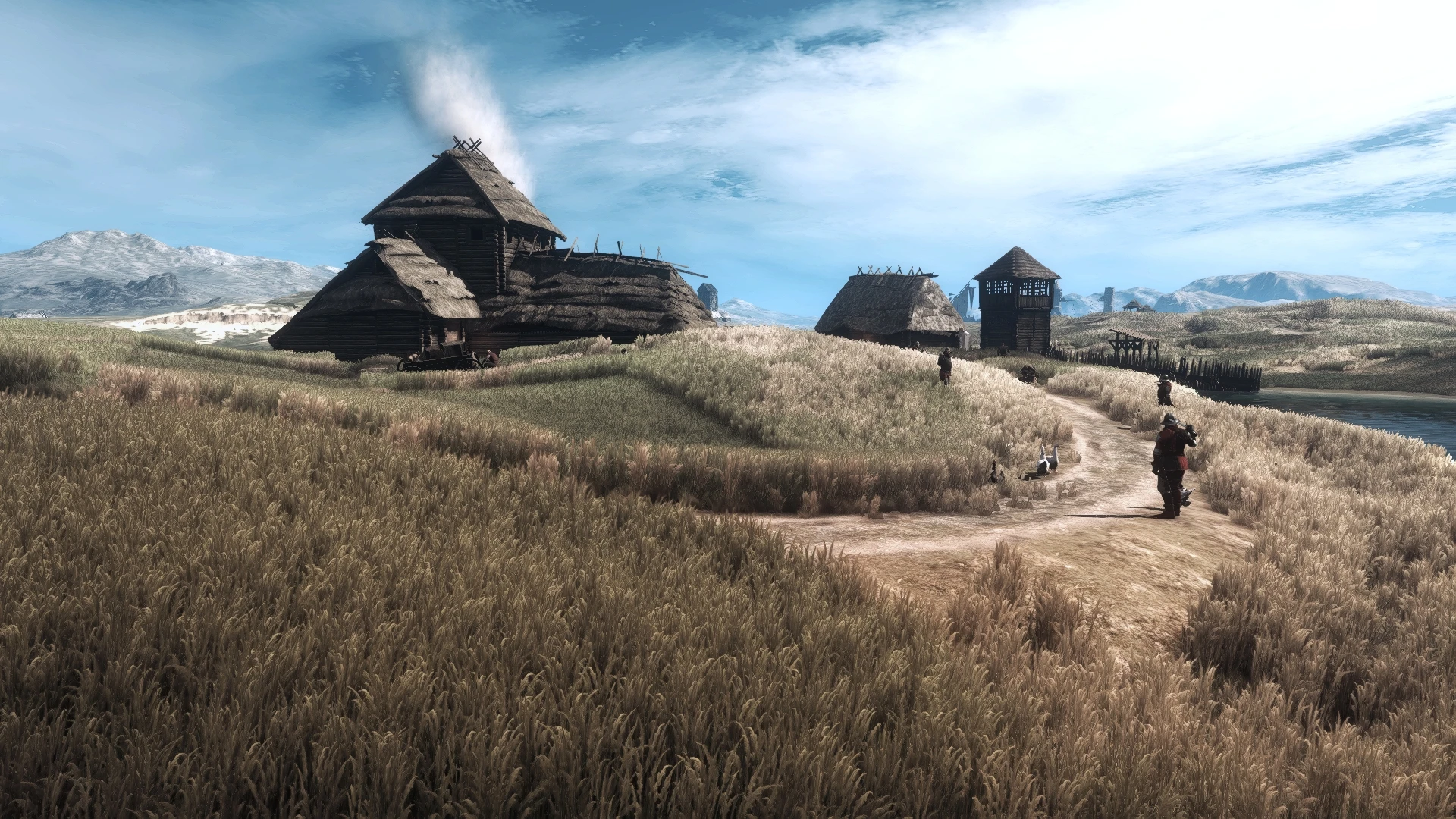
No trees and (or) grass - beautiful views - big fps boost (Classic)
⚪ Last updated 2019⚠️ Install Order · 2 steps
Install in this order, then this mod last — most mods fail to load without their framework and dependencies in place.
Preview
🔍 Analysis
- 👍 4.7% endorsement rate — high engagement, a strong quality signal
- 🏆 #250 of 264 Visuals and Graphics mods in this game by downloads
📋 About This Mod
Want to make great screenshots? Want more fps? Don't want to lower your graphics settings? Then this is "mod" for you!
Hi, after years in this community, I want to tell you something:
1) Modders do work voluntarily and for free for you, so they probably deserve a little respect.
2) "Please" and "thanks" are magic words. "Endorse" is a clickable button.
3) When you treat modders like your servants and just keep asking for something, you only get the modders to stop publishing their work (as many good modders have already done) and you don't get anything.
4) And please check if the mod description confirms to be compatible to your game version, whether it's Classic 1. 32 or Next Gen 4. 04. Modders don't have time and resource to support both version.
This is not real mod. It's just a guide how to hide grass or trees. I discovered it thanks to KNGR and his great mod Deserts of Novigrad.
No trees and no grass (it'll give you about 20-30 fps)
Go to YourWitcher3Directory\bin\shaders\speedtree\shaders_directx11 and remove all files except:
Billboard_do_ps.fx11obj
Billboard_ps.fx11obj
Billboard_shadowcast_vs.fx11obj
Billboard_vs.fx11obj
No trees only (it'll give you about 10-20 fps)
Go to YourWitcher3Directory\bin\shaders\speedtree\shaders_directx11 and remove all files except:
Billboard_do_ps.fx11obj
Billboard_ps.fx11obj
Billboard_shadowcast_vs.fx11obj
Billboard_vs.fx11obj
Grass_ps.fx11obj
Grass_shadowcast_ps.fx11obj
Grass_shadowcast_vs.fx11obj
Grass_vs.fx11obj
No grass only (it'll give you about 10 fps)
Go to YourWitcher3Directory\bin\shaders\speedtree\shaders_directx11 and remove:
Grass_ps.fx11obj
Grass_shadowcast_ps.fx11obj
Grass_shadowcast_vs.fx11obj
Grass_vs.fx11obj
Just some trees (it'll give you only about 5-10 fps, but it looks very nice especially in Toussaint)
Go to YourWitcher3Directory\bin\shaders\speedtree\shaders_directx11 and remove:
facing_leaves_ps.fx11obj
facing_leaves_shadowcast_ps.fx11obj
facing_leaves_shadowcast_vs.fx11obj
facing_leaves_vs.fx11obj
FacingLeaves_ps.fx11obj
FacingLeaves_shadowcast_ps.fx11obj
FacingLeaves_shadowcast_vs.fx11obj
FacingLeaves_vs.fx11obj
Backup files are in download section. It's only for Classic 1. 32
I discovered another good trick to reduce image tearing if you don't want to compromise on your claims in graphic setting.In user.settings (In Documents), manually edit FPSLimit=48. Witcher 3 just loves 48 fps. :-D (in game you will see fps set to Unlimited - do not change this, if you change that, you will need to edit user.settings again)
Use this: No Trees No Collisions
[url=https://www.nexusmods.com/severencebladeofdarkness/users/41
📊 Mod Details
- Game
- Witcher 3 Mods
- Author
- Zinnnnnn
- Version
- 1.0
- Downloads
- 4,938
- Endorsements
- 230
- Category
- Visuals and Graphics
- Created
- 7/6/2019
- Updated
- 7/6/2019
🔧 How to Install Witcher 3 Mods
Download from Nexus.
📖 Full step-by-step install guide for Witcher 3 →
Visit the official mod page for specific installation instructions for this mod.
🎮 Need cheat codes or console commands? Check ur gaming wiki for Witcher 3 commands, item IDs, and more.
Keep browsing — more Witcher 3 mods await