No Cutscene Lighting
⚪ Last updated 2023⚠️ Install Order · 2 steps
Install in this order, then this mod last — most mods fail to load without their framework and dependencies in place.
Preview
🔍 Analysis
- 👍 4.2% endorsement rate — high engagement, a strong quality signal
- 🏆 #119 of 264 Visuals and Graphics mods in this game by downloads
📋 About This Mod
WHAT THE MOD DOES:
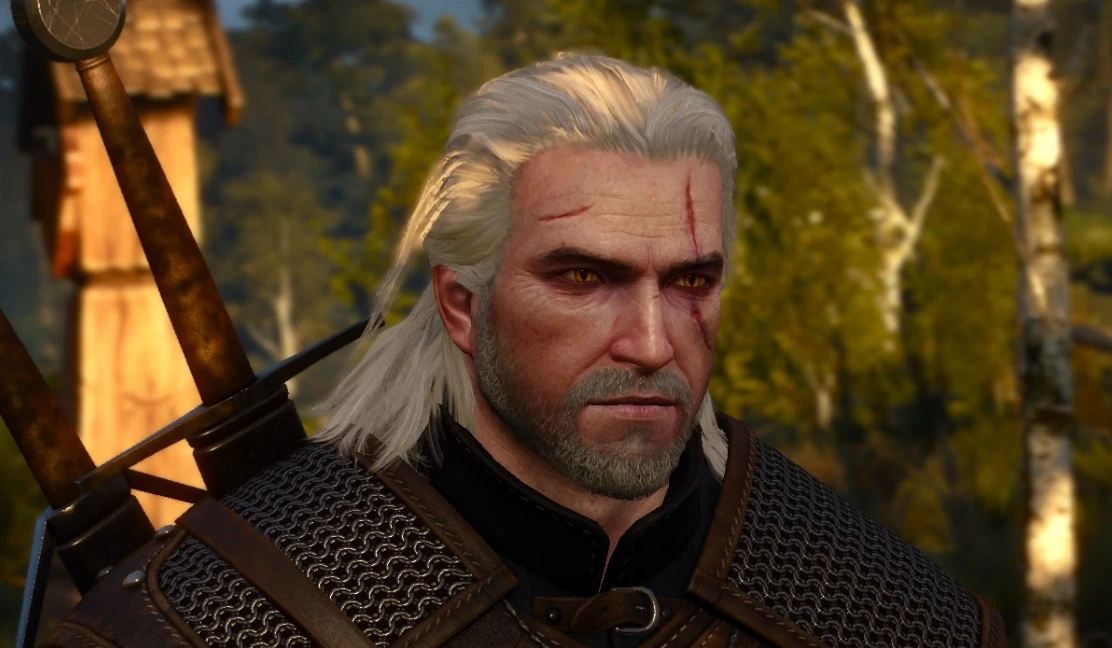
This mod disables the environmental lighting changes from cutscenes and dialogue. It does not remove artificial lights from the game.
You may have noticed when you speak to people or a cutscene is triggered, the lighting and color of the scene can look quite different. This is because the game blends in various changes to the environment specifically for these moments. With this mod installed these changes are disabled, so the scenes should look the same during gameplay and during cutscenes/dialogue.
It is important to note that there are some scenes with visual issues that this mod will make more apparent.
Finally, The Witcher 3 is a massive game, so this has not been tested for every single cutscene and dialogue scene.
COMPATIBILITY:
I would recommend NOT using any other lighting mods alongside this one, even if they seem to work fine.
This mod was created and tested without any lighting or weather mods installed, so if you have any of those kind of mods installed and there are any issues, there isn't much I can do about it. This is a very simple mod that only changes a few of the original game files.
INSTALLATION:
Either use a mod manager of your choice, or manually extract the modNoCutsceneLighting folder into your mods folder.
No Cutscene Lighting is a small visual mod by Karull that disables environmental lighting changes during cutscenes and dialogue. It has 961 endorsements and over 22,000 downloads, last updated in January 2023. For players who find lighting shifts jarring, this is a simple quality-of-life fix.
✨ Key Features
📊 Pros & Cons
✅ Pros
- Community-approved with 961 endorsements and over 22k downloads.
- Simple, focused fix for a common annoyance in cutscenes.
- Lightweight mod that doesn't add unnecessary bloat.
⚠️ Cons
- Last updated in January 2023 — may not be compatible with the latest game patches.
- Only affects lighting; if you want more cutscene tweaks, this is limited.
For players who are bothered by sudden lighting changes during dialogue and cutscenes. If you prefer consistent visuals and want a quick fix without extra features, this is for you. Skip if you're looking for more comprehensive cutscene overhauls.
💡 Beginner Tips
- Check if your game version is still supported since the mod hasn't been updated since January 2023.
- If you use a mod manager, install manually by dropping files into the game directory to avoid conflicts.
- Test in a cutscene-heavy area to see the effect immediately.
📊 Mod Details
- Game
- Witcher 3 Mods
- Author
- Karull
- Version
- 4.0.3
- Downloads
- 22,829
- Endorsements
- 961
- Category
- Visuals and Graphics
- Created
- 10/18/2015
- Updated
- 1/15/2023
🔧 How to Install Witcher 3 Mods
Download from Nexus.
📖 Full step-by-step install guide for Witcher 3 →
Visit the official mod page for specific installation instructions for this mod.
🎮 Need cheat codes or console commands? Check ur gaming wiki for Witcher 3 commands, item IDs, and more.
Keep browsing — more Witcher 3 mods await