Natural Reborn Reshade
⚪ Last updated 2019⚠️ Install Order · 3 steps
Install in this order, then this mod last — most mods fail to load without their framework and dependencies in place.
Preview
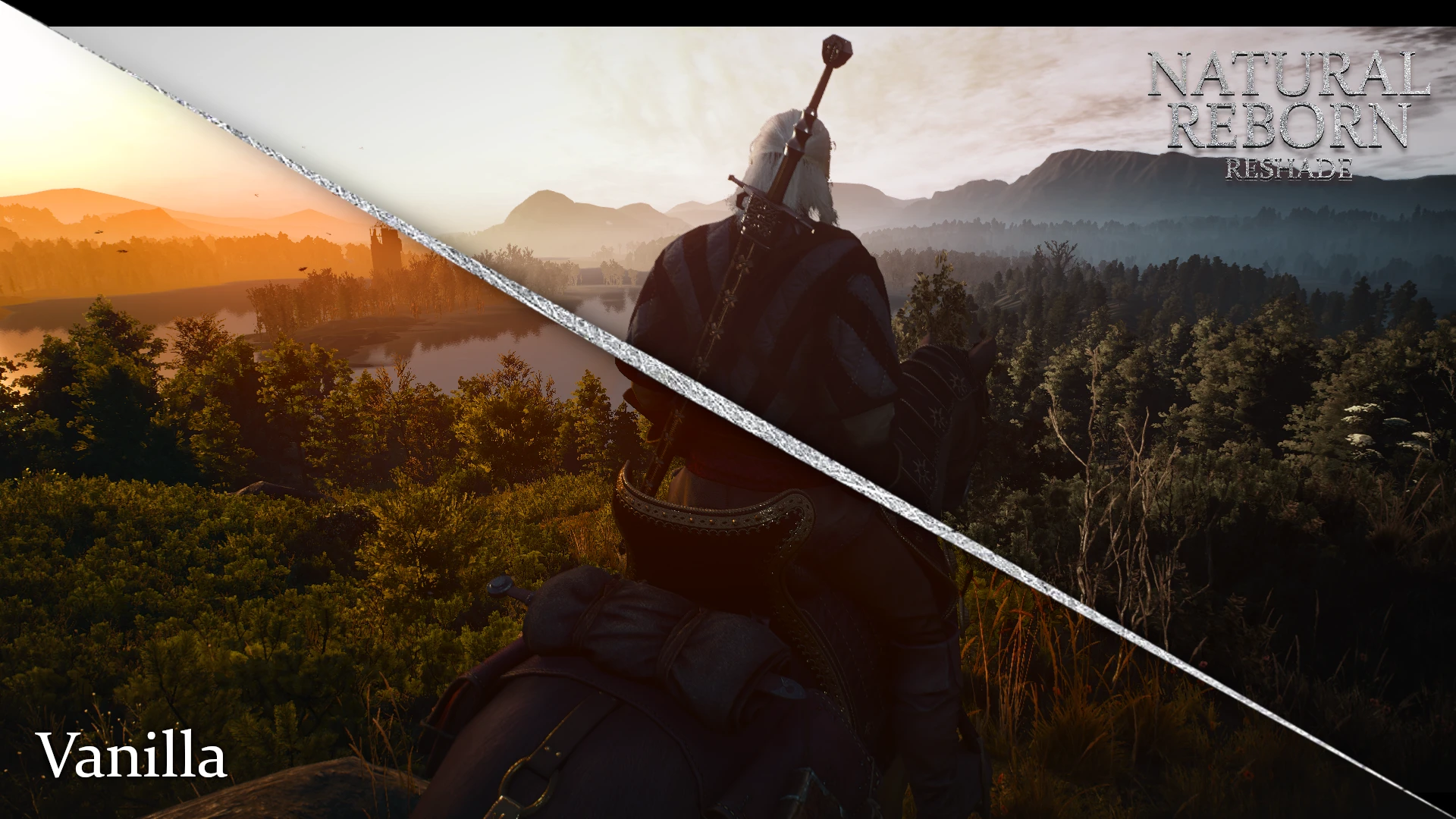
🔍 Analysis
- 👍 3.7% endorsement rate — high engagement, a strong quality signal
- 🏆 #12 of 74 ReShade Preset mods in this game by downloads
📋 About This Mod
A COMPLETELY NEW EXPERIENCE
Features:
• Natural light,
• Natural face look,
• More dark and cinematic experience,
• Better immersion,
• Better antialiasing,
• Natural contrast.
INSTALLATION
1. Install Phoenix Lighting Mod
2. Download and install Reshade 4 from https://reshade.me. Download all default shaders, when installator ask for it.
3. Put my preset where .exe file is located (bin/x64)
4. Launch game and if needed open reshade menu (by default Shift + F2) and choose naturalreborn.ini from list.
COMPARSIONS
A ReShade preset for Skyrim Special Edition that delivers natural lighting, improved face appearance, darker cinematic tones, and enhanced immersion. With over 1,700 endorsements and 45,000 downloads, it's a popular choice for players seeking a more realistic visual overhaul without heavy performance costs.
✨ Key Features
📊 Pros & Cons
✅ Pros
- Community favorite with 1,707 endorsements and 45k downloads
- Delivers a darker, cinematic vibe that fits Skyrim's mood
- Easy to install—just drop the preset into your ReShade folder
⚠️ Cons
- Last updated in 2019—might not play nice with the latest Skyrim patches or ReShade versions
- No before/after screenshots or detailed install guide in the description
- Requires ReShade to be set up first, which can be a hurdle for newbies
For Skyrim players who want a quick visual upgrade without diving into complex ENB configs. If you're after a more natural, cinematic look and don't mind tweaking ReShade settings, this is a solid pick. Skip if you prefer bright, vibrant visuals or want gameplay changes—this is purely cosmetic.
💡 Beginner Tips
- Make sure ReShade is installed and working before adding this preset—launch the game once to verify.
- If the preset looks too dark or too bright, adjust the 'Natural Contrast' and 'Natural Light' sliders in the ReShade in-game menu.
- Since the mod is from 2019, check for any compatibility notes in the posts section if you're on the latest Skyrim patch.
📊 Mod Details
- Game
- Witcher 3 Mods
- Author
- TheWildSeal
- Version
- 1.0
- Downloads
- 45,724
- Endorsements
- 1,707
- Category
- ReShade Preset
- Created
- 7/23/2019
- Updated
- 7/23/2019
🔧 How to Install Witcher 3 Mods
Download from Nexus.
📖 Full step-by-step install guide for Witcher 3 →
Visit the official mod page for specific installation instructions for this mod.
🎮 Need cheat codes or console commands? Check ur gaming wiki for Witcher 3 commands, item IDs, and more.
Keep browsing — more Witcher 3 mods await