Exodus Reshade
⚪ Last updated 2019⚠️ Install Order · 4 steps
Install in this order, then this mod last — most mods fail to load without their framework and dependencies in place.
Preview
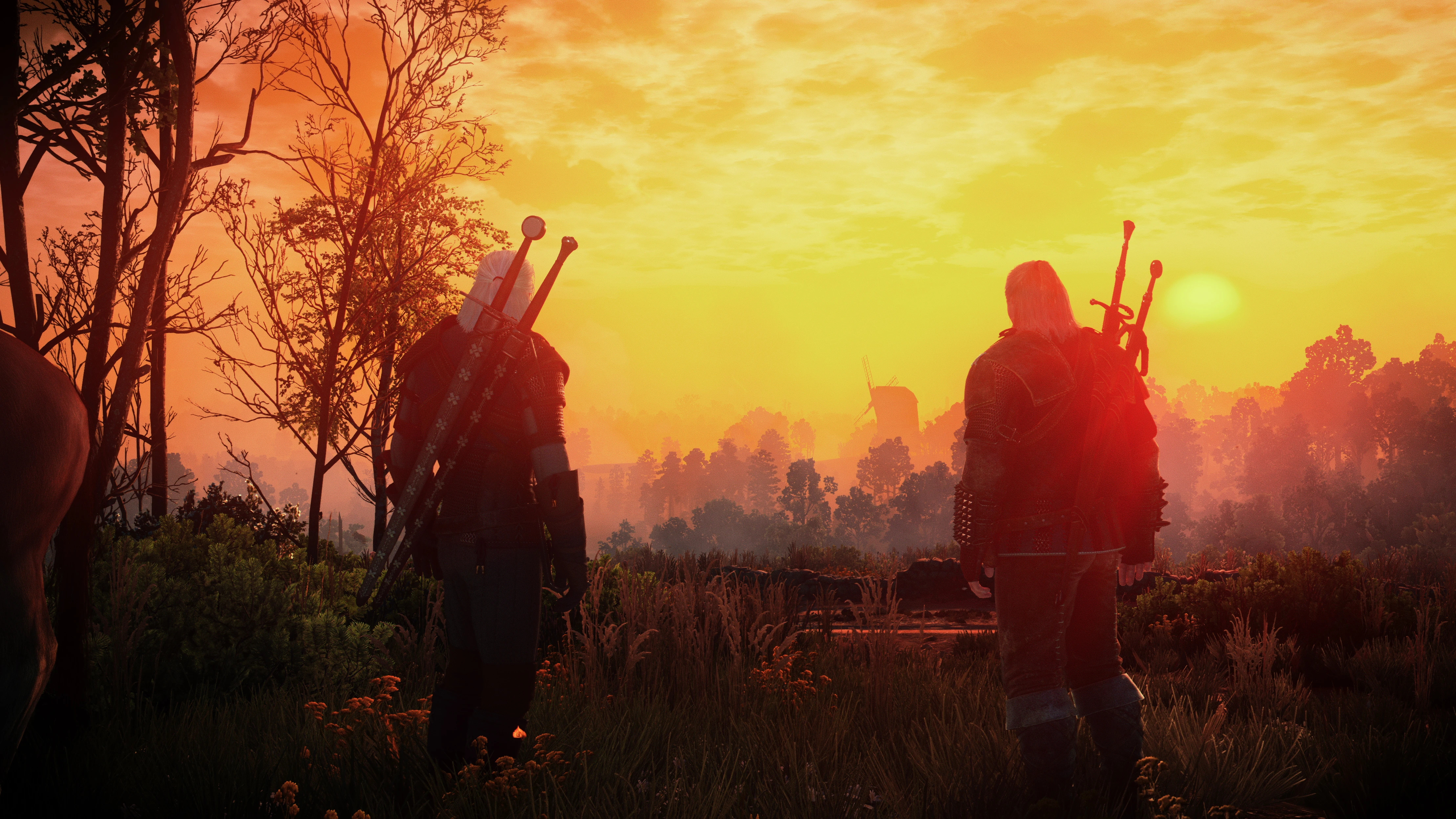
🔍 Analysis
- 👍 3.4% endorsement rate — high engagement, a strong quality signal
- 🏆 #17 of 74 ReShade Preset mods in this game by downloads
📋 About This Mod
Works best with Phoenix lighting mod V2 ( I use "Phoenix II Hd Water zzzFx and More Light") by Mishikedman. Also looks good with Wiedzmin Lighting Mod or Immersive Lighting. Let me know if it looks good with other lighting mods !
!! Pick only one version !!
→
Original version : FPS impact ≈ 10-15 fps. Lite + Ambient light.→
Lite version : FPS impact ≈ 5-10 fpsChromatic Aberration
FilmGrain 2
qUINT Bloom (Lite)
qUINT Lightroom
Surface Sharpen
Technicolor 2
2- Install reshade and select witcher3.exe, located in the x64 folder (...\The Witcher 3 Wild Hunt GOTY\bin\x64).
Say yes to :
-ChromaticAberration
-FilmGrain2
-Technicolor2
3- Download my reshade file from the Nexus.
4- Copy and paste/replace the content of one of my presets in the same x64 folder
Consider endorsing if you like this mod
HD Reworked Project by Halk Hogan (recommended)
Nitpicker's Patch by ChuckCash (recommended)
HD Tree LOD Billboars by FaramH (optional)
Beautiful Rocks Light colored by Boostin4kix (optional)
HD Monsters R
Exodus Reshade is a ReShade preset for Skyrim that aims to create a more dramatic and immersive atmosphere. It supports the latest Reshade version and includes effects from the qUINT shader suite. With 946 endorsements and 27,479 downloads, it's a popular choice for players seeking a cinematic look.
✨ Key Features
📊 Pros & Cons
✅ Pros
- Community-approved with 946 endorsements and over 27k downloads
- Works with the latest Reshade and qUINT shaders for modern effects
- Designed for a dramatic, immersive atmosphere that enhances gameplay
⚠️ Cons
- Last updated in 2019, so may not be fully compatible with the latest Skyrim or Reshade versions
- Requires Reshade and qUINT shaders, which are not included and must be installed separately
- Preset is subjective; the dramatic look may not suit everyone's taste
For Skyrim players who want a cinematic, dramatic visual overhaul without heavy performance hits. Perfect for those who enjoy immersive atmospheres and are comfortable installing Reshade presets. Skip if you prefer vanilla graphics or want a more colorful, vibrant look.
💡 Beginner Tips
- Make sure you have the latest ReShade installed and select the correct DirectX version for your Skyrim (DX9 for Oldrim, DX11 for SE).
- Download the qUINT shaders separately and place them in the ReShade Shaders folder before applying this preset.
- Use the in-game ReShade overlay (Home key) to toggle effects and adjust intensity to your liking.
📊 Mod Details
- Game
- Witcher 3 Mods
- Author
- Thibaultnt
- Version
- 1.3
- Downloads
- 27,479
- Endorsements
- 946
- Category
- ReShade Preset
- Created
- 7/14/2019
- Updated
- 8/5/2019
🔧 How to Install Witcher 3 Mods
Download from Nexus.
📖 Full step-by-step install guide for Witcher 3 →
Visit the official mod page for specific installation instructions for this mod.
🎮 Need cheat codes or console commands? Check ur gaming wiki for Witcher 3 commands, item IDs, and more.
Keep browsing — more Witcher 3 mods await