Combat Presets (Next-Gen Compatible)
⚪ Last updated 2023⚠️ Install Order · 2 steps
Install in this order, then this mod last — most mods fail to load without their framework and dependencies in place.
Preview
🔍 Analysis
- 👍 5.3% endorsement rate — high engagement, a strong quality signal
- 🏆 #2 of 259 Gameplay Changes mods in this game by downloads
📋 About This Mod
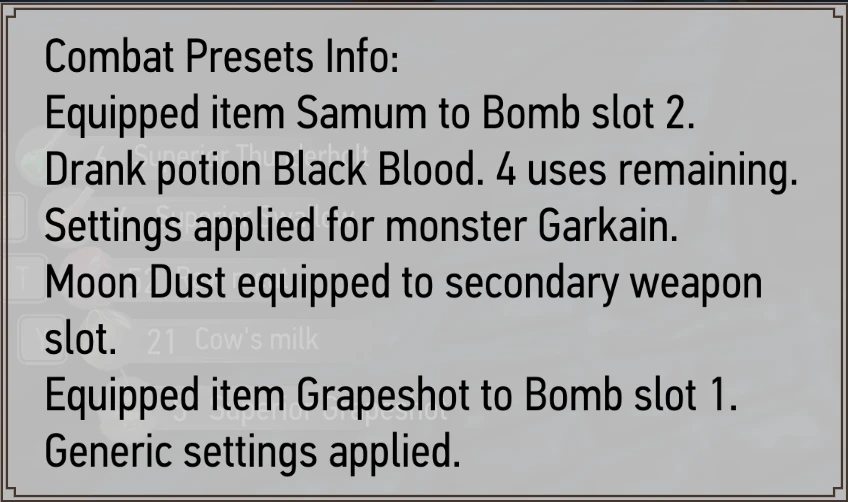
A mod which allows the user to set equipped items, signs, potions and more for different enemies and enemy types then activate them using a hotkey or at the start of combat. Spend more time fighting and less time managing your inventory!
Combat Presets
The number of times I've had to open my inventory to equip different setups for different enemies at the start of combat was really starting to suck the fun out of actually playing the game for me. I felt like I spent more time in the inventory screen than in actual combat sometimes. With that in mind I created this mod, so that hopefully players can set up their own presets for different enemies and spend more time playing the game and less time hunting for the right oil/potion/bomb to equip.
Current Features
-
[]Mod is activated when combat is started or via a hotkey.
[
]Mod automatically applies the correct settings for the boss monster (or the majority of monsters if there is no boss) in the current engagement.[]Mod allows users to specify which bombs, potions, and sign to equip; and allows the user to specify which potions to drink (it won't let you drink enough to kill yourself though) and which secondary weapon to ready. It also allows the user to set a sign to be cast at the start of battle, however only the basic versions of the signs can be cast this way (i.e. no alternate casts). Settings can be specified for different enemy groups (e.g. Necrophages, Relicts etc.) and for individual enemy types (e.g. Drowners, Nekkers etc.). Settings for the enemy types will override settings for the enemy groups if there is a conflict.
Features being worked on/known issues
- []GUI application to configure settings (currently not very user-friendly). This feature could take some time as I'm not a GUI programmer. If anyone knows how to do this and wants to take it on you're more than welcome.
Installation
Witcher Mod Manager
-
[]Install the file in the normal way. After WMM version 0. 9, WMM can handle all configuration required.
- [
installed the mod before you'll be asked to overwrite some files. It's safe to overwrite everything[]Copy the contents of the user.settings.part.txt file to the bottom of the user.settings file in
the My Documents\The Witcher 3\. Do the same for the dx12user.settings.part.txt file.[]Edit the DX11 and DX12 file lists text files to include the text "modCombatPresetsConfig.xml;" at the bottom. These files are found in \bin\config\r4game\user_config_matrix\pc.
conflicts that might occur.
📊 Mod Details
- Game
- Witcher 3 Mods
- Author
- SheepDarklord
- Version
- 4.0.4.0
- Downloads
- 4,386
- Endorsements
- 234
- Category
- Gameplay Changes
- Created
- 9/10/2015
- Updated
- 8/9/2023
🔧 How to Install Witcher 3 Mods
Download from Nexus.
📖 Full step-by-step install guide for Witcher 3 →
Visit the official mod page for specific installation instructions for this mod.
🎮 Need cheat codes or console commands? Check ur gaming wiki for Witcher 3 commands, item IDs, and more.
Keep browsing — more Witcher 3 mods await