Beautiful Grass Mod V3 Texture Fix for 4.04
⚪ Last updated 2024⚠️ Install Order · 3 steps
Install in this order, then this mod last — most mods fail to load without their framework and dependencies in place.
Preview
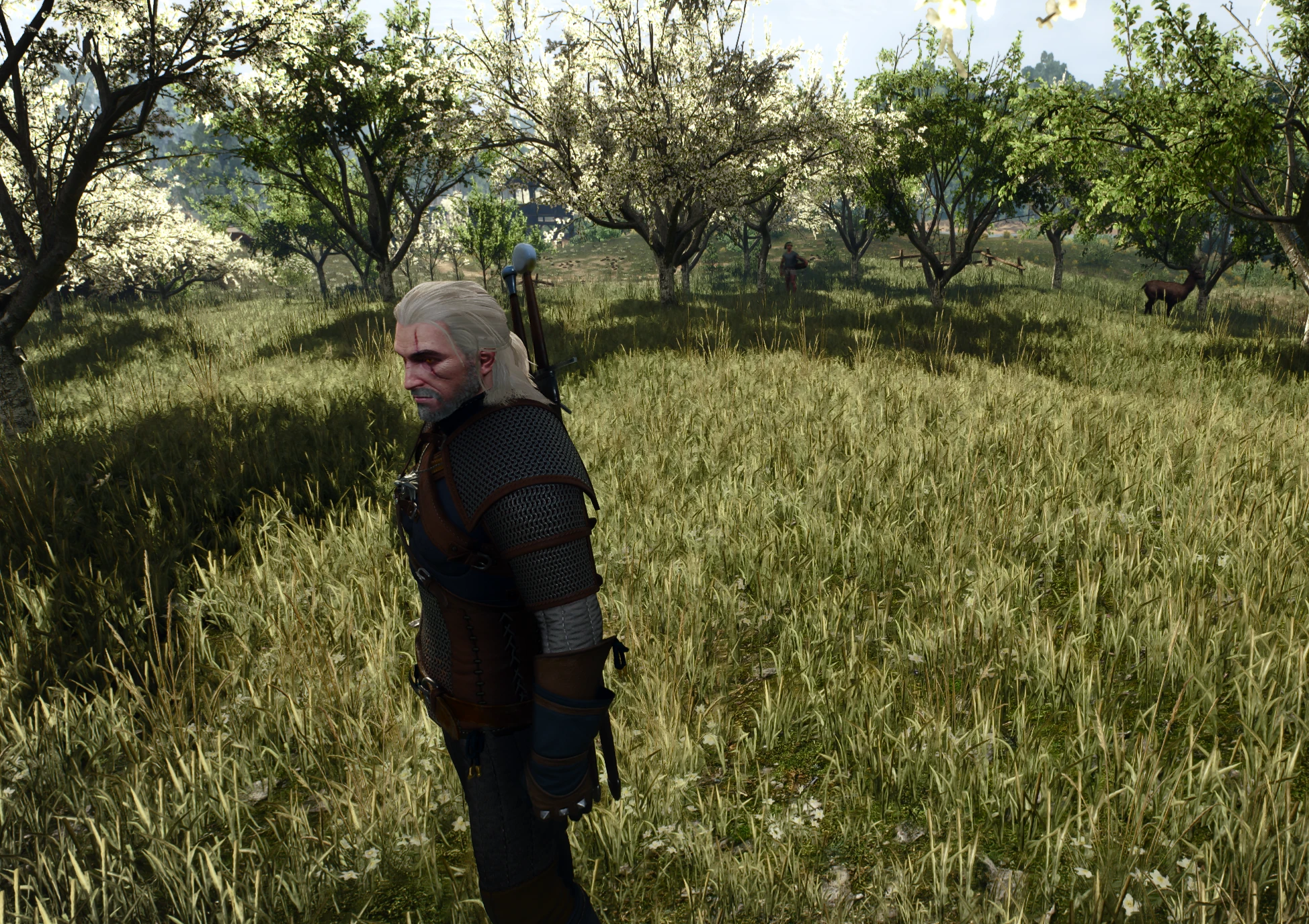
🔍 Analysis
- 👍 1.6% endorsement rate — high engagement, a strong quality signal
- 🏆 #215 of 264 Visuals and Graphics mods in this game by downloads
📋 About This Mod
Hi everyone.
This mod is simple fix of texture paths for textures from Beautiful Grass Mod V3 (4k and 2k variants). Now works in 4. 04!
CDPR in 4. 04 now use system of two variants of grass_common, and BGM v3 mod textures (grass_common) in 4. 04 must be in engine\reference_level\level_assets\vegetation directory, not in environment\vegetation\grass.
Also , mod looks normal workin at first sight, but as i told already, looks like CDPR in 4. 04 little improve grass system (added separate grass_common, also some plant textures in .dds in vanilla on some cases looks better then moded from BGM v3, but i think it matter of taste). Keep that in mind.
I dont mix dds or copy textures from vanilla 4. 04 dds to blank places of BGM v3 modded dds, because it can cause just more bugs or change original visuals of BGM v3.
So that "mod for mod" contains only original textures from BGM v3.
Update 19/04/24
Looks like in original BGMv3 .vbrush files are have less entites then vanilla, so in some places grass are looks gone and bald.
So i make a mixed versions:
Version 1 - just mixed entites from vanilla and BGMv3, nothing params are changed
Version 2 - reduced vanilla grass, BGMv3 grass have more priority
Version 3 - vanilla grass (not flowers) are removed, BGMv3 have full visible influence.
Added Screenshots to compare. Versions 1,2,3 added like Optional Files.
Keep it mind - if you install mixed version - you can use only one, and you must remove "modNewBeautifulGrass" from you mod directory.
Installation:
Download file and replace Texture part (mod4kGrassTextures or mod2kGrassTextures) of BGM v3 with new one (mod4kGrassTexturesFixed or mod2kGrassTexturesFixed).
Dont forget to remove original Texture part of BGM v3 or give priority to new one via Witcher 3 Mod Merger.
A small texture path fix for Beautiful Grass Mod V3, restoring grass visuals in The Witcher 3. With 118 endorsements and 7,579 downloads, it's a niche utility for players using the original mod. Last updated April 2024.
✨ Key Features
📊 Pros & Cons
✅ Pros
- Solves a real problem—brings grass back for BGM V3 users
- Respectful of the original author's work, with a promise to remove if asked
- Decent community trust (118 endorsements, 7.5k downloads)
⚠️ Cons
- Only a fix—doesn't add new features or improvements
- Requires Beautiful Grass Mod V3 to be installed first
For Witcher 3 players who use Beautiful Grass Mod V3 and noticed missing or broken grass textures. Skip if you don't use that mod or if you're happy with vanilla grass.
💡 Beginner Tips
- Make sure Beautiful Grass Mod V3 is installed first, then drop this fix into your mods folder.
- Verify the file path matches your game's mod directory—this fix only works if placed correctly.
- If grass still doesn't appear, check that you're on game version 4.04, as the fix targets that version.
📊 Mod Details
- Game
- Witcher 3 Mods
- Author
- c0ba1tum
- Version
- 4.04-fix-v2
- Downloads
- 7,579
- Endorsements
- 118
- Category
- Visuals and Graphics
- Created
- 4/18/2024
- Updated
- 4/19/2024
🔧 How to Install Witcher 3 Mods
Download from Nexus.
📖 Full step-by-step install guide for Witcher 3 →
Visit the official mod page for specific installation instructions for this mod.
🎮 Need cheat codes or console commands? Check ur gaming wiki for Witcher 3 commands, item IDs, and more.
Keep browsing — more Witcher 3 mods await