Beauclair Restore
⚪ Last updated 2021⚠️ Install Order · 2 steps
Install in this order, then this mod last — most mods fail to load without their framework and dependencies in place.
Preview
🔍 Analysis
- 👍 4.5% endorsement rate — high engagement, a strong quality signal
- 🏆 #18 of 21 Debug Console mods in this game by downloads
📋 About This Mod
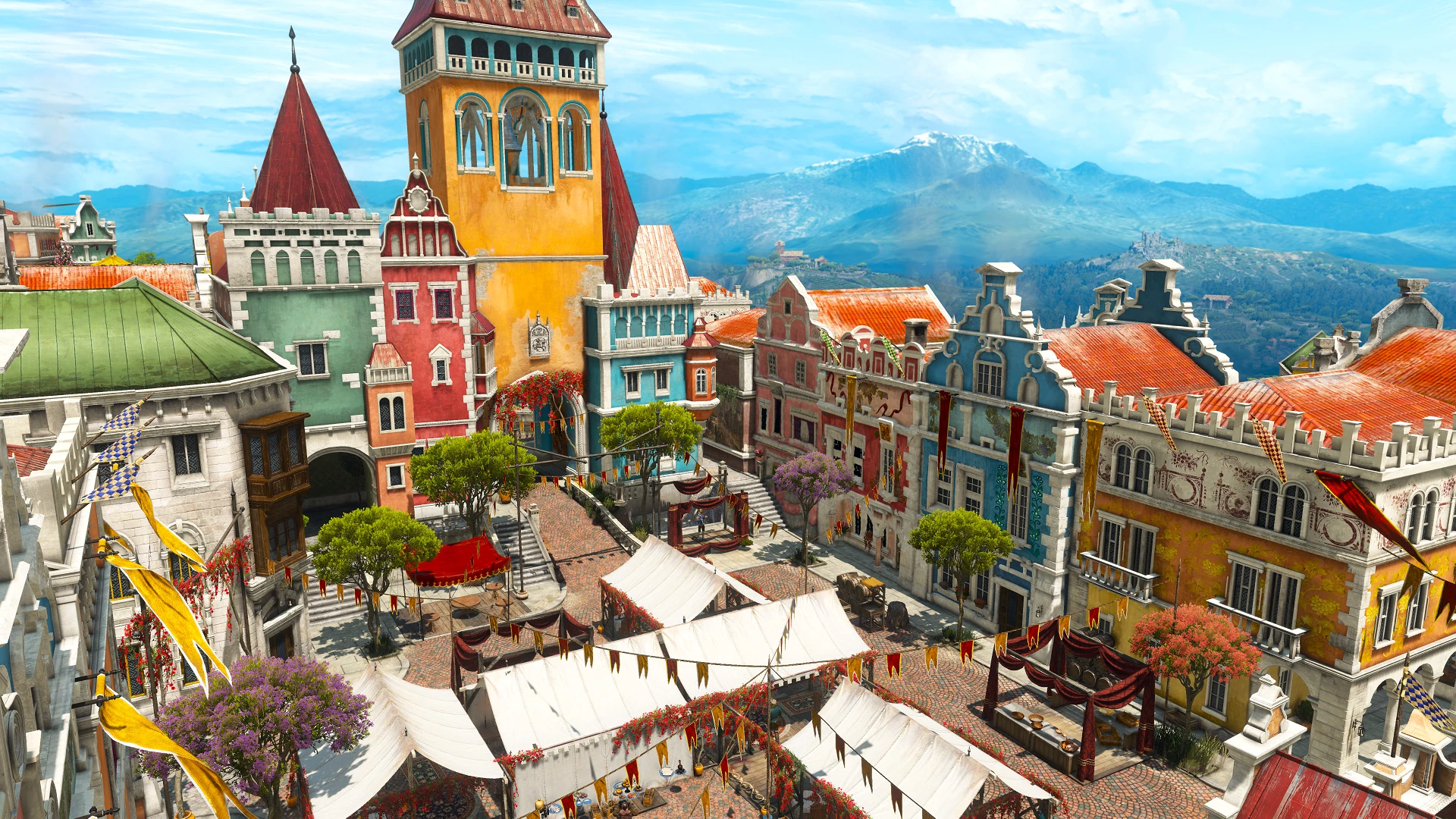
I don't know about you, but for me the worst part of finishing Blood and Wine was how Beauclair ended up empty, destroyed and sad with no opportunity to change that. Well that isn't the case anymore, as this mod changes so that once you complete the main BaW quest, Beauclair finished the repairs on the city.
In case you have already completed the main BaW quest, there are three debug console commands that you can use, just type them as seen highlighted in yellow:
-
[]restorebeauclair - removes the destroyed buildings, keeps the statue in the Main Square in case you got that one ending, otherwise it adds back the wine market.
[
]restorebeauclairhappy - same as above, but use only if you want to forcebly swap the statue with the wine market (however it won't correct your mistake).[]wreckbeauclair - removes the wine market (if it's there) and brings Beauclair to its wrecked state.
Installation:
1. Download the file;
2. Extract the mod_RestoreBeauclair folder to your The Witcher 3/Mods/ game directory (if it doesn't exist, create it);
3. Launch the game;
4. Play through the main quest or use the console commands.
Uninstallation:
1. Remove mod_RestoreBeauclair from the Mods folder.
-
[]If you're going to use the console commands, it is recommended to meditate for a bit if you happen to use the commands in the middle of Beauclair.
[]If you're going to use the console commands, you only need to use them once, they won't revert on loading a savegame.
[]For obvious reasons, the console commands should only be used after the main quest is completed.
[]The console commands can only be used in Beauclair
[]The console commands are a conflict-free script.
-
[]If you're going to use the console commands, it is recommended to meditate for a bit if you happen to use the commands in the middle of Beauclair.
Beauclair Restore is a small utility mod for The Witcher 3 that restores Beauclair to its pre-quest glory after the main storyline. With 382 endorsements and 8,449 downloads, it's a community favorite for players who want the city to look its best post-game.
✨ Key Features
📊 Pros & Cons
✅ Pros
- Community-approved (382 endorsements) and widely downloaded (8,449) – clearly a mod people want.
- Does exactly what it says: fixes the post-quest state of Beauclair, no bloat.
- Lightweight and easy to use – just a console command, no heavy scripts.
⚠️ Cons
- Last updated in 2021 – might not be compatible with the latest game patches, so check before installing.
- Only affects Beauclair – if you're looking for broader world restoration, this won't cover it.
For Witcher 3 players who hate seeing Beauclair in ruins after the main quest and want a quick fix. Perfect for completionists who want the world to feel alive post-game. Skip if you're on the latest patch and worried about compatibility – or if you don't care about the city's appearance.
💡 Beginner Tips
- Since this is a debug console mod, you'll need to enable the console in your game settings – check your ini files or use a mod manager to do it.
- Make sure to use the console command after the main quest is complete, otherwise it might not trigger correctly.
- If you're on the latest game version, test the mod early in your playthrough to ensure it works – if not, look for a newer alternative.
📊 Mod Details
- Game
- Witcher 3 Mods
- Author
- ScoutBr0
- Version
- 1.0
- Downloads
- 8,449
- Endorsements
- 382
- Category
- Debug Console
- Created
- 7/25/2021
- Updated
- 7/25/2021
🔧 How to Install Witcher 3 Mods
Download from Nexus.
📖 Full step-by-step install guide for Witcher 3 →
Visit the official mod page for specific installation instructions for this mod.
🎮 Need cheat codes or console commands? Check ur gaming wiki for Witcher 3 commands, item IDs, and more.
Keep browsing — more Witcher 3 mods await