CustomTools
🟡 Updated this yearPreview
🔍 Analysis
- 👍 0.0% endorsement rate
- 🏆 #5 of 12 Mod, Update 1.0, Update 1.1, Quality of life mods in this game by downloads
📋 About This Mod
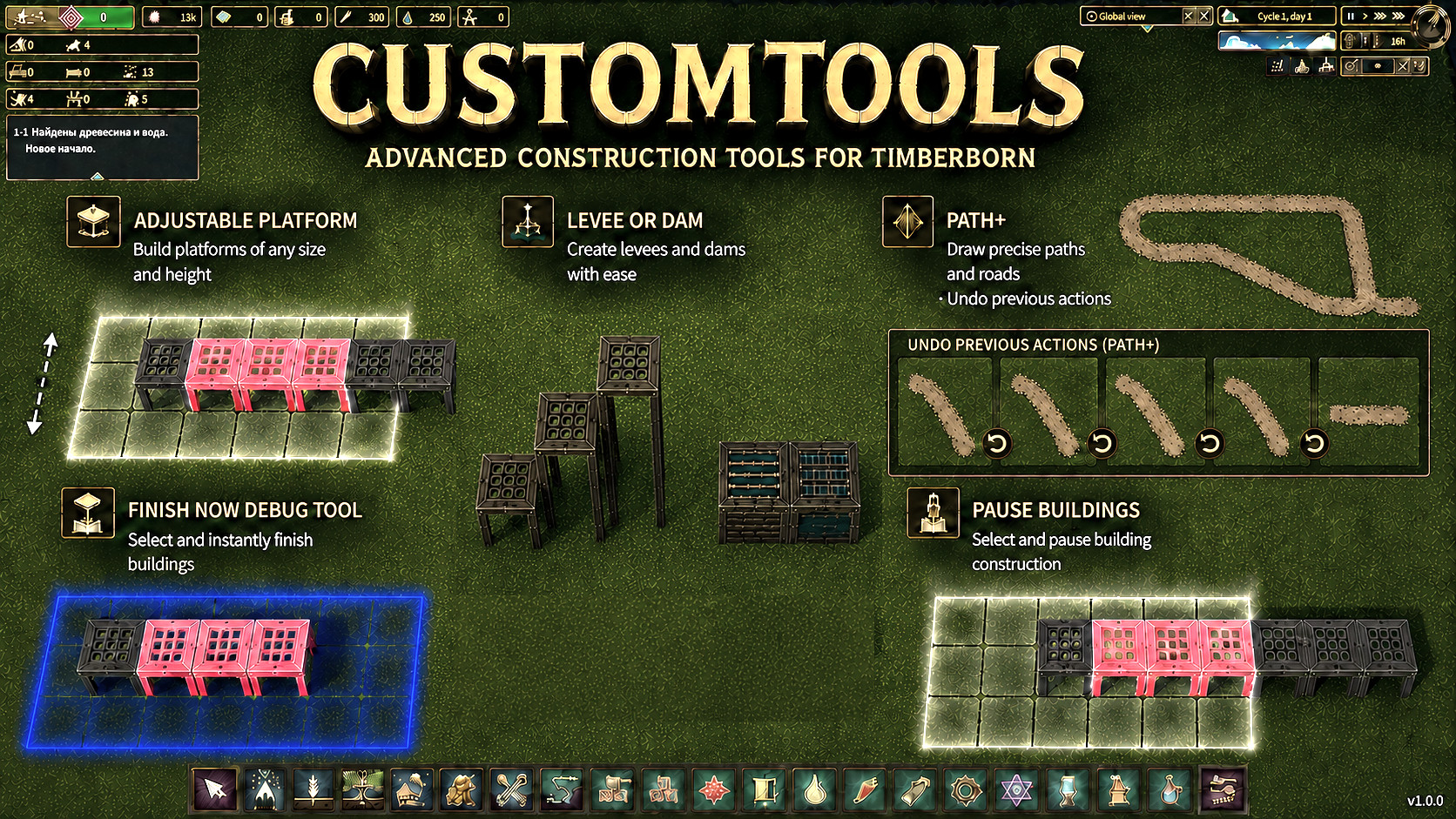
Support the mods All my Timberborn mods are free. I make them for fun, because I enjoy improving the game and experimenting with new ideas. Donations are completely optional. If you enjoy the mods and want to say thanks, you can buy me a coffee or donate via PayPal. It is never required, but it is always appreciated and helps keep me motivated. Buy Me a Coffee Donate via PayPal Timberborn: Custom Tools This mod offers new quality-of-life tools in the bottom bar and also provides an API for modders to quickly create their own tools. For the players: Built-in tools Immediate finish of incomplete buildings This tool is only visible when the dev mode is activated (Shift + Alt + Z). Select multiple incomplete buildings and have them instantly completed. A handy tool when testing or prototyping. Pause buildings in the selected range Select multiple buildings that need to be paused. Hold SHIFT to lock the selection to a specific building type. A useful tool for temporarily stopping groups of buildings during colony micromanagement. Resume buildings in the selected range Select multiple buildings you want to resume. Hold SHIFT to lock the selection to a specific building type. Helps quickly bring groups of buildings back online during micromanagement. Adjustable platform This tool allows placing 1-, 2-, and 3-levels platforms. Hold ALT or SHIFT key to switch between the levels. A convenient tool for building complex platform structures. Additionally, you get CTRL+Z keybinding which undoes the last platform placement action. Levee or Dam This tool allows placing levees or dams. Hold SHIFT to switch between the two. A convenient tool for building complex water management structures. Additionally, you get CTRL+Z keybinding which undoes the last levee/dam placement action. Path+ This tool allows placing regular paths, but you also get the CTRL+Z keybinding which undoes the last path placement action. No need to switch tools if a wrong path was placed! Key bindings For every too
📊 Mod Details
- Game
- Timberborn Mods
- Author
- 76561197975144589
- Version
- N/A
- Downloads
- 4,737
- Endorsements
- 0
- Category
- Mod, Update 1.0, Update 1.1, Quality of life
- Created
- 12/7/2025
- Updated
- 8/18/2026
🔧 How to Install Timberborn Mods
Subscribe on Steam Workshop. Mods auto-download and install. Launch the game to activate.
📖 Full step-by-step install guide for Timberborn →
Visit the official mod page for specific installation instructions for this mod.
🎮 Need cheat codes or console commands? Check ur gaming wiki for Timberborn commands, item IDs, and more.
Keep browsing — more Timberborn mods await