TheDeepBlue Lightweight Shader
⚪ Last updated 2021⚠️ Install Order · 2 steps
Install in this order, then this mod last — most mods fail to load without their framework and dependencies in place.
Preview
🔍 Analysis
- 👍 4.7% endorsement rate — high engagement, a strong quality signal
- 🏆 #35 of 114 Visuals and Graphics mods in this game by downloads
📋 About This Mod
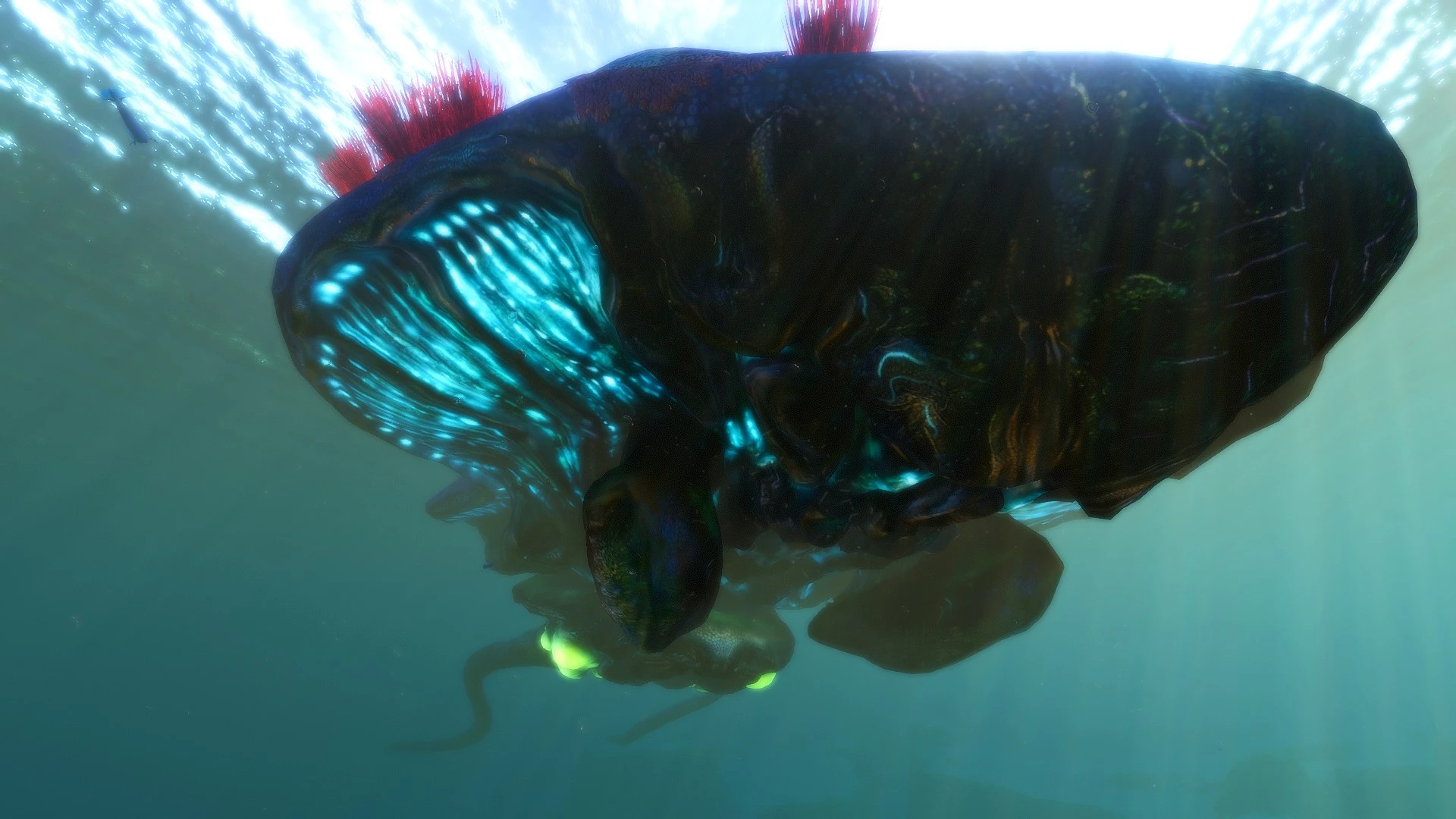
TheDeepBlue aims to make Subnautica look better without sacrifing your framerate. I wanted to make shadows darker and to make colors pop.
This shader only uses FIVE effects and NO bloom.
Colourfulness
GaussianBlur
LumaSharpen
How to install:
1. Drag the contents of TheDeepBlue.rar into your Subnautica directory (Steam/steamapps/common/Subnautica).
2 - When in game press the HOME key to open the Shader menu.
3 - Select TheDeepBlue.ini from the dropdown menu and press Select.
TheDeepBlue Lightweight Shader is a visual enhancement mod that boosts colors and shading while maintaining performance. With 126 endorsements and 2,680 downloads, it's a niche choice for players seeking a subtle visual upgrade without FPS loss. Last updated in 2021, it may not be compatible with the latest game version.
✨ Key Features
📊 Pros & Cons
✅ Pros
- Performance-friendly: claims to keep FPS intact, which is a big win for low-end rigs.
- Community-tested: 126 endorsements show it's got a following.
- Simple visual boost: perfect if you want better colors without overhauling your game.
⚠️ Cons
- Last updated in 2021 — might be outdated for current game patches.
- Only 126 endorsements — it's a niche mod, so don't expect widespread support.
For players who want a quick color and shading boost without tanking their FPS, especially on older hardware. If you're after a full visual overhaul or need the latest compatibility, this might not be for you.
💡 Beginner Tips
- Check if your game version is compatible with the 2021 update before installing.
- Test in a busy area to see the FPS impact — it claims to be light, but verify on your setup.
- If you use other shaders, try this one alone first to avoid conflicts.
📊 Mod Details
- Game
- Subnautica Mods
- Author
- MoshyGfx
- Version
- 1.0
- Downloads
- 2,680
- Endorsements
- 126
- Category
- Visuals and Graphics
- Created
- 2/8/2021
- Updated
- 8/7/2021
🔧 How to Install Subnautica Mods
Download from Nexus.
📖 Full step-by-step install guide for Subnautica →
Visit the official mod page for specific installation instructions for this mod.
🎮 Need cheat codes or console commands? Check ur gaming wiki for Subnautica commands, item IDs, and more.
Keep browsing — more Subnautica mods await