Cinematic Overhaul
🟠 Updated over a year ago⚠️ Install Order · 2 steps
Install in this order, then this mod last — most mods fail to load without their framework and dependencies in place.
Preview
🔍 Analysis
- 👍 1.9% endorsement rate — high engagement, a strong quality signal
- 🏆 #5 of 114 Visuals and Graphics mods in this game by downloads
📋 About This Mod
jKIQ9TikKG0
INSTALLATION
Download and extract Cinematic_Overhaul.rar into SteamLibrary\steamapps\common\Subnautica\ (or installation directory from Epic Games Store) where Subnautica.exe is located
Run the game and press Shift+F2 (Default is Home button) to open Reshade menu
Set a toggle key in the settings tab for turning preset on and off, default is delete
OPTIONALS
SMAA+FXAA+BIAA - Better Anti-Aliasing, turn off if using in-game AA (9 to turn on/off)
MatsoDOF - Cinematic Depth of Field (0 to turn on/off)
MXAO - Ambient Occlusion, do not use if using RTGI (- to turn on/off)
SSR - Reflections (+ to turn it on/off)
RTGI (not included) - Ray Traced Global Illumination, do not use MXAO if you use this.
These are very performance heavy except the AA, turning these off will make the performance impact lighter.
RECOMMENDED
In game settings - Turn off in game anti-aliasing, motion blur and colour filters. Dithering should be on.
White lights - Recommended as it plays better with lights in game.
KNOWN ISSUES
Blurry Text/UI - the DOF is intended only for screenshots or cinematics, it will blur menus sometimes.
Preset is too performance heavy - please make sure you're using reshade AA instead of ingame AA, and turn off some of the optionals to increase performance.
Preset is too sharp - change high pass offset from 2 to 1 under FilmicAnamorphSharpen.
Preset is too bright - increase global white level in lightroom until it reaches your desired brightness.
Kelp Forest is too dark - set green exposure under lightroom from -1 to -0. 5 or 0. However, the bright greens do not match with the rest of the preset as well, especially affects the lost river.
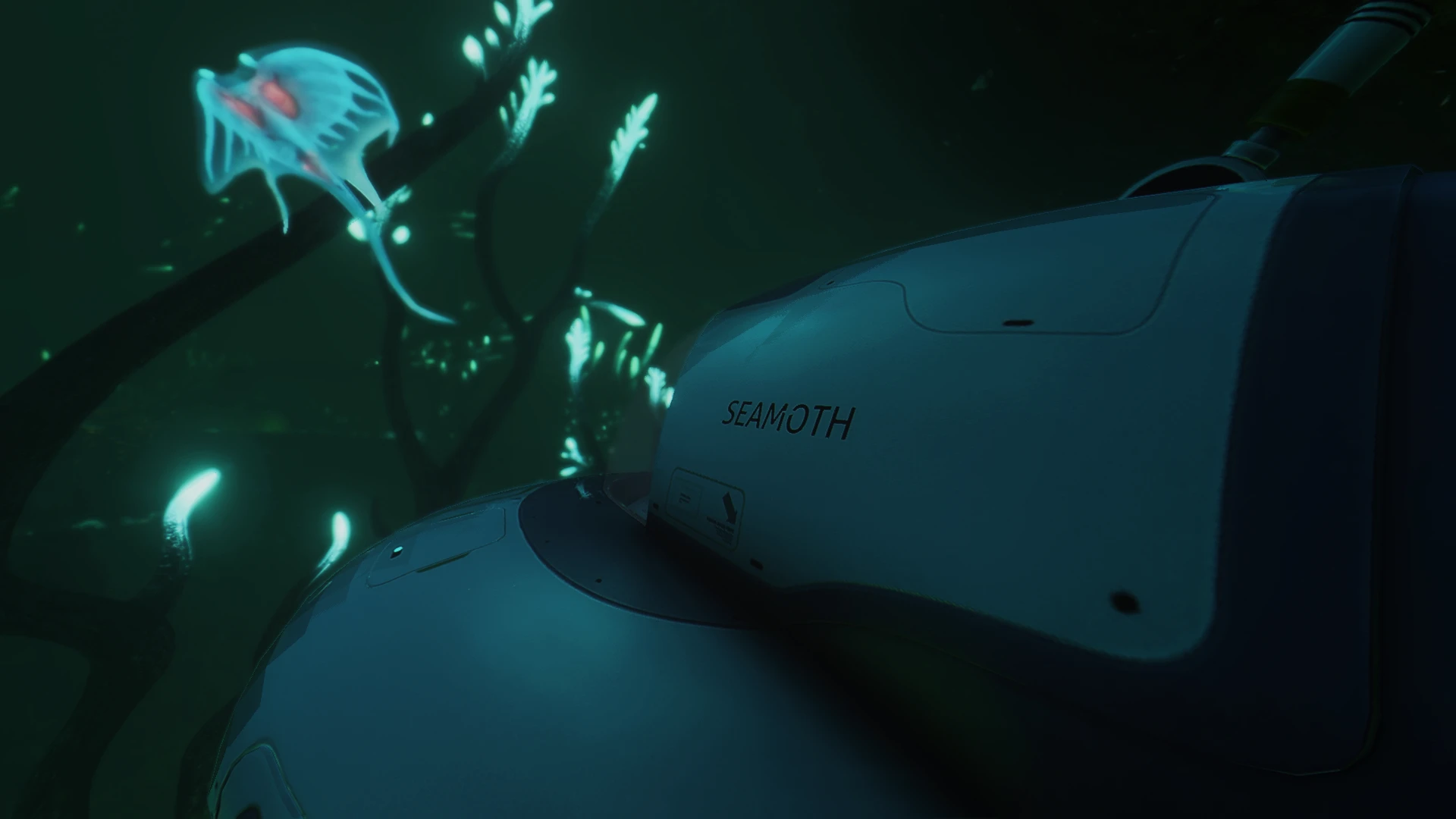
A visual preset for Subnautica inspired by the game's cinematic trailer, aiming to reproduce its distinctive look. With 945 endorsements and nearly 50,000 downloads, it's a popular choice for players seeking a more cinematic visual experience.
✨ Key Features
📊 Pros & Cons
✅ Pros
- Community favorite with nearly 50k downloads
- Delivers that trailer vibe for Subnautica
- High endorsement ratio suggests it works well
⚠️ Cons
- No compatibility notes for current game version
- May require manual configuration to get the look right
For Subnautica players who want their game to look like the cinematic trailer. If you're after a more dramatic, film-like atmosphere, this preset is for you. Skip if you prefer the vanilla look or want gameplay changes.
💡 Beginner Tips
- Check the mod's comments section for user-provided install tips
- Make sure your graphics settings are set to high for the best effect
- Consider using a mod manager to keep track of the preset
📊 Mod Details
- Game
- Subnautica Mods
- Author
- Exhalted
- Version
- 1.7
- Downloads
- 48,490
- Endorsements
- 945
- Category
- Visuals and Graphics
- Created
- 5/4/2021
- Updated
- 12/3/2024
🔧 How to Install Subnautica Mods
Download from Nexus.
📖 Full step-by-step install guide for Subnautica →
Visit the official mod page for specific installation instructions for this mod.
🎮 Need cheat codes or console commands? Check ur gaming wiki for Subnautica commands, item IDs, and more.
Keep browsing — more Subnautica mods await