Storage Info
🟡 Updated this year⚠️ Install Order · 2 steps
Install in this order, then this mod last — most mods fail to load without their framework and dependencies in place.
Preview
🔍 Analysis
- 👍 0.8% endorsement rate
- ✅ Updated 308 days after the latest game patch — actively maintained
- 🏆 #15 of 191 User Interface mods in this game by downloads
📋 About This Mod
Storage Info - at a Glance
Description:
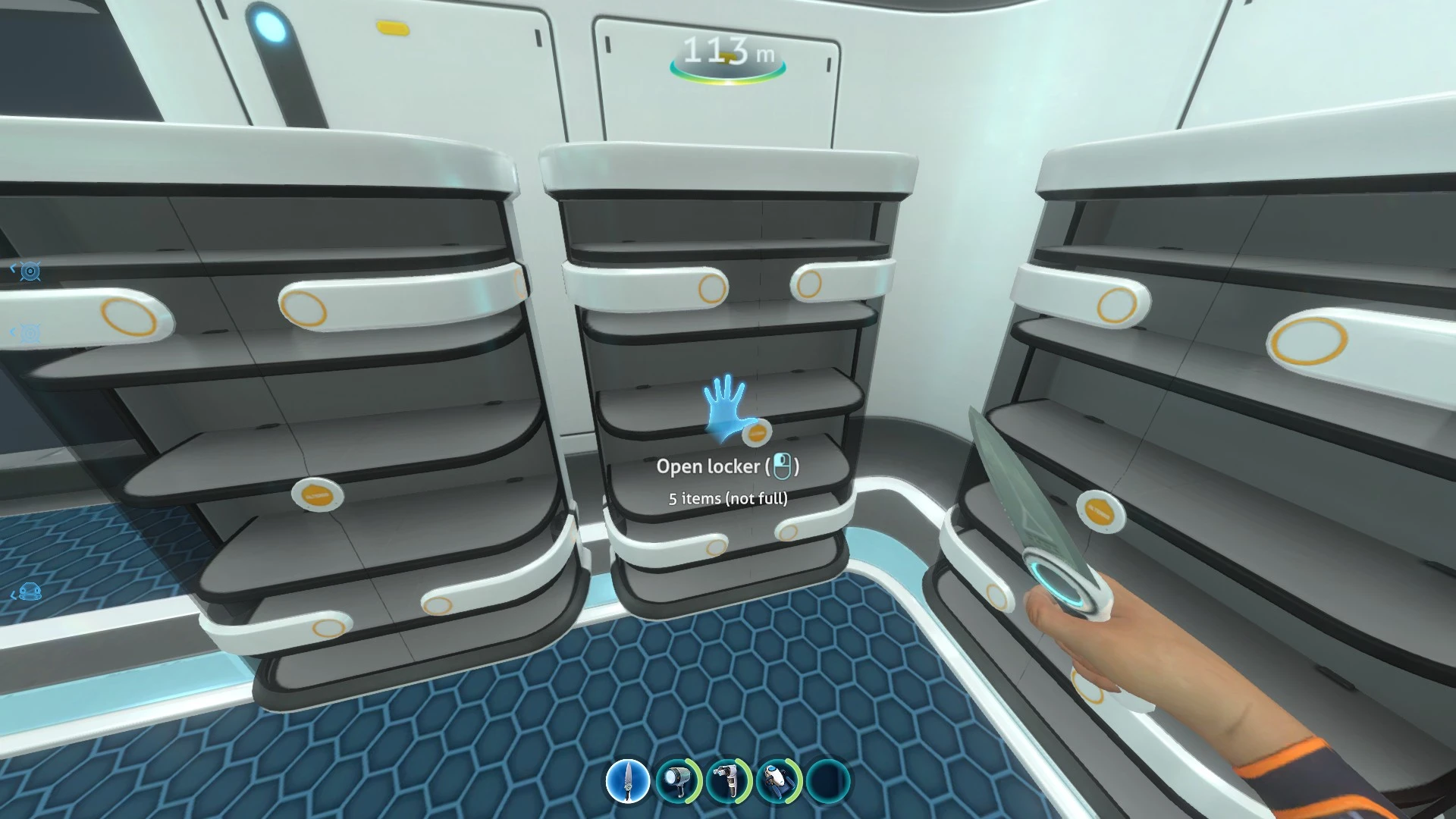
Vanilla Subnautica only relays "empty" status of storage containers to the player. Storage Info gives you more information:
-
[]Container status - look at a container to see whether it's empty, full, or how many items/free slots it has[/]
[]Preview UI - popup item grid lets you see inside a container without opening it![/]
Installation:
1. Install BepInEx for Subnautica
2. Install Nautilus
3. Download the latest zip file from the Files tab
4. Unzip the contents of the zip to the game's main directory (where Subnautica.exe can be found)
(Optional) Translation:
1. Navigate to ...\Subnautica\BepInEx\plugins\StorageInfo\Localization
2. Copy English.json and change the file name to match your language.
* Valid language names are found in ...\Subnautica\Subnautica_Data\StreamingAssets\SNUnmanagedData\LanguageFiles
3. Translate the file. Do not touch the keys ("ContainerFull"), only the values ("full")
4. Share the file with me on GitHub or in a Nexus private message
FAQ:
-
[]Q. Does this mod support the latest Subnautica update?[/]
[
]A. Yes. Tested August 2026[/][
]Q. Is this mod safe to add or remove from an existing save?[/][
]A. Yes[/][
]Q. Does this mod have any known conflicts?[/][
]A. Not yetSource code can be found here. (Link: GitHub)
Credits:
Powered by Harmony
Using Nautilus
Translations by acidscorch, mstislavovich, Yanuut, Zemogiter, Daxxpurpura, QingSu6
Storage Info is a lightweight UI mod that lets you see the status of storage containers without opening them. With 611 endorsements and 72,922 downloads, it's a popular quality-of-life tool for players who want to manage inventory more efficiently. Last updated in August 2026, it remains actively maintained.
✨ Key Features
📊 Pros & Cons
✅ Pros
- Huge community trust (611 endorsements) — this is a must-have for inventory hoarders.
- Saves you from opening every crate to check what's inside — a real time-saver.
- Actively updated (August 2026) so it should work with the latest game version.
⚠️ Cons
- No detailed feature list — you'll have to test it to see exactly what info is shown (e.g., item counts, weight).
- UI mods can conflict with other interface overhauls — check your mod list for compatibility.
- No install instructions provided by the author, so you'll need to figure out the setup yourself.
For players who hate opening every container to check loot. If you're a hoarder or a base builder who needs to know what's in your storage at a glance, this is for you. Skip if you're fine with the vanilla UI and don't mind the extra clicks.
💡 Beginner Tips
- If you're using a mod manager, just drop the file into your mods folder — no extra steps needed.
- Test it with your current UI mods to ensure no overlapping elements.
- Check the mod's page for any optional settings or config files that might let you customize what info is displayed.
📊 Mod Details
- Game
- Subnautica Mods
- Author
- Dingo
- Version
- 3.0.8.3031
- Downloads
- 72,922
- Endorsements
- 611
- Category
- User Interface
- Created
- 3/15/2019
- Updated
- 8/7/2026
🧩 Commonly Used Together
Users add these mods to the same collections — a real compatibility signal, not an AI guess.
🔧 How to Install Subnautica Mods
Download from Nexus.
📖 Full step-by-step install guide for Subnautica →
Visit the official mod page for specific installation instructions for this mod.
🎮 Need cheat codes or console commands? Check ur gaming wiki for Subnautica commands, item IDs, and more.
Keep browsing — more Subnautica mods await