Shader for Low Settings and Darker Nights
⚪ Last updated 2018⚠️ Install Order · 2 steps
Install in this order, then this mod last — most mods fail to load without their framework and dependencies in place.
Preview
🔍 Analysis
- 👍 3.6% endorsement rate — high engagement, a strong quality signal
- 🏆 #23 of 114 Visuals and Graphics mods in this game by downloads
📋 About This Mod
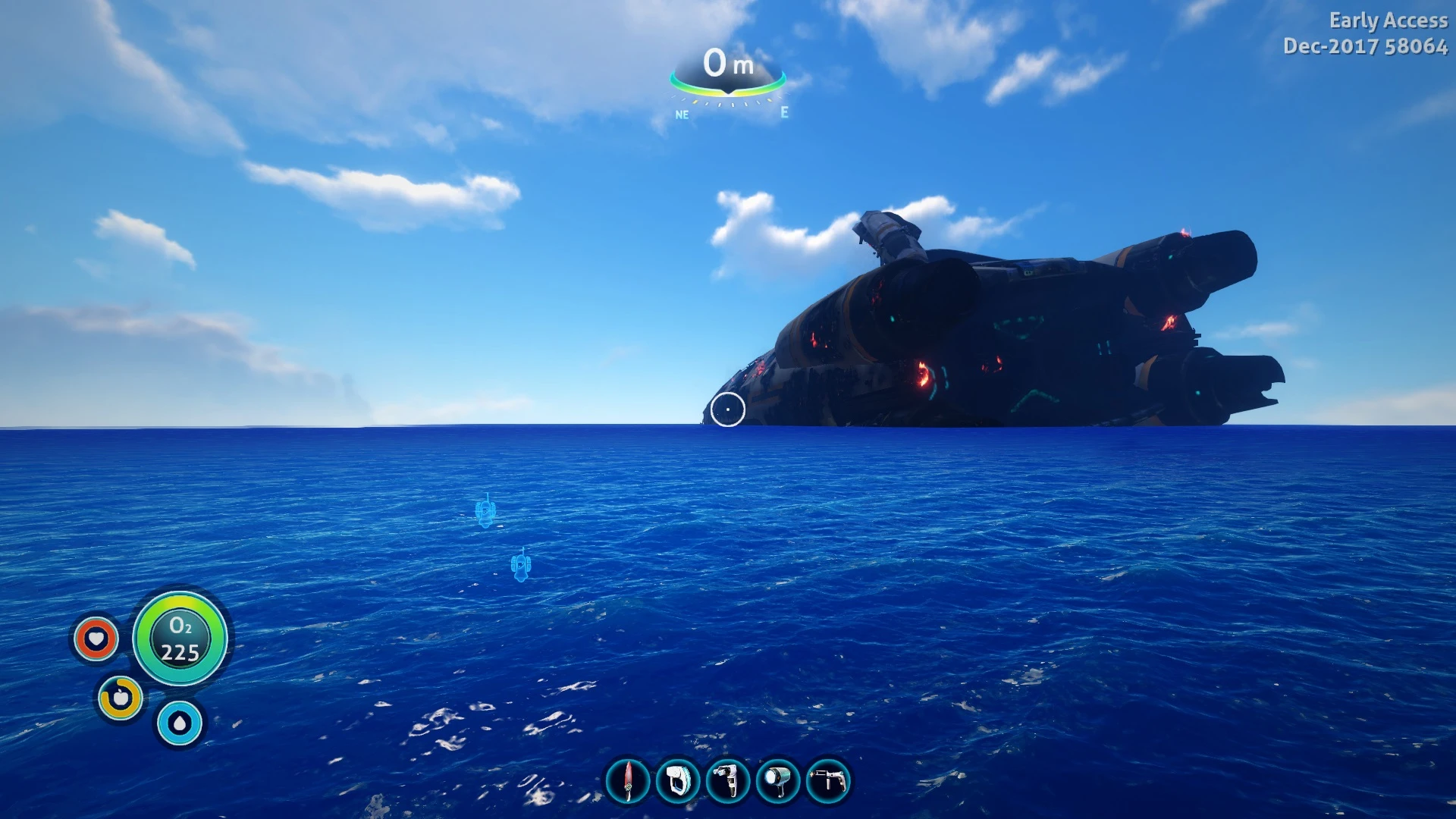
This preset uses minimal effects to make the game look nicer on the lowest settings without losing too many fps
How to install:
1) Download ReShade Click Here 2) Run the ReShade setup and click 'Select Game' 3) Find Subnautica.exe default path is here: - C:\Program Files (x86)\Steam\SteamApps\common\Subnautica 4) Click 'Direct3D 10+' when asked to select rendering API 5) Click 'Yes" when asked to download standard effects 6) Uncheck All 7) Check: -Curves -FakeHDR -SMAA 8) Click 'OK' and close the ReShade installer 9) Download a preset from the files section of this mod and place it in your game folder -C:\Program Files (x86)\Steam\SteamApps\common\Subnautica 10) Run your game and you will see a grey box appear on the top of the screen about ReShade 11) Hold Shift and press F2 to open the configuration menu of ReShade and from the drop down menu select the preset (example: low settings preset darker nights) and your game should look different 12) Head over to the 'Settings' tab set a toggle key of your choosing and for 'Usage Mode' (Third option) change it to 'Performance Mode' 13) Close the menu and you're all set
My ingame settings:
Low preset, Colour grading Filmic, Anti-aliasing off and Ambient Occlusion low
This preset is very basic but effective if you would like more complex presets with more features head over here -Bearcooper
A compact visual mod for Fallout 4 that enhances the game's appearance on low settings, with 137 endorsements and 3,826 downloads. Last updated in 2018, it offers a shader-based improvement for players who prioritize performance over high-end graphics.
✨ Key Features
📊 Pros & Cons
✅ Pros
- Community-approved with 137 endorsements and 3,826 downloads, showing it works for many players.
- Perfect for low-end PCs or players who want better visuals without sacrificing performance.
- Lightweight and easy to install—no complex mod manager setup needed.
⚠️ Cons
- Last updated in 2018, so it may not be compatible with the latest game patches or DLC.
- Only affects visuals; don't expect any gameplay changes or new content.
For Fallout 4 players with low-end PCs who want to improve the game's look without tanking performance. Also for anyone who prefers a darker, more atmospheric night feel. Skip if you're on a high-end rig or want gameplay overhauls.
💡 Beginner Tips
- Since it's a shader mod, make sure your graphics drivers are up to date to avoid conflicts.
- If you use other visual mods, test this one last to see if it overrides or conflicts with them.
- For darker nights, adjust your in-game brightness settings to get the desired effect.
📊 Mod Details
- Game
- Subnautica Mods
- Author
- BearCooper
- Version
- 1
- Downloads
- 3,826
- Endorsements
- 137
- Category
- Visuals and Graphics
- Created
- 1/4/2018
- Updated
- 1/4/2018
🔧 How to Install Subnautica Mods
Download from Nexus.
📖 Full step-by-step install guide for Subnautica →
Visit the official mod page for specific installation instructions for this mod.
🎮 Need cheat codes or console commands? Check ur gaming wiki for Subnautica commands, item IDs, and more.
Keep browsing — more Subnautica mods await