Scanner Resource Indicator
⚪ Last updated 2020⚠️ Install Order · 2 steps
Install in this order, then this mod last — most mods fail to load without their framework and dependencies in place.
Preview
🔍 Analysis
- 👍 5.2% endorsement rate — high engagement, a strong quality signal
- 🏆 #56 of 191 User Interface mods in this game by downloads
📋 About This Mod
Scanner Resource Indicator
Built for QModManager 4. 0 - will NOT work with older versions!
You can get QMM 4. 0 on the Subnautica Modding Discord: https://discord.gg/UpWuWwq
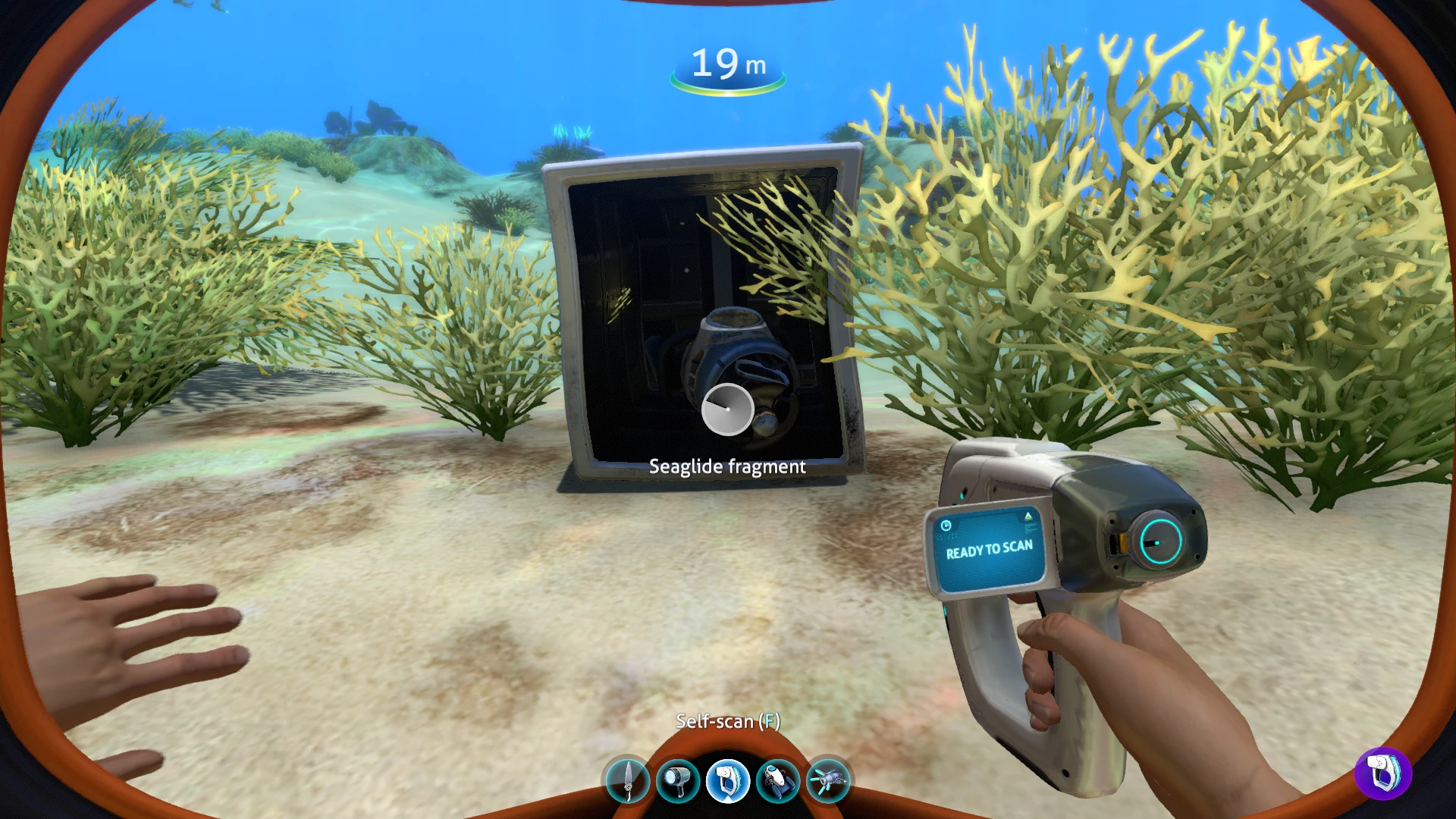
All of us have had that moment: "Oh, I can scan this!" followed a few seconds later by "I guess I already knew that one." No more!
This mod allows adjusting the icon background when looking at scannable objects, including setting a different color for already-known (resource-bearing) fragments.
Mod Options:
In-game enable/disable toggle
Data scan color (default: Default Blue)
Resource scan color (default: Purple)
Color options: Default Blue, Dark Blue, Purple, Green, Black
The icon's background has a blue tinge to it by default, so I settled on colors which worked despite that.
Scanner Resource Indicator is a compact UI mod for No Man's Sky that lets you customize the icon background for scannable objects, including a distinct color for already-known resource fragments. With 180 endorsements and 3,465 downloads, it's a niche but appreciated tool for players who want clearer visual feedback while scanning.
✨ Key Features
📊 Pros & Cons
✅ Pros
- Community-approved with 180 endorsements and over 3.4k downloads.
- Solves a real UI clarity issue—no more squinting to tell if you've already scanned a resource.
- Lightweight and focused; does one thing and does it well.
⚠️ Cons
- Last updated in July 2020—may be outdated for current game versions.
- Limited to icon background color changes; no other UI tweaks included.
For No Man's Sky players who spend a lot of time scanning planets and want a clearer visual distinction between new and already-known resources. Skip if you're looking for a full UI overhaul or if you play on the latest version and worry about mod compatibility.
💡 Beginner Tips
- Check the mod's page for any updates or compatibility patches before installing, since it hasn't been updated since 2020.
- If you use other UI mods, test them together to ensure no conflicts with icon rendering.
- Back up your save before installing any mod, just in case—though this one is cosmetic and low-risk.
📊 Mod Details
- Game
- Subnautica Mods
- Author
- GlitchHound
- Version
- 1.0.0
- Downloads
- 3,465
- Endorsements
- 180
- Category
- User Interface
- Created
- 7/26/2020
- Updated
- 7/26/2020
🔧 How to Install Subnautica Mods
Download from Nexus.
📖 Full step-by-step install guide for Subnautica →
Visit the official mod page for specific installation instructions for this mod.
🎮 Need cheat codes or console commands? Check ur gaming wiki for Subnautica commands, item IDs, and more.
Keep browsing — more Subnautica mods await