Quick Store
⚪ Last updated 2023⚠️ Install Order · 2 steps
Install in this order, then this mod last — most mods fail to load without their framework and dependencies in place.
Preview
🔍 Analysis
- 👍 0.4% endorsement rate
- 🏆 #26 of 456 Gameplay mods in this game by downloads
📋 About This Mod
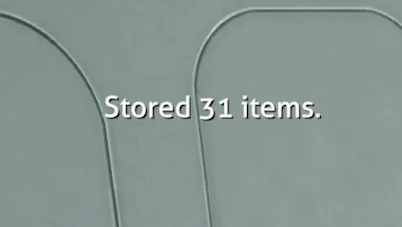
With this mod, pressing a hotkey (default semi-colon) will transfer all player inventory items that have a match in nearby containers into those containers.
The range (default 100m) can be changed in the config.
If you have a storage open, you can use two hotkeys (default LeftArrow and RightArrow) to transfer similar items between the storage and the player inventory.
To skip checking whether items already exist, hold down the mod key (default LeftShift) when pressing any of the hotkeys.
By default, every item type will be transferred if a match is found. You can edit the forbid / allow lists to tweak this behaviour, as explained below.
Advanced Forbid / Allow Lists
Two files are created in a folder BepInEx\plugins\QuickStore when the mod first loads. One is an allowed list that contains all tech types in the game. Another is a forbid list that is empty.
You can either remove any tech type you want from the allow list or add it to the forbid list and it will be forbidden.
Each tech type (or wildcard string) should be given its own line in the file.
You will have to save the file and restart the game for changes to these lists to take effect.
To rebuild the allowed list, delete the folder BepInEx\plugins\QuickStore.
Config
A config file for this mod is created in the folder BepInEx\config after running the game once with the mod installed.
You can adjust the config values by editing the config file using a text editor.
Technical
To install this mod, first install BepInEx for Subnautica, then place the dll file in BepInEx\plugins.
You can use this tool to install BepInEx.
Source code is at https://github.com/aedenthorn/SubnauticaMods.
If you want to complain or ask for help or help me test my mods, you can visit my Discord server.
Quick Store is a gameplay mod for Valheim that lets you quickly store inventory items into nearby storages with the same item or transfer between an opened storage using a hotkey. It has 286 endorsements and 65,688 downloads, last updated in September 2023.
✨ Key Features
📊 Pros & Cons
✅ Pros
- Community-approved with 286 endorsements and over 65k downloads.
- Saves time by automating repetitive inventory sorting.
- Simple hotkey-based design fits seamlessly into gameplay.
⚠️ Cons
- Last updated in 2023 — may not be compatible with the latest Valheim patches.
- No detailed instructions or configuration options provided in the description.
- Requires you to have nearby storages with matching items, which may not always be the case.
For Valheim players who spend too much time sorting chests and want to speed up inventory management. Skip if you prefer manual control over every item placement or if you're on a server with strict mod rules.
💡 Beginner Tips
- Make sure you have the BepInEx mod loader installed, as most Valheim mods require it.
- Test the hotkey in a safe area to avoid accidentally storing items you want to keep.
- Check the mod's compatibility with your Valheim version after game updates.
📊 Mod Details
- Game
- Subnautica Mods
- Author
- aedenthorn
- Version
- 0.2.2
- Downloads
- 65,688
- Endorsements
- 286
- Category
- Gameplay
- Created
- 3/7/2023
- Updated
- 9/9/2023
🧩 Commonly Used Together
Users add these mods to the same collections — a real compatibility signal, not an AI guess.
🔧 How to Install Subnautica Mods
Download from Nexus.
📖 Full step-by-step install guide for Subnautica →
Visit the official mod page for specific installation instructions for this mod.
🎮 Need cheat codes or console commands? Check ur gaming wiki for Subnautica commands, item IDs, and more.
Keep browsing — more Subnautica mods await