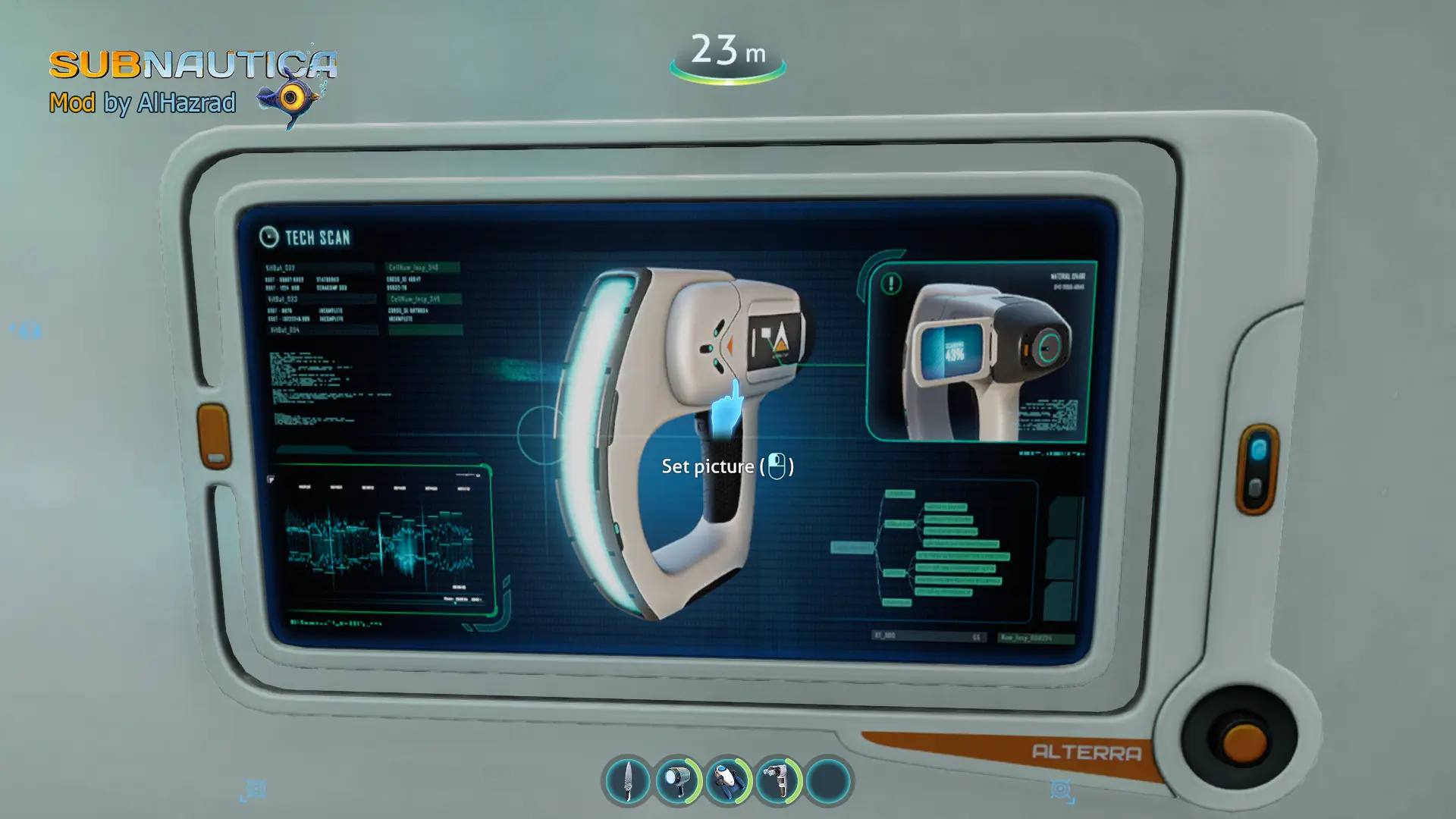
Pictures from database (Bepinex)
⚪ Last updated 2023This mod may not work until the author updates it. Check for an update, or see the rollback guide.
⚠️ Install Order · 3 steps
Install in this order, then this mod last — most mods fail to load without their framework and dependencies in place.
Preview
🔍 Analysis
- 👍 0.7% endorsement rate
- 🏆 #14 of 191 User Interface mods in this game by downloads
📋 About This Mod
Now you do not need to perform any complex actions as it was in mods like this one.
All you need is:
1. build a photo frame.
2. click on the photo frame.
3. choose what you want in your database.
4. close the PDA.
It may even motivate you to scan more to place the data on the "ghostly leviathan" above your bed. Good luck =)
Installation: copy the "Pictures_from_database" folder from the archive to "Subnautica\BepInEx\plugins" folder.
Write to me if you notice an error/bug in the mod. I'll fix it right away.
You can also try my other mods:
Capital repair of all textures your bases - SleekBases
Repair all transport lights - Repair Transport Lights
If you want to use more colors for your base - True Base Colorizer
This UI mod for Valheim lets you load pictures from your database into photo frames. With 501 endorsements and 73,680 downloads, it's a popular quality-of-life tool for players who want to display custom images in their builds. Last updated in February 2023, it remains a go-to for decorating.
✨ Key Features
📊 Pros & Cons
✅ Pros
- Huge download count (73,680) shows it's a go-to for custom frame art.
- Simple workflow: click, select, close — no complicated menus.
- Community-approved (501 endorsements) for a niche UI tweak.
⚠️ Cons
- Last updated in 2023 — may not work with the latest Valheim patches.
- Requires BepInEx, so you need to set up the mod loader first.
For Valheim builders who want to personalize their bases with custom images in photo frames. Perfect for roleplayers or streamers who want to display logos or screenshots. Skip if you're not into decorating or don't want to deal with BepInEx.
💡 Beginner Tips
- Make sure BepInEx is installed correctly before adding this mod, or it won't load.
- After installing, test with a simple image first to ensure the database path is set up right.
- If the mod doesn't work after a Valheim update, check for a newer version or community patches.
📊 Mod Details
- Game
- Subnautica Mods
- Author
- AlHazrad
- Version
- 1.0
- Downloads
- 73,680
- Endorsements
- 501
- Category
- User Interface
- Created
- 2/14/2023
- Updated
- 2/15/2023
🧩 Commonly Used Together
Users add these mods to the same collections — a real compatibility signal, not an AI guess.
🔧 How to Install Subnautica Mods
Download from Nexus.
📖 Full step-by-step install guide for Subnautica →
Visit the official mod page for specific installation instructions for this mod.
🎮 Need cheat codes or console commands? Check ur gaming wiki for Subnautica commands, item IDs, and more.
Keep browsing — more Subnautica mods await