NoCrosshair
⚪ Last updated 2019⚠️ Install Order · 2 steps
Install in this order, then this mod last — most mods fail to load without their framework and dependencies in place.
Preview
🔍 Analysis
- 👍 4.7% endorsement rate — high engagement, a strong quality signal
- 🏆 #61 of 191 User Interface mods in this game by downloads
📋 About This Mod
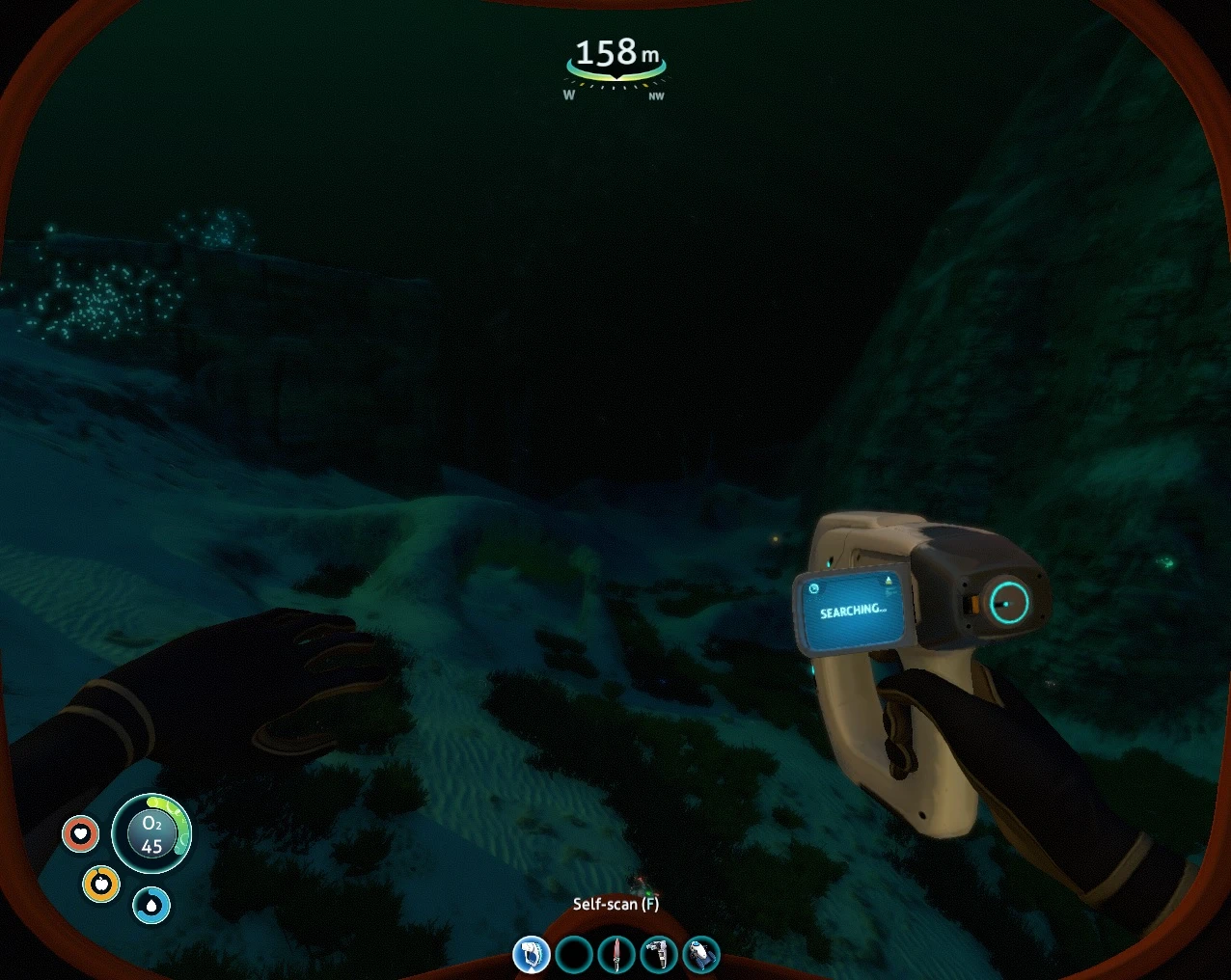
Hides the default crosshair. Interactivity prompts are still visible. The crosshair is also still visible in the Scanner Room interface and Cyclops HUD.
Requires QMods.
New experimental version:
This version uses a more generic method to figure out when the crosshair should show. This adds support for screens missing in the main version like the keypads and some icons on the vehicle console.
There's also a good chance it will work for screens added by other mods. Although I only tested Resource Monitor, there's no code specific to it.
While driving the Cyclops the crosshair will only show while hovering over the HUD controls.
It doesn't have any known issues left but the technique is a bit experimental and the crosshair might get stuck. In this case, press Alt+F7. This will hide it again and print some debug info to output_log.txt which you can PM me and maybe we can figure out what happened.
v1: Initial release.
v2: Relinked against Harmony version that ships with QMods.
v3: My own mods didn't work together, lol. Fixed that.
v4: Repackaged to fix conflicts in Vortex.
v5-experimental-a: New experimal version.
v5-experimental-b: Fixed Escape menu getting crosshair stuck in unlucky circumstances. Improved detection of disabled and inactive game objects.
NoCrosshair is a simple UI mod for Subnautica that hides the default crosshair while keeping interactivity prompts visible. It has 135 endorsements and was last updated in January 2019, making it a lightweight option for players who prefer a cleaner screen.
✨ Key Features
📊 Pros & Cons
✅ Pros
- Does exactly what it says—no bloat, just removes the crosshair.
- Keeps interactivity prompts, so you don't lose important UI feedback.
- Lightweight and simple, with 135 endorsements from the community.
⚠️ Cons
- Last updated in 2019—might not work with the latest game version.
- Crosshair still shows in Scanner Room and Cyclops, which could be annoying if you wanted a full removal.
For Subnautica players who want a more immersive, HUD-clean experience without losing interactive prompts. Skip if you're on a newer game version or expect full crosshair removal everywhere.
💡 Beginner Tips
- Since this mod is from 2019, check if it's compatible with your Subnautica version before installing.
- If you're using a mod manager like Vortex, you can install it manually by dropping the files into the game's folder.
- Test in the Scanner Room and Cyclops to see if the remaining crosshair bothers you.
📊 Mod Details
- Game
- Subnautica Mods
- Author
- frigidpenguin
- Version
- 4
- Downloads
- 2,885
- Endorsements
- 135
- Category
- User Interface
- Created
- 1/4/2019
- Updated
- 1/20/2019
🔧 How to Install Subnautica Mods
Download from Nexus.
📖 Full step-by-step install guide for Subnautica →
Visit the official mod page for specific installation instructions for this mod.
🎮 Need cheat codes or console commands? Check ur gaming wiki for Subnautica commands, item IDs, and more.
Keep browsing — more Subnautica mods await