Full detailed map with caves (BepInEx)
⚪ Last updated 2023This mod may not work until the author updates it. Check for an update, or see the rollback guide.
⚠️ Install Order · 3 steps
Install in this order, then this mod last — most mods fail to load without their framework and dependencies in place.
Preview
🔍 Analysis
- 👍 3.7% endorsement rate — high engagement, a strong quality signal
- 🏆 #2 of 219 Environment mods in this game by downloads
📋 About This Mod
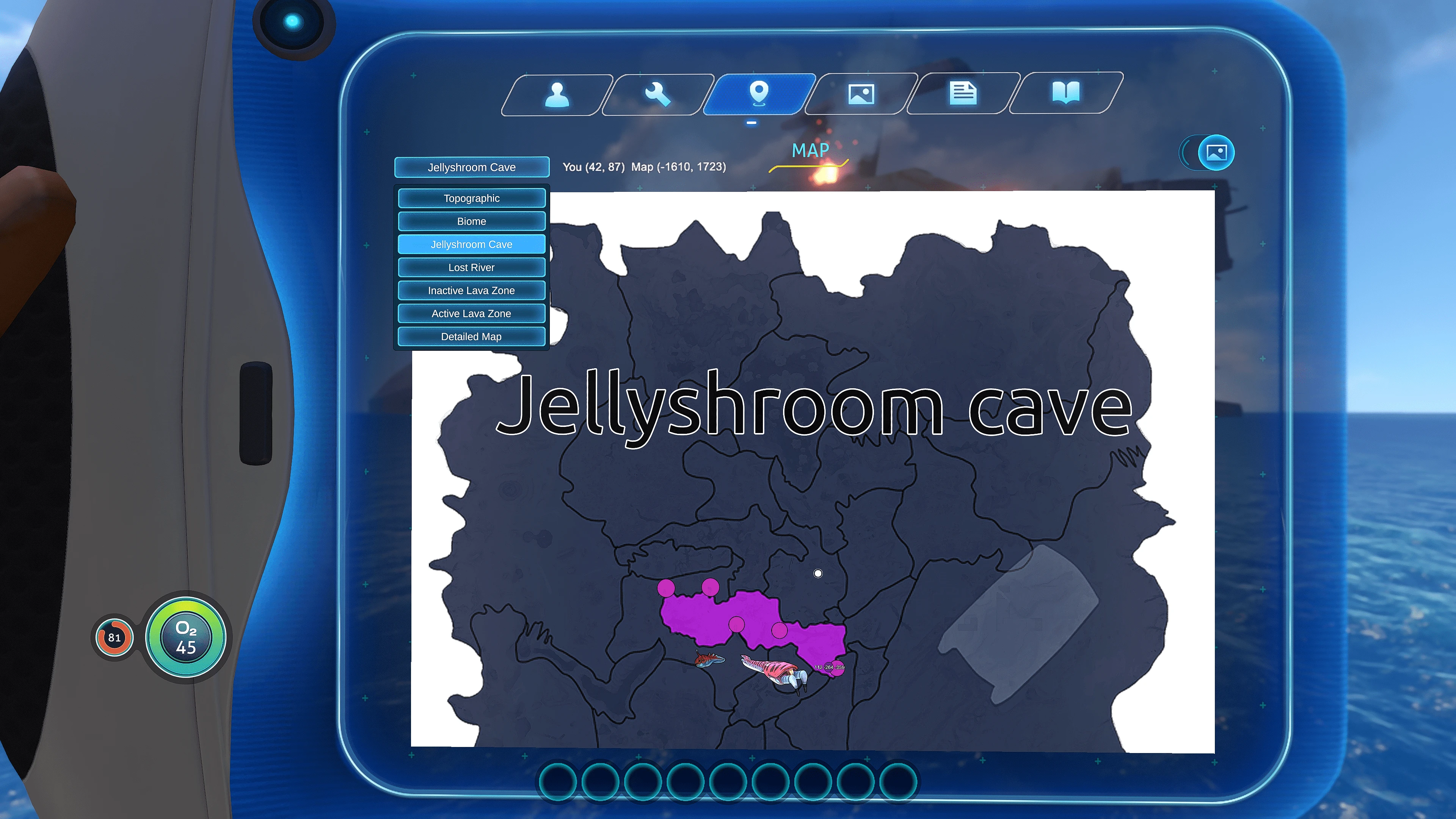
Detailed maps with loot table, fauna for every biom and all points of interest.
(All screenshots made with this subnautica Reshade preset)
WARNING! Spoiler!
-
[]The map exposes almost all hidden details, so install it only if you want to see every point of interest, wreck, pod, cave and so on.
[
]Turn off fog in Map mod settings for complete spoiler view ;)NOW WITH ADDITIONAL CAVES MAPS, LARGE DEPOSITS AND ALIEN TABLETS!
Installation
Works with BepInEx and Legacy
Install BepInEx (or qModManager) and Map mod. Then just unpack files of this mod into the game folder, if you're using Steam, right click on Subnautica game in the Steam Library, hover your mouse over local files, and click "Browse local files".
-
[]if you're using BepInEx then unpack files into: SteamLibrary\steamapps\common\Subnautica\BepInEx\plugins\
[
]if you're using legacy QModManager then unpack files into SteamLibrary\steamapps\common\Subnautica\QMods folder.
DO NOT USE VORTEX! Just put this into folder manually.
This mod will not overwrite any files or map.
Should be like this:
BepInEx/plugins/SubnauticaMap/maps/DetailedMap
OR
qMods/SubnauticaMap/maps/DetailedMap
Files inside this folder:
In game choose "Detailed map" at dropdown map menu or one of cave layers
To uninstall simply open the corresponding /SubnauticaMap/maps directory and delete the "DetailedMap" folder.
-
[]Version 2. 2
[
]now cave maps are replacing default maps. Thanks to newman55 for explaining me how and for the ability :) This is more comfortable to use because cave maps has their own layers and also when player enters cave, Map mod switches to corresponding cave map, without replacement it was not comfortable to manually switch map all the time.[]Version 2. 1
[]added Large deposits! (huge work and I had no time to do that before);
[]added Alien tablets at loot table!
[]added deep indicator for Ghost leviathans and Sea dragons positions;
[]removed/fixed some outdated data (old gaysers, entrances, fauna and more);
[]added and fixed positions for reapers;
[*]added missing alien structure
-
[]if you're using BepInEx then unpack files into: SteamLibrary\steamapps\common\Subnautica\BepInEx\plugins\
Full detailed map with caves (BepInEx) is an environment mod that adds detailed maps showing biomes, caves, loot, fauna, and points of interest. It's designed for players who don't mind spoilers, offering a comprehensive overview of the game world. With over 4,200 endorsements and 114k downloads, it's a popular choice for exploration-focused players.
✨ Key Features
📊 Pros & Cons
✅ Pros
- Huge community trust with 4,242 endorsements and 114k downloads
- One-stop map for everything—loot, fauna, POIs—no more alt-tabbing to wiki
- Spoiler warning is a nice touch for those who want to keep some mystery
⚠️ Cons
- Last updated in May 2023—might be outdated if the game has had major updates since
- Requires BepInEx, so you'll need to set that up if you haven't already
- Spoilers are inherent—if you're a purist explorer, this will ruin the discovery
For players who want to fully explore every nook and cranny without missing anything. Also great for completionists who need to find every loot stash and creature. Skip if you enjoy the thrill of discovering things on your own.
💡 Beginner Tips
- Make sure BepInEx is installed correctly and matches your game version before adding this mod.
- Check the mod's load order—BepInEx plugins usually go in the 'plugins' folder.
- If the map doesn't appear, verify that the mod is enabled in your mod manager.
📊 Mod Details
- Game
- Subnautica Mods
- Author
- Spazzze
- Version
- 2.2
- Downloads
- 114,883
- Endorsements
- 4,242
- Category
- Environment
- Created
- 12/26/2018
- Updated
- 5/18/2023
🧩 Commonly Used Together
Users add these mods to the same collections — a real compatibility signal, not an AI guess.
🔧 How to Install Subnautica Mods
Download from Nexus.
📖 Full step-by-step install guide for Subnautica →
Visit the official mod page for specific installation instructions for this mod.
🎮 Need cheat codes or console commands? Check ur gaming wiki for Subnautica commands, item IDs, and more.
Keep browsing — more Subnautica mods await