ExtraOptions
⚪ Last updated 2018⚠️ Install Order · 2 steps
Install in this order, then this mod last — most mods fail to load without their framework and dependencies in place.
Preview
🔍 Analysis
- 👍 3.5% endorsement rate — high engagement, a strong quality signal
- 🏆 #30 of 191 User Interface mods in this game by downloads
📋 About This Mod
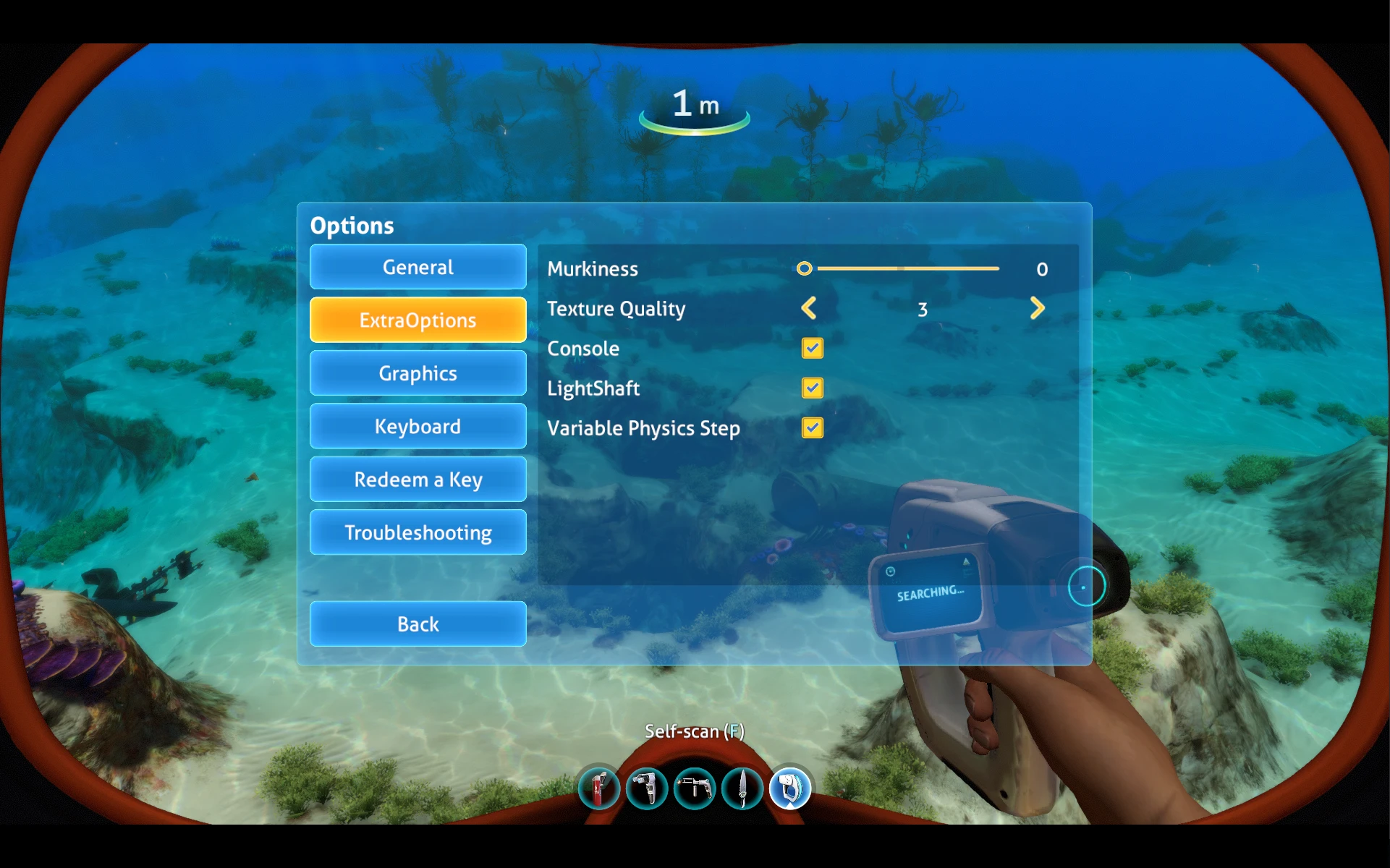
Lets you set some of the F3 menu options and have them persist on relaunching the game.
Also adds a configuration setting for murkiness. Murkiness can be both lowered and increased, but note that lowering it will cause even more severe pop-in.
This mod is compiled against the release branch of Subnautica, but may work on experimental (currently it does).
Installation:
-
[]Make sure you've installed QModManager
[
]Download ExtraOptions, and extract it into your QMods folder.Source available here: https://github.com/m22spencer/Subnautica-ExtraOptions
ExtraOptions adds a UI for persistent setting of water murkiness, console, texture quality, and more. It's a utility mod for players who want to tweak these settings without editing files each time. With 924 endorsements and 26,615 downloads, it's a popular choice, though it hasn't been updated since 2018.
✨ Key Features
📊 Pros & Cons
✅ Pros
- Community-approved with 924 endorsements and over 26k downloads.
- Solves a real pain point: no more editing config files every session.
- Covers multiple settings in one UI, so you don't need separate mods.
⚠️ Cons
- Last updated in 2018 — likely incompatible with current game versions.
- Limited to the settings mentioned; may not cover everything you want.
For players who frequently tweak water clarity, console access, or texture quality and want a persistent UI. Skip if you're on a newer game version or prefer all-in-one overhaul mods.
💡 Beginner Tips
- Check if the game version you're running is from around 2018, as the mod hasn't been updated since.
- If you're using a mod manager, try installing manually first to see if it works without issues.
- Test the UI in a single-player world before using it on a server to avoid unexpected settings changes.
📊 Mod Details
- Game
- Subnautica Mods
- Author
- m22spencer
- Version
- 1.1.0
- Downloads
- 26,615
- Endorsements
- 924
- Category
- User Interface
- Created
- 11/7/2018
- Updated
- 11/7/2018
🧩 Commonly Used Together
Users add these mods to the same collections — a real compatibility signal, not an AI guess.
🔧 How to Install Subnautica Mods
Download from Nexus.
📖 Full step-by-step install guide for Subnautica →
Visit the official mod page for specific installation instructions for this mod.
🎮 Need cheat codes or console commands? Check ur gaming wiki for Subnautica commands, item IDs, and more.
Keep browsing — more Subnautica mods await