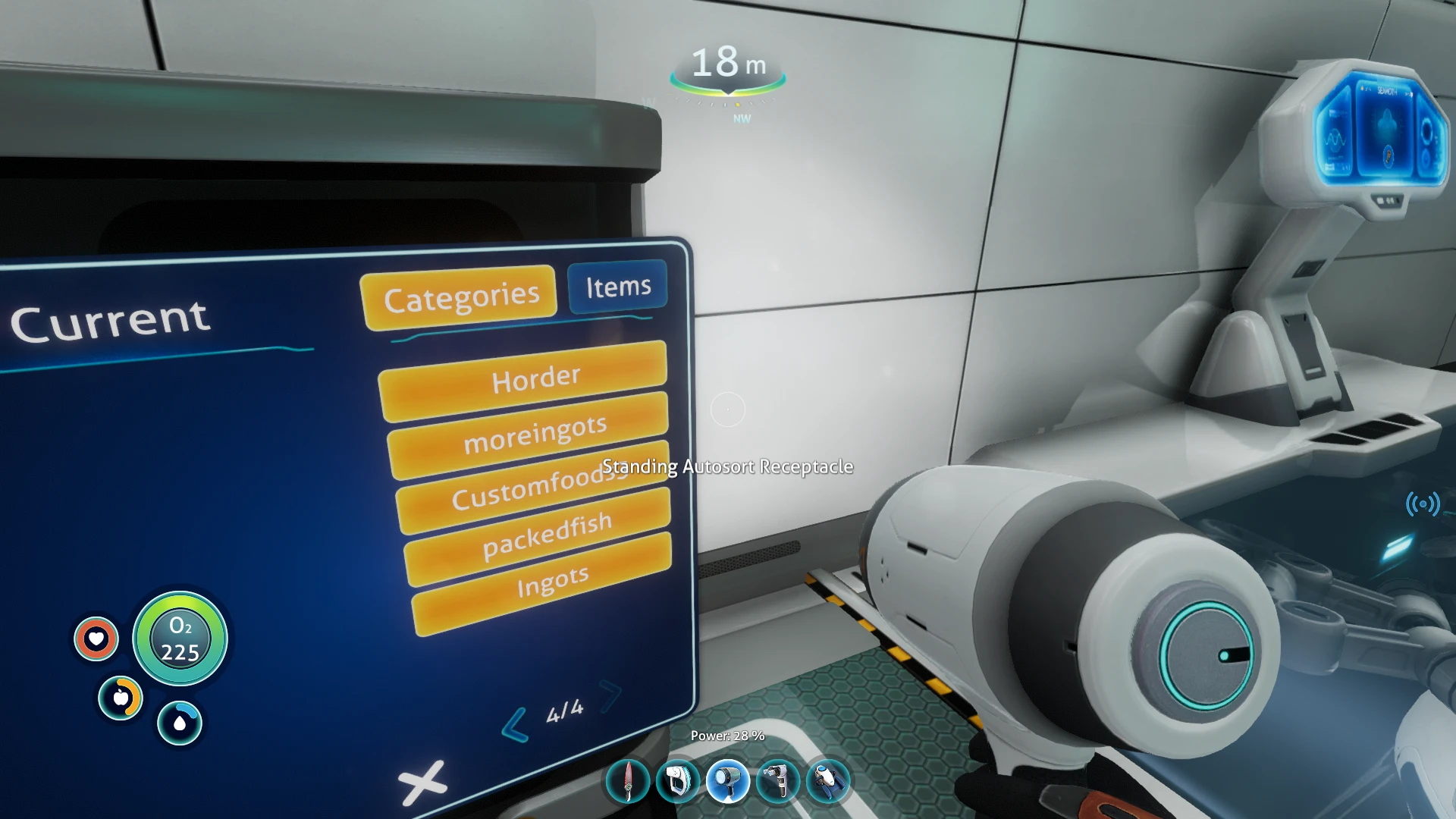
Cookies mods sorting for Autosort Lockers
⚪ Last updated 2021⚠️ Install Order · 5 steps
Install in this order, then this mod last — most mods fail to load without their framework and dependencies in place.
Preview
🔍 Analysis
- 👍 3.0% endorsement rate — high engagement, a strong quality signal
- 🏆 #53 of 210 Crafting mods in this game by downloads
📋 About This Mod
Updating requires to update the Type_reference.json and Filter.json again with the numbers that match in your TECHTYPECACHE.
Steps
1. Extract to another folder for Editing
2.make a backup of your Techtypecache so you can get the values from it without opening the original.
Type_reference.json is complete you just have to edit the moreingots , horders and customfoods entries .
Filter.json is complete you just have to edit the moreingots , horders and customfoods entries .
In media there is a help video to explain how to edit the files
updates to this mod (will require you to edit the Type_reference.json and Filter.json again mostly what has been done is the type reference the moreingots part has been orginized to match the techtypecache
A small sorting mod for Autosort Lockers in 7 Days to Die, adding support for the latest updates to MoreIngots and Horders. With 139 endorsements and 4,561 downloads, it's a niche utility for players using those mods. Last updated in December 2021.
✨ Key Features
📊 Pros & Cons
✅ Pros
- Does exactly what it says: updates sorting for MoreIngots and Horders.
- Decent community trust with 139 endorsements and 4,561 downloads.
- Lightweight and focused—no bloat, just sorting compatibility.
⚠️ Cons
- Last updated in December 2021—might not work with the latest game or mod versions.
- Only useful if you use MoreIngots and Horders; otherwise it's pointless.
For 7 Days to Die players who use Autosort Lockers along with MoreIngots and Horders mods. If you're running those mods and want your lockers to sort the new items correctly, this is a must-have. Skip if you don't use those mods—this won't affect your game.
💡 Beginner Tips
- Make sure you have the latest versions of Autosort Lockers, MoreIngots, and Horders installed before adding this mod.
- Place the mod files in the Mods folder of your 7 Days to Die directory, then launch the game to verify sorting works.
- If you're playing on a server, ensure all players have the same mods installed to avoid sorting mismatches.
📊 Mod Details
- Game
- Subnautica Mods
- Author
- Cookie
- Version
- 1.0.2
- Downloads
- 4,561
- Endorsements
- 139
- Category
- Crafting
- Created
- 7/20/2019
- Updated
- 12/5/2021
🔧 How to Install Subnautica Mods
Download from Nexus.
📖 Full step-by-step install guide for Subnautica →
Visit the official mod page for specific installation instructions for this mod.
🎮 Need cheat codes or console commands? Check ur gaming wiki for Subnautica commands, item IDs, and more.
Keep browsing — more Subnautica mods await