Printer Recipe Controls
🟠 Updated over a year agoPreview
🔍 Analysis
- 🏆 #789 of 1087 IC Code mods in this game by downloads
📋 About This Mod
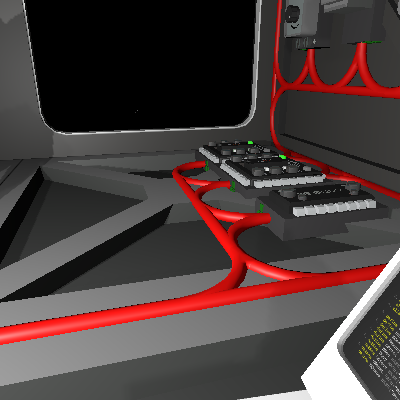
The main Chip that controls the entire Recipe Queue system. This chip allows you to queue up to 10 printer recipes for a printer, select whether you want alloys to be ejected after the job is complete, reset a currently scheduled job, and send the print queue to the printer. The recipe list requires you to add the prefab hash to the stack as denoted in: https://steamcommunity.com/sharedfiles/filedetails/?id=3469211890 Materials Needed: 3x Consoles 2x Hash Display 1x Memory 7x Logic Switches (4 dials, 3 buttons). Names Needed: Memory Chip = "MemRecipe" Dials = "DialPrinter", "DialRecipe", "DialQuantity", and "DialEject" Buttons = "ButtonReset", "ButtonQueue", "ButtonSend" HASH Display Mappings: Printer Console mapped to ICHousing for this chip Recipe Console Mapped to the Memory chip. Device Pins: d0 = Autolathe d1 = Electronics Printer d2 = Pipe Bender d3 = Rocket Manufactory Dial Max Settings Printer dial, set to maximum printers - 1, (Example: If you only will control the autolathe and electronics printer, set the dial's maximum to 1) Recipe dial, set to maximum 49 Quantity dial, I set maximum to 250, but you can go lower if you want. Eject dial, set to maximum 3. How it works: The logic will use the recipe dial and us indirect addressing to write and clear data from the printer based on that dial. The reset button will clear the queue as well as send stop and stack clearing signal to the selected printer. The recipe dial will poll the chip's internal stack to see what recipe it needs to que for that printer. The quantity dial sets how much of an item. The Queue button creates a stack command and stores it in the chip's stack. This will lock the printer select dial from changing the printer until the reset button is pressed or the queue is sent. The eject dial will tell the printer to eject nothing (0), Super alloys only (1), All alloys (2), or everything (3). The send button will send the queue and eject commands. This locks the printer down, turns it on, an turn
📊 Mod Details
- Game
- Stationeers Mods
- Author
- 76561198013501605
- Version
- N/A
- Downloads
- 54
- Endorsements
- 0
- Category
- IC Code
- Created
- 4/24/2025
- Updated
- 4/24/2025
🔧 How to Install Stationeers Mods
Subscribe on Steam Workshop. Mods auto-download and install. Launch the game to activate.
📖 Full step-by-step install guide for Stationeers →
Visit the official mod page for specific installation instructions for this mod.
🎮 Need cheat codes or console commands? Check ur gaming wiki for Stationeers commands, item IDs, and more.
Keep browsing — more Stationeers mods await