Widget Mod
⚪ Last updated 2020⚠️ Install Order · 5 steps
Install in this order, then this mod last — most mods fail to load without their framework and dependencies in place.
🖼️ Gallery (3 images)

🔍 Analysis
- 👍 0.4% endorsement rate
- 🏆 #111 of 140 User Interface mods in this game by downloads
📋 About This Mod
Widget Mod
End of support note: 13. 05. 2020
I moved on to new Modding grounds. Expanded Controls is my current UI focus. Widget Mod will get no further updates. At one point the new UI plans will cumulate into a complete UI Overhaul based on SkyUI. For this I have to build from scratch. I uploaded the .fla and .as source, so anyone can move on from here at will. See you around.
Requirements
:
SSE, SkyUI, and SKSE.
How to install
:
I recommend using Mod Organizer 2. Should be self explaining.
FAQ
:
1. existing savegame safe?
I think so. Go figure.
2. can I use in any of my mods?
Sure. If you want access to the flash source, contact me.
3. No more FISS?
Nope...the port is broken. There may be Papyrus Utils support in future updates.
Description
:
A Widget Mod. Why you ask? Well primarly because I can...finally. It imports various widgets to display diverse information on your HUD for convenience reasons, so you don't need to enter any menus.
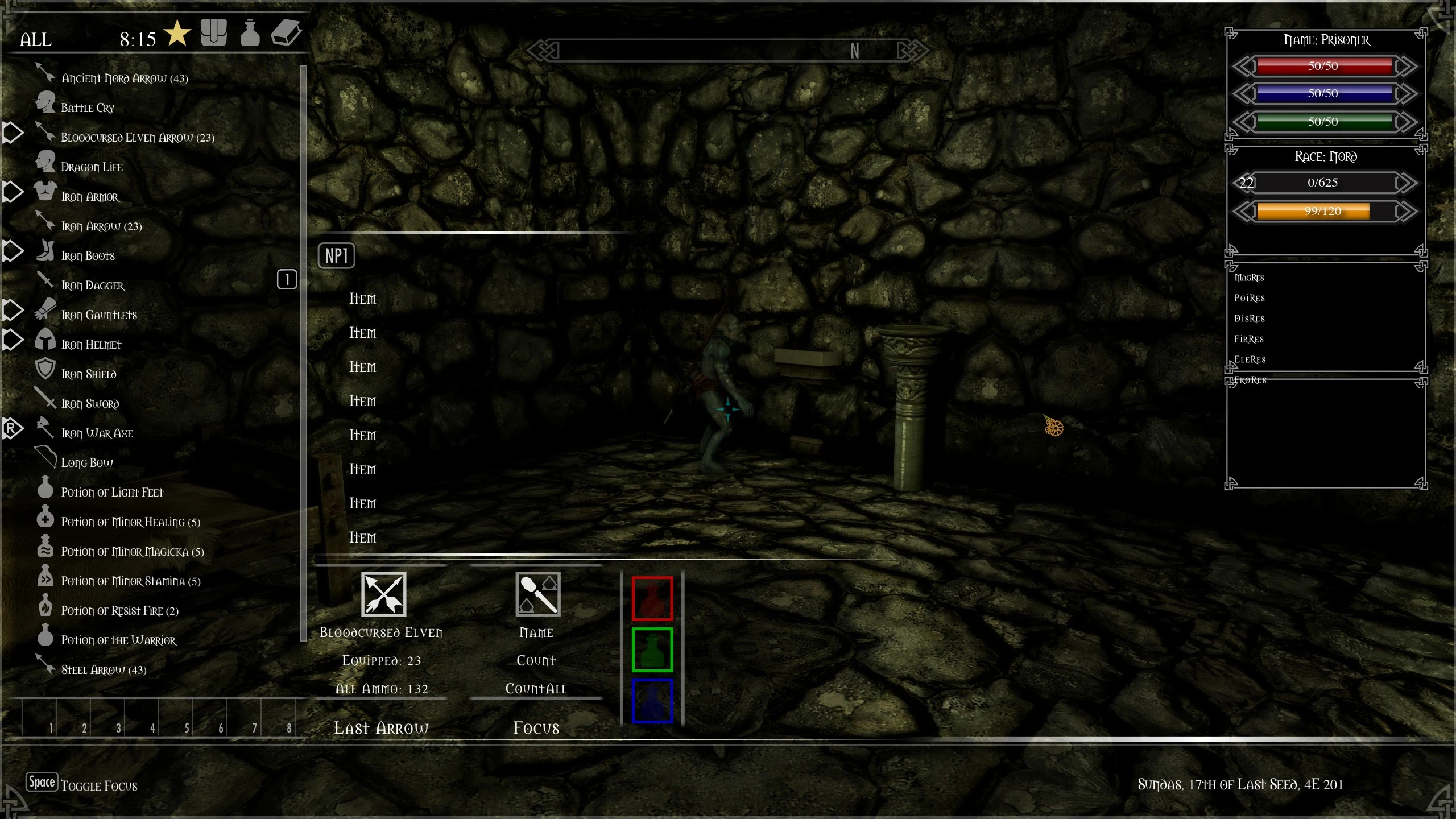
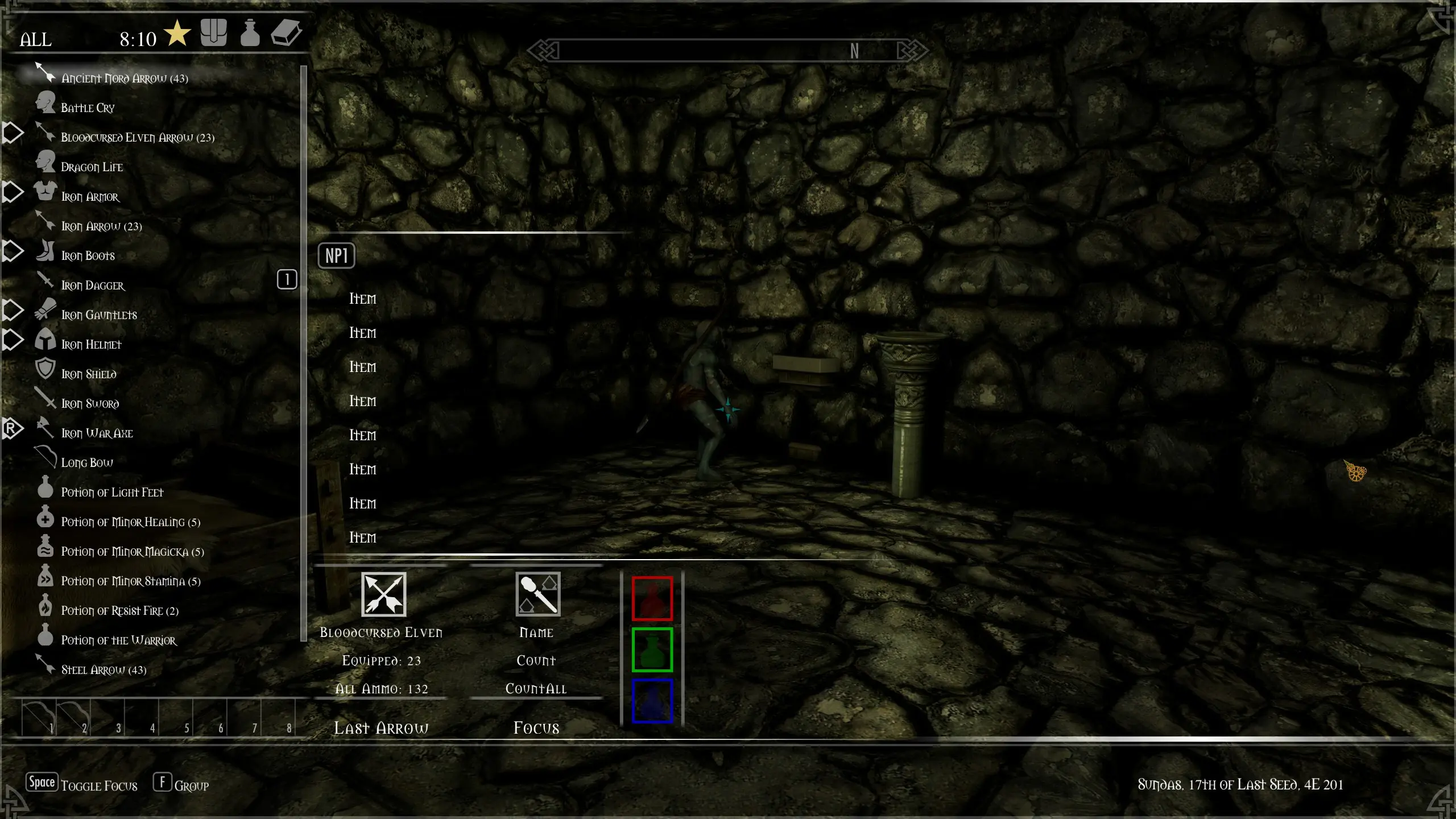
Player related Widgets are: Number of arrows in your inventory/currently equipped and the name of the ammo type. A Gold counter showing Gold in your inventory. A widget to display your carry weight/inventory weight. A global and regional bounty counter. A Widget to show Player level, experience points needed for current level, and expereince points you already have for current level. A speed/jump height/max. fall depth Widget, which probably only has relevance if you are using progressive speed/jump height aka Athletics&Acrobatics Mods. A equipment counter shwing lockpicks and torches, which also shows string based info on equipped items(left, right, shout/power), and a Widget to show current light level making it easier to determine when you are walking in the shadows. A attribute widget showing player heal, stamina and magicka regeneration rate, as well as health, stamina and magicka in numeric values. There's a text based Widget that shows, by name, which items you have hotkeyed. And a small star like icon that will show you if an actor is essential.
Not Player related Widgets: There's a widget for owned horse (doesn't work for stolen horses), that shows you health, stamina, distance (in meters) and name of the horse
Widget Mod adds customizable HUD widgets to display various game information, offering a lightweight UI enhancement. With over 2,100 endorsements and 566k downloads, it's a popular choice for players seeking on-screen data without heavy overhauls. Last updated in 2020, it remains a stable option for UI tweaks.
✨ Key Features
📊 Pros & Cons
✅ Pros
- High download count (566,938) shows widespread use
- Solid endorsement ratio (2,171) indicates community trust
- Simple concept—widgets for HUD info—fits many playstyles
⚠️ Cons
- Last updated in 2020, so may lack compatibility with newer game versions
- Limited to UI info display; no gameplay changes
For players who want quick access to game stats or info on screen without digging into menus. Ideal for UI tinkerers who prefer lightweight mods over full HUD overhauls. Skip if you're looking for gameplay-altering content—this is purely informational.
💡 Beginner Tips
- Check if the mod is compatible with your game version, as it hasn't been updated since 2020.
- Experiment with widget placement to avoid cluttering your screen.
- Combine with other UI mods carefully to prevent overlap or conflicts.
📊 Mod Details
- Game
- Skyrim Mods
- Author
- CrEaToXx
- Version
- 0.5.7
- Downloads
- 566,938
- Endorsements
- 2,171
- Category
- User Interface
- Created
- 2/5/2020
- Updated
- 5/13/2020
🔧 How to Install Skyrim Mods
Download from Nexus.
📖 Full step-by-step install guide for Skyrim →
Visit the official mod page for specific installation instructions for this mod.
🎮 Need cheat codes or console commands? Check ur gaming wiki for Skyrim commands, item IDs, and more.
Keep browsing — more Skyrim mods await