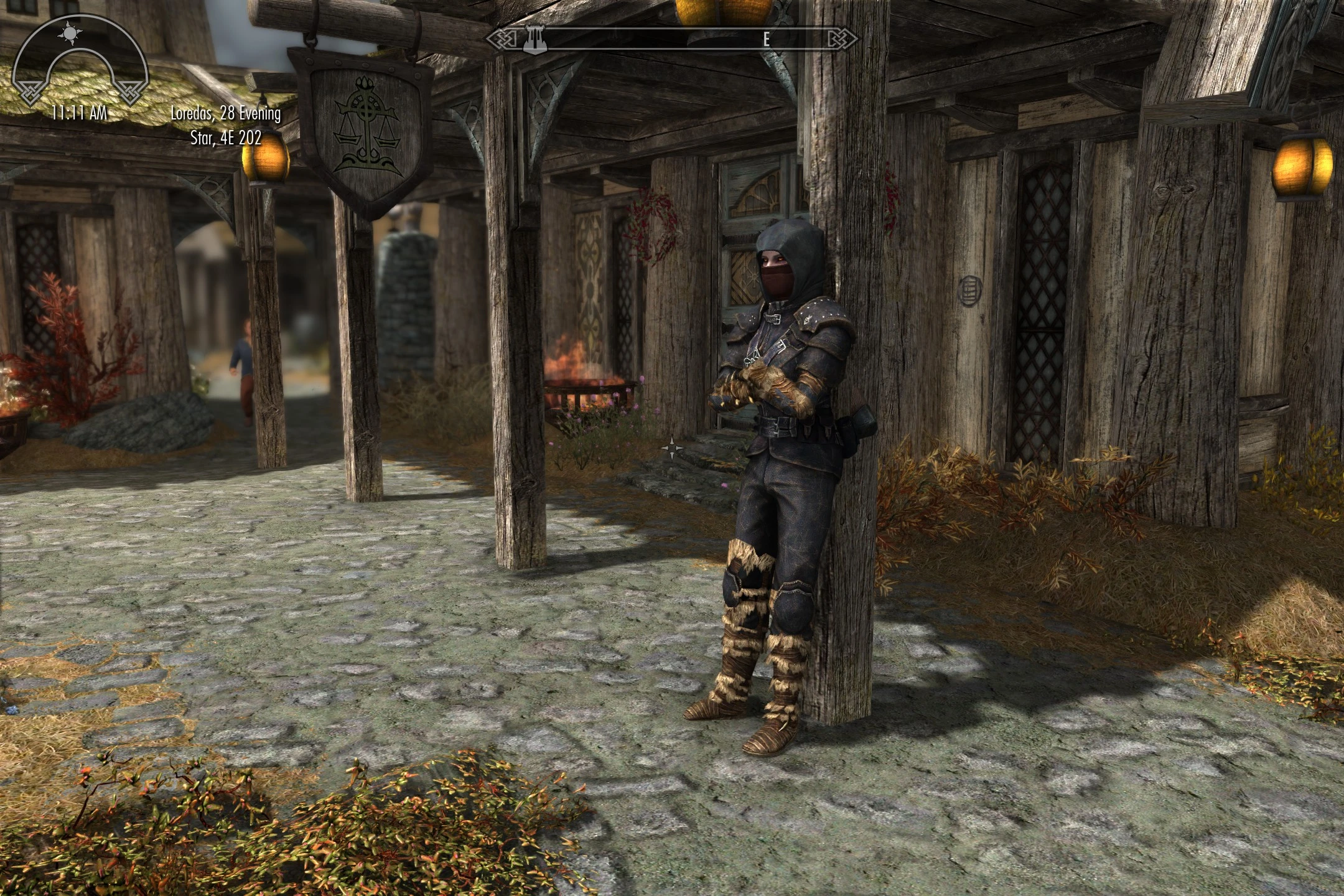
Dovahkiin can lean Sit Kneel Lay down and Meditate etc too
⚪ Last updated 2023⚠️ Install Order · 5 steps
Install in this order, then this mod last — most mods fail to load without their framework and dependencies in place.
Preview
🔍 Analysis
- 👍 1.0% endorsement rate
- 🏆 #109 of 113 Gameplay mods in this game by downloads
📋 About This Mod
Dovahkiin can lean, sit, kneel, lay down, meditate here too
Have you ever noticed that npc's can do certain things that you can't?
Like lean on walls/posts, meditate, sit on ledges, on logs, crossed legged on the floor, or lean on counters on stalls/in shops?
Ever wondered "Hey why I can't I do that?" Well now you can, for selected markers.
What's covered? Well theres:
Various invisible chair markers (npc's sit down despite there being no actual chair visible)
Lean on counter
Greybeard meditate
Lean on wall/post
Guard lean on wall/post
Lean on table
Lean on rail
Search chest
Sit cross legged
Drink from mead barrel
Hammer on wall
Hammer on table
Carriage driver's seat
Others may be added as and when I find them but thats the major ones.
So why did you make it?
Everytime I wandered into Whiterun there'd be Jon Battleborn leaning on a post in the market and I thought "Why can't I do that?"
Everytime there'd be an NPC sitting on a ledge or sitting cross legged on the floor I thought "Why can't I do that?
When I found my way to High Hrothgar and found the Greybeards meditating and thought... well you get the idea.
Was I envious? You bet.
So I looked into it. It turns out they're a type of furniture thats not so different from regular furniture that you can interact with i.e. chairs and benches they have just have a few things different and lack a visible mesh for the most part. I also found that some of these special furniture markers were almost certainly intended for the Player to use but for some reason Bethesda never implemented it, namely various Player Invisible Chair markers that the player has never infact been been able to interact with.
The best example of this are the stone benches that surround the Bard's College in Solitude. Theres all these potential places to sit but you can't actually sit anywhere some places would be really nice such as the ones that look out to sea . Well as it happens they all have Player Invisible Chair markers but guess what, only NPC's can use them. Why? No idea but its probably another one of those cases where Bethesda's left hand doesn't know what its right is doing. Well after a little tweaking and fettling of some meshes later voila you can now sit to your hearts content gazing out to sea as you were intended to do all along.
So, does this have any real purpose?
To be honest it probably doesn't but hey, its a bit a fun, right?
It may even be of interest if you've ever wondered "Why can't I...?"
This mod lets the Dragonborn use NPC-only furniture markers like chairs, benches, and beds to sit, kneel, lay down, and meditate. It's also a modder's resource, making it useful for both players and mod creators. With nearly 5,000 endorsements and half a million downloads, it's a proven addition for immersive roleplay.
✨ Key Features
📊 Pros & Cons
✅ Pros
- Huge community trust—nearly 5,000 endorsements and half a million downloads show it's a go-to for immersive roleplay.
- Opens up new roleplay possibilities by letting your Dragonborn actually use the world's furniture, not just stand around.
- Doubles as a modder's resource, so it's not just for players—it's a foundation for other mods.
⚠️ Cons
- Last updated in April 2023—might have compatibility issues with the latest Skyrim updates or other mods.
- No detailed instructions or feature list in the description, so you'll need to figure out the exact mechanics in-game.
- Only affects furniture interactions—if you're looking for broader animation overhauls, this is a niche addition.
For Skyrim roleplayers who want deeper immersion by sitting, kneeling, or meditating in the world. Also for mod authors who need a resource for furniture animations. Skip if you prefer combat or quest mods—this is purely about idle interactions.
💡 Beginner Tips
- Since it's a simple mod, just drop the files into your Data folder or use a mod manager—no complex setup.
- Test it in a city like Whiterun to see which furniture markers work; not all may be usable.
- If you use other animation mods, check load order to avoid conflicts—place this one early.
📊 Mod Details
- Game
- Skyrim Mods
- Author
- Soupdragon
- Version
- 1.0
- Downloads
- 496,714
- Endorsements
- 4,870
- Category
- Gameplay
- Created
- 2/19/2020
- Updated
- 4/14/2023
🧩 Commonly Used Together
Users add these mods to the same collections — a real compatibility signal, not an AI guess.
🔧 How to Install Skyrim Mods
Download from Nexus.
📖 Full step-by-step install guide for Skyrim →
Visit the official mod page for specific installation instructions for this mod.
🎮 Need cheat codes or console commands? Check ur gaming wiki for Skyrim commands, item IDs, and more.
Keep browsing — more Skyrim mods await