Ultrawidescreen Fixes for Skyrim LE
⚪ Last updated 2019⚠️ Install Order · 3 steps
Install in this order, then this mod last — most mods fail to load without their framework and dependencies in place.
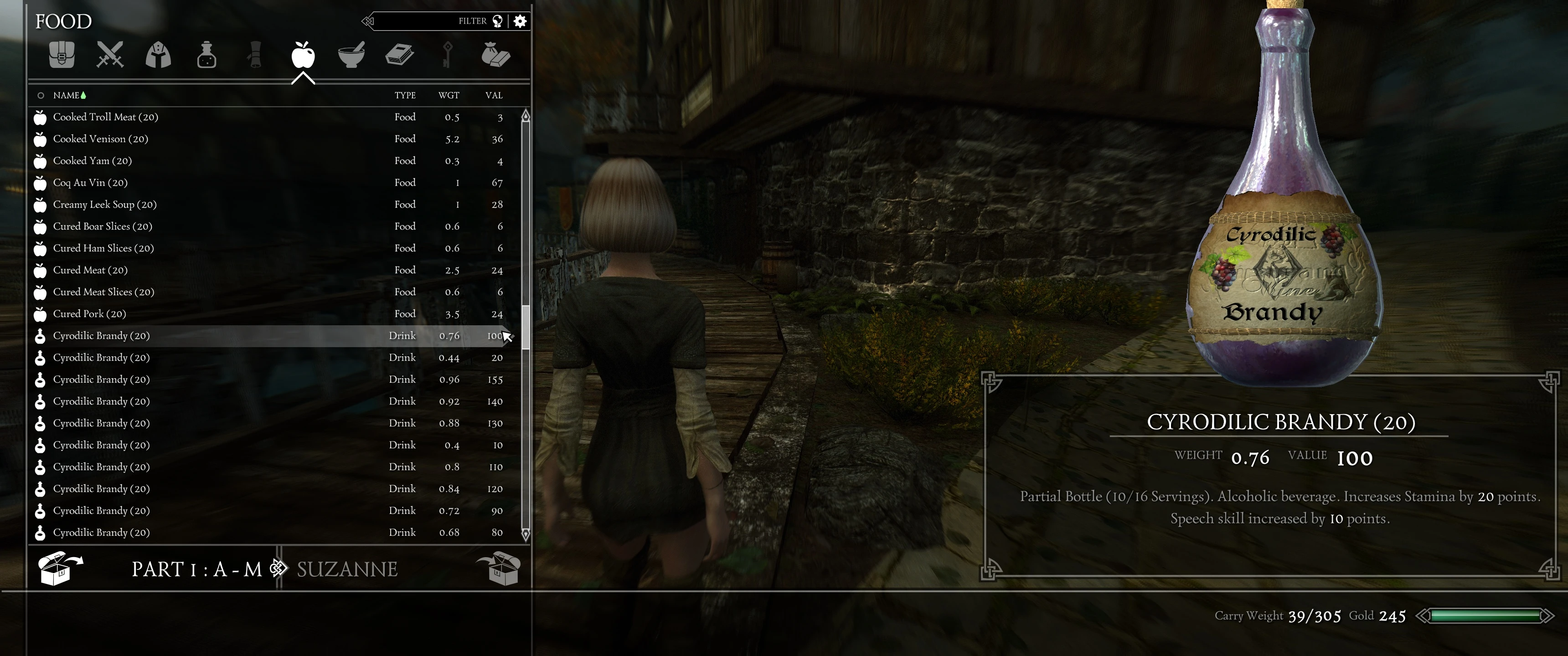
Preview
🔍 Analysis
- 👍 2.5% endorsement rate — high engagement, a strong quality signal
- 🏆 #31 of 55 User Interface mods in this game by downloads
📋 About This Mod
Description
Provides a complete 21:9 ultrawide-screen fix for SkyUI and a couple of other supported UI mods. Using this mod fixes all UI issues that occur with SkyUI when playing on 21:9 aspect ratio resolutions (2560x1080, 2580x1080, 3440x1440, etc.)
Included Options
During installation you can choose several options that provide ultrawide-screen fixes for the following mods:
-
[]Enhanced Character Edit
[
]RaceMenu[]SIM - Skyrim Interface Makeover
[]Customizable UI Replacer
[]FrostFall
[]Better Messagebox and Dialogue Controls
You can choose these additional options:
-
[]Remove Bethesda Intro Sequence
[
]Flames Effect on Loading ScreenRequirements
- SkyUI v5. 1: https://www.nexusmods.com/skyrim/mods/3863
Installation
Use the included FOMOD installer.
I recommend Mod Organizer 2 for mod management: https://www.nexusmods.com/skyrimspecialedition/mods/6194
If you use Mod Organizer, order this mod below any other UI mods so that files of supported mods can be overriden.
If you use NMM, install this mod after you've installed all other UI mods.
NOTE: If you choose to install the Additional Map Markers option, place the UltrawidescreenFixesForSkyrimLE.esp as the last mor in your load order, so that its loaded after any other mods. This esp provides functionality for additional map markers as well as map camera tweaks.Either use the included INI tweaks for Mod Organizer or add the following ini tweaks manually to skyrimprefs.ini:
fBookDistance=90. 000
fNoteDistance=75. 000
fUIAltLogoModel_TranslateX_G=15
fUIMistMenu_CameraFOV_G=100
And to skyrim.ini:
bWorldMapNoSkyDepthBlur=1
fMapWorldMaxPitch=90
fMapWorldMinPitch=0
fMapWorldYawRange=400
fWorldMapDepthBlurScale=0
fWorldMapMaximumDepthBlur=0
fWorldMapNearDepthBlurScale=0
uLockedObjectMapLOD=8
Load Order
Put this mod after all your other UI mods, especially those ones for which you use options from this mod. Put any custom cursor and custom console mods after this mod. Example:
Enhanced Character Edit
SIM - Skyrim Interface MakeoverCustomizable UI Replacer
Ultrawide-Screen Fixes for S
-
[]Remove Bethesda Intro Sequence
This mod delivers a complete 21:9 ultrawide-screen fix for SkyUI and several other supported UI mods in Skyrim LE. With 874 endorsements and over 34,000 downloads, it's a proven solution for ultrawide monitor users. Last updated in 2019, it remains a go-to for fixing stretched UI elements.
✨ Key Features
📊 Pros & Cons
✅ Pros
- Community-approved with 874 endorsements and 34k downloads—clearly works for a lot of people.
- Fixes the annoying stretched UI on 21:9 monitors, making SkyUI actually usable.
- Covers SkyUI plus a few other UI mods, so you get broader compatibility in one package.
⚠️ Cons
- Last updated in 2019—might not play nice with newer mod setups or the latest SkyUI versions.
- Only for Skyrim LE, so Special Edition users are out of luck.
For Skyrim LE players with 21:9 ultrawide monitors who are tired of stretched menus and want a quick fix for SkyUI. Also for those running other supported UI mods who want a one-stop solution. Skip if you're on Skyrim SE or don't use ultrawide.
💡 Beginner Tips
- Make sure you have SkyUI installed first—this mod fixes its layout, so it won't work without it.
- If you're using a mod manager like Nexus Mod Manager or Mod Organizer, install this after SkyUI to ensure proper overwrite order.
- Check your monitor's aspect ratio in Skyrim's settings—this mod is specifically for 21:9, so other ratios won't benefit.
📊 Mod Details
- Game
- Skyrim LE Mods
- Author
- ciathyza
- Version
- 1.1.2
- Downloads
- 34,516
- Endorsements
- 874
- Category
- User Interface
- Created
- 3/21/2018
- Updated
- 12/14/2019
🔧 How to Install Skyrim LE Mods
Download from Nexus.
📖 Full step-by-step install guide for Skyrim LE →
Visit the official mod page for specific installation instructions for this mod.
🎮 Need cheat codes or console commands? Check ur gaming wiki for Skyrim LE commands, item IDs, and more.
Keep browsing — more Skyrim LE mods await