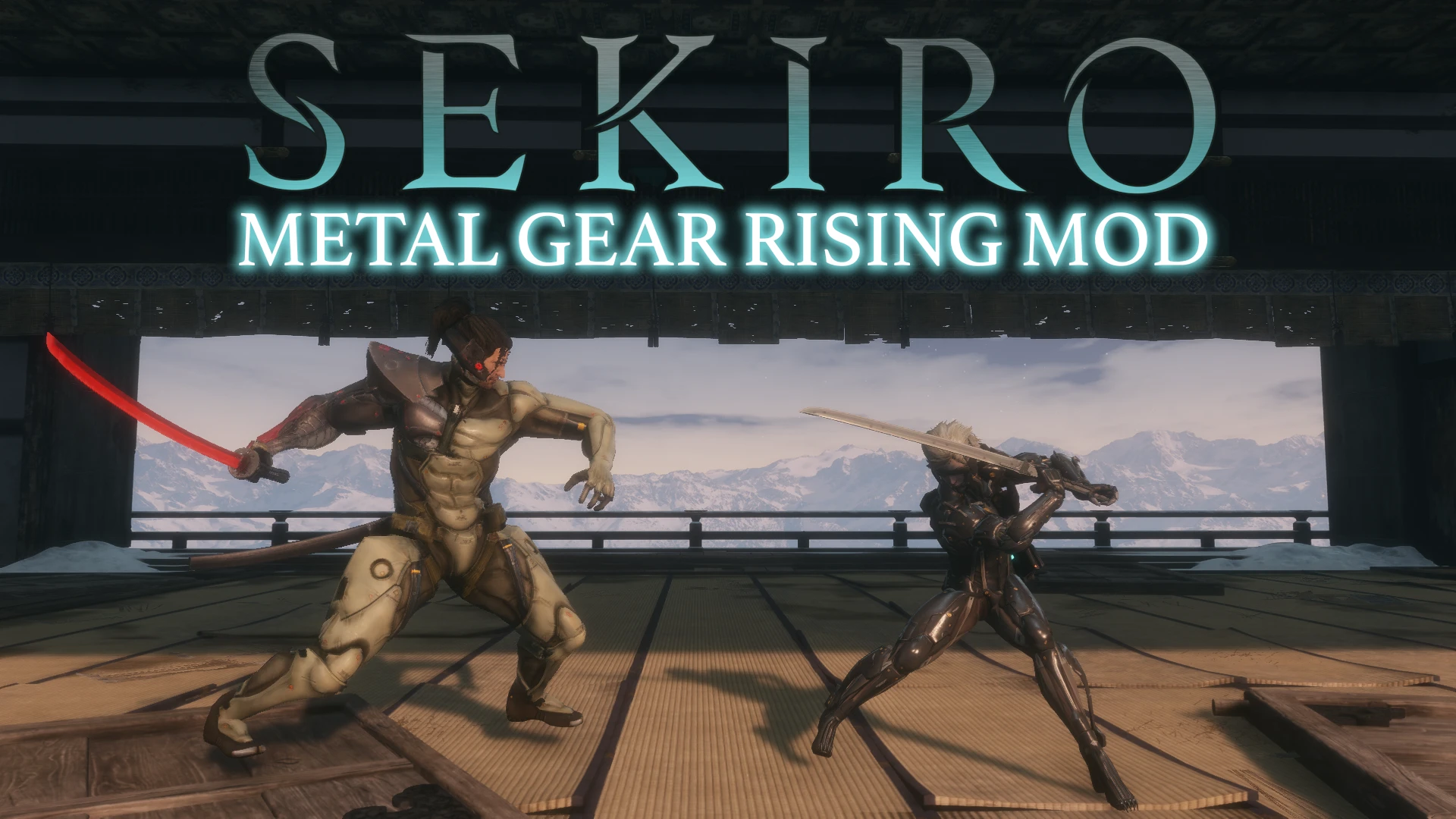
Sekiro Metal Gear Rising Mod
⚪ Last updated 2022⚠️ Install Order · 1 step
Install in this order, then this mod last — most mods fail to load without their framework and dependencies in place.
Preview
🔍 Analysis
- 👍 1.0% endorsement rate — high engagement, a strong quality signal
- 🏆 #9 of 440 Customisation mods in this game by downloads
📋 About This Mod
Features summary:
-
[] Raiden Transformation Visor on and off
[
] Raiden Prologue Visor on and off[] Raiden Advanced Visor on and off
[] Raiden Desperado Visor on and off
[] Raiden Mariachi Visor on and off
[] Raiden MGS4 Visor on and off
[] Jetstream Sam Transformation
[] Jetstream Sam DLC
[] Jetstream Sam Desperado Visor on and off
[] MGS4/Prologue HF Blade
[] MGRR HF Blade
[] MGRR HF Blade Murasama sheath
[] Murasama Blade
[] MGRR HF Blade
[] Murasama Blade with Raiden HF Blade sheath
[] Murasama Blade with Raiden Desperado HF Blade sheath
[] Murasama Blade with Murasama sheath
[]Jetstream Sam Genichiro replacement with voice lines and subtitles
[]Full Sekiro MGRR music replacement
[]Sekiro MGRR credits replacement
[]Zandatsu Deathblow icons
Instructions
Mod Engine (Full Package):
-
[]Download either "Sekiro Metal Gear Rising Mod Full Package" or any other mod with the "Manual Download" button.
[]Download Sekiro Mod Engine
[]Copy dinput8.dll and modengine.ini and Paste them into your Sekiro installation
[]Make a new folder called mods in your Sekiro installation
[]Choose whatever you want from my mod and copy/paste the folders into the mods folder. do not copy/paste the contents of these folders
Vortex:
-
[]Download and install Vortex
[
]Open the app and log in with your Nexus Mods account[]Go to "Games", search for Sekiro and click on "manage". Set directory if prompted.
[]Once Sekiro is managed by Vortex, you can download files from this mod with the "Mod Manager Download" button. Your browser will prompt you to open Vortex.
- After your download is finished in the "Downloads" section of Vortex, go to "Mods", right-click on the downloaded mod and click on "Unpack as-is" to install it.
If you want to use any model replacements,
-
[]Download and install Vortex
-
[]Download either "Sekiro Metal Gear Rising Mod Full Package" or any other mod with the "Manual Download" button.
This mod transforms Sekiro into Metal Gear Rising, letting you play as Raiden or Jetstream Sam with their HF Blades, fight Sam instead of Genichiro, and replaces all soundtracks with MGRR OST. With 852 endorsements and 81k downloads, it's a popular crossover for fans of both games.
✨ Key Features
📊 Pros & Cons
✅ Pros
- Community favorite with 852 endorsements and over 81k downloads
- Massive crossover overhaul that changes combat and music
- Brings the MGRR vibe to Sekiro's world
⚠️ Cons
- Last updated in April 2022, may not be compatible with the latest Sekiro patches
- Potential conflicts with other mods that alter Genichiro or soundtracks
For Sekiro players who are also Metal Gear Rising fans and want a wild crossover experience. If you're looking for a serious, lore-friendly mod, this isn't it. Skip if you prefer vanilla Sekiro.
💡 Beginner Tips
- Make sure to back up your save files before installing, as mods can affect game data.
- Use a mod manager like Mod Engine 2 to avoid conflicts and ease installation.
- Check the mod's comments section for any reported issues with current game versions.
📊 Mod Details
- Game
- Sekiro Mods
- Author
- Tomanton22
- Version
- 2.1.1
- Downloads
- 81,685
- Endorsements
- 852
- Category
- Customisation
- Created
- 10/2/2021
- Updated
- 4/20/2022
🔧 How to Install Sekiro Mods
Download from Nexus.
📖 Full step-by-step install guide for Sekiro →
Visit the official mod page for specific installation instructions for this mod.
🎮 Need cheat codes or console commands? Check ur gaming wiki for Sekiro commands, item IDs, and more.
Keep browsing — more Sekiro mods await